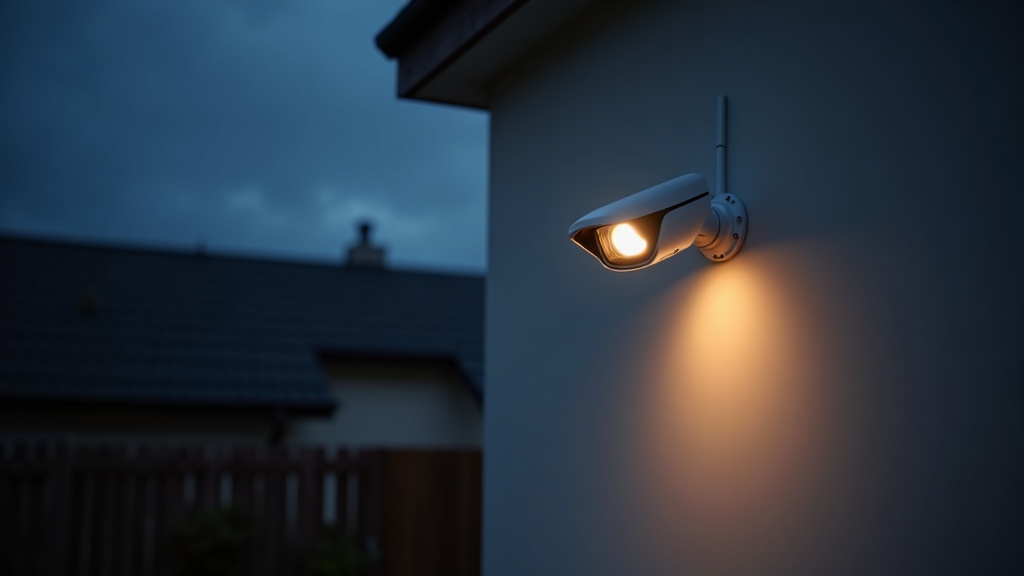
Ring just did the sneaky thing where it upgrades the products you already own — except you don’t get the upgrade unless you buy the new one. The Ring Spotlight Cam (2nd Gen) and Floodlight Cam (2nd Gen) both jumped from 1080p to 2K video, and suddenly your trusty old outdoor cam is the blurry uncle in the family reunion photo — technically present, impossible to identify. Nobody’s mad at him. But nobody can tell if that’s a raccoon or the mail carrier on his footage, either.

Here’s the good news: this isn’t a flagship-only stunt. Ring brought 2K down to its entry-level outdoor tier, which is the tier most normal humans actually buy. So the real question isn’t “is 2K cool” (it is). It’s “is a sharper picture worth swapping out a camera that still technically works?” Below is exactly what changed, what stayed the same, and a straight answer on whether you should upgrade — all based on Ring’s official specs and launch coverage, not a camera we bolted to a fence.
Ready to see the difference? Check current prices on Amazon
Check Ring Spotlight Cam 2nd Gen on Amazon · Ring Floodlight Cam 2nd Gen · Ring Battery Doorbell Pro
As an Amazon Associate, we earn from qualifying purchases.
TL;DR — Ring’s 2nd Gen Outdoor Cams in 30 Seconds
- What launched: The Ring Spotlight Cam (2nd Gen) and Ring Floodlight Cam (2nd Gen), both available June 3, 2026.
- The headline change: Both moved from 1080p to 2K video. That’s the whole pitch, and honestly it’s a good one.
- Prices: Ring pitches both as a more accessible price point for 2K video, and prices move often, so check the Amazon links for today’s numbers.
- Lumens: Spotlight puts out 550 lumens (accent lighting + deterrence); Floodlight blasts 2,000 lumens (light up the whole driveway).
- Which for whom: Spotlight for a porch, side gate, or specific spot. Floodlight for a driveway, backyard, or “I want the whole area lit like a stadium.”
- New names, same cameras: Ring now sells them as Spotlight Cam 2K and Floodlight Cam 2K. Mount compatibility with Outdoor Cam 2K and the step up to the 4K floodlights are covered below.
- The catch: Recorded video still needs a Ring Home subscription. No plan, no saved clips — just live view.
- Should you upgrade from 1080p? Only if you’ve squinted at grainy footage and wished you could read a license plate. Otherwise, no rush.
What Actually Changed: The 2K Jump
Let’s not overcomplicate this. The marquee upgrade on both 2nd Gen cameras is resolution — Ring bumped them from 1080p HD to 2K. On paper that’s roughly 1.8x the pixels. In your driveway, that’s the difference between “someone-shaped blur approached the porch” and “that’s clearly a delivery guy holding a package the size of a toaster.”
Why this matters more than it sounds: outdoor cameras earn their keep at the edges of the frame and at distance — the sidewalk, the car in the driveway, the person lingering by the gate. That’s exactly where 1080p falls apart and where extra resolution actually buys you usable detail. Faces, package labels, the make of a car — 2K gives your footage a fighting chance of being evidence instead of an abstract painting.
What Ring smartly did here is push 2K down into the affordable tier. Previously, crisp resolution meant reaching for the pricier Pro-level cameras. Now the entry-level Spotlight and Floodlight get it too, which is the version of “trickle-down” that actually helps regular people. For a wider look at how these stack up against the field, see our roundup of the best outdoor security cameras for 2026.
Spotlight vs Floodlight: Lumens Decide Everything
Resolution is now identical across both, so the real fork in the road is how much light you need. This is where the two cameras go their separate ways.
The Spotlight Cam (2nd Gen) throws 550 lumens. Think of it as a bright, focused pool of light — enough to illuminate a porch, a doorway, a side gate, or a specific corner, and bright enough to make a prowler flinch and reconsider. It’s targeted lighting, not floodlighting.
The Floodlight Cam (2nd Gen) cranks out 2,000 lumens — nearly four times the output. This is your “turn night into afternoon” option: driveways, backyards, wide side yards, and any open area where you want the entire space lit the instant motion trips it. If your goal is deterrence-by-daylight, the Floodlight is the not-subtle choice, and being not-subtle is kind of the point.
Neither is “better.” They’re for different jobs. Pick based on the size of the area you’re covering and whether you want a spotlight or a spotlight-that-thinks-it’s-the-sun.
Ring Spotlight Cam vs Floodlight Cam (2nd Gen) — and the Old Guard
Here’s the whole picture side by side, including where the prior 1080p generation lands so you can see exactly what the jump buys you.
| Spec | Spotlight Cam (2nd Gen) | Floodlight Cam (2nd Gen) | Prior Gen (1st Gen / Plus) |
|---|---|---|---|
| Resolution | 2K | 2K | 1080p HD |
| Lumens | 550 | 2,000 | ~375–2,000 (model dependent) |
| Power | Battery or wired options | Wired / plug-in | Battery or wired |
| Best for | Porch, gate, specific spot | Driveway, backyard, wide areas | Anyone happy with 1080p |
Prices and availability shift constantly — tap the Amazon links for today’s numbers. Prior-gen specs vary by exact model (Spotlight Cam Plus, Battery, Wired, etc.).
Mounting Brackets, New Names and Floodlight Cam 2K vs 4K
One thing changed after these cameras shipped: the names. On August 24, 2026, Ring renamed the Spotlight Cam (2nd Gen) to Spotlight Cam 2K, the Floodlight Cam (2nd Gen) to Floodlight Cam 2K and the Outdoor Cam (2nd Gen) to Outdoor Cam 2K, and three days earlier the Floodlight Cam Pro (2nd Gen) became the Floodlight Cam 4K Pro. Ring says the change is cosmetic: the hardware, firmware and features stayed the same, and a box bought before the switch may still carry the old name. So a 2nd Gen box and a 2K listing describe the same camera, and the number in the new name is the recording resolution, 2560 x 1440 for 2K and 3840 x 2160 for 4K.
Do Spotlight Cam 2K and Outdoor Cam 2K share a mounting bracket?
Ring doesn’t say they do. Each camera ships with its own camera mount, and Ring publishes a separate installation guide for each. The steps read almost alike: a mounting plate goes on the wall or ceiling, the camera mount screws to the back of the camera, and the camera slides onto the plate until it clicks. The details differ, though. Ring calls for a 1/4 in (6 mm) masonry bit for the Spotlight Cam 2K wall anchors and a 3/16 in (5 mm) bit for Outdoor Cam 2K, and the Outdoor Cam 2K guide adds a flat option, standing the camera on a level surface. Ring’s spec sheet lists a vertical surface for Spotlight Cam 2K, while its plug-in installation guide also covers a ceiling mount; Outdoor Cam 2K is listed for a vertical or horizontal surface.
The sold-separately mounts are where Ring’s own pages disagree. The Pole and Wall Mount and Stake Mount pages both list Spotlight Cam (2nd Gen) Battery, the battery Spotlight Cam 2K under its old name, as a supported camera, and neither lists Outdoor Cam 2K or Outdoor Cam (2nd Gen). The Outdoor Cam 2K product page, however, shows the Pole and Wall Mount among its compatible accessories. Ring’s Device Compatibility List doesn’t settle it: its mounts section names neither 2K camera, and the plain Outdoor Cam it does name is, in Ring’s current lineup, the 1080p model sold alongside Outdoor Cam 2K. Until those pages line up, treat a shared bracket as unconfirmed, and check the mount’s supported-devices list against the exact camera name and power type before you order.
Power is the cleaner split. Ring sells Spotlight Cam 2K in battery, plug-in, solar and wired versions; its battery bay holds up to two Quick Release Battery Packs, and the wired version uses a hardwired kit that needs an existing junction box. Outdoor Cam 2K comes in battery and plug-in versions with a single battery slot. Ring’s compatibility list pairs both cameras with its 6W solar panel and the Quick Release Ultra Battery Pack. On video they match: both record 2K with a 140-degree horizontal, 85-degree vertical field of view and up to 6x Enhanced Zoom over single-band 2.4 GHz Wi-Fi. The visible difference is light: Spotlight Cam 2K carries a 550-lumen spotlight, and the Outdoor Cam 2K spec sheet lists no light at all.
Floodlight Cam 2K vs Floodlight Cam 4K Plus and 4K Pro
The step from 2K to 4K on Ring’s floodlights doesn’t buy more light or a wider view. All three list a 140-degree horizontal, 85-degree vertical field of view and 2,000 lumens. What 4K buys is detail at a distance. Floodlight Cam 2K records at 2560 x 1440 with up to 6x Enhanced Zoom; Floodlight Cam 4K Plus and Floodlight Cam 4K Pro record at 3840 x 2160 with up to 10x, which Ring describes as four times the detail of 1080p HD over the same field of view, making it easier to identify people, objects or license plates. That matters most for details far from the camera, which is how Ring pitches the 4K Pro: critical details, even at a distance.
The 4K models also detect motion differently and ask more of your network. Both use radar-powered 3D Motion Detection, which Ring says measures the distance and angle of objects in front of the camera so you can set where on the property recording starts; Floodlight Cam 2K uses Advanced Motion Detection with customizable motion zones. Floodlight Cam 2K runs on single-band 2.4 GHz Wi-Fi 4 with a recommended 5 Mbps of upload speed. The 4K Plus and 4K Pro use dual-band Wi-Fi 6, and Ring recommends at least 15 Mbps of upload, or 20 Mbps for the best 4K recording and streaming. Ring also notes that video resolution may vary with internet bandwidth, so a slow connection can limit what the extra resolution delivers.
On power, the three are closer than the spec sheets suggest. Ring sells Floodlight Cam 2K as a single hardwired version, 100-240V, and every Floodlight Cam 2K listing under its Amazon parent is the wired model, but Ring also sells a Plug-In Mount for Cameras that plugs into a standard outlet and lists Floodlight Cam (2nd Gen), the 2K under its old name, as its supported device. Floodlight Cam 4K Plus comes hardwired or as a plug-in model for a standard 100-120V outlet. Floodlight Cam 4K Pro is hardwired, and Ring sells it with an optional Plug-In Mount as well. The 4K Pro is Ring’s 2025 model, and the 4K Plus is a 2026 release.
| Floodlight Cam 2K | Floodlight Cam 4K Plus | Floodlight Cam 4K Pro | |
|---|---|---|---|
| Video | 2K (2560 x 1440), up to 6x zoom | 4K (3840 x 2160), up to 10x zoom | 4K (3840 x 2160), up to 10x zoom |
| Field of view | 140° horizontal, 85° vertical | 140° horizontal, 85° vertical | 140° horizontal, 85° vertical |
| Floodlights | 2,000 lumens | 2,000 lumens | 2,000 lumens |
| Motion detection | Advanced Motion Detection | 3D Motion Detection (radar) | 3D Motion Detection (radar) |
| Wi-Fi and recommended upload | Wi-Fi 4, 2.4 GHz; 5 Mbps | Wi-Fi 6, dual-band; 15 Mbps | Wi-Fi 6, dual-band; 15 Mbps |
| Power versions | Hardwired, or plug-in with Ring’s Plug-In Mount | Hardwired or plug-in | Hardwired, or plug-in with Ring’s Plug-In Mount |
So the choice comes down to two questions. If you want to zoom in on a face or a plate at the far end of a driveway and your Wi-Fi reaches the spot with upload to spare, the 4K floodlights are built for that. If you are replacing a hardwired fixture and mostly need the yard lit and recorded, or your upload sits nearer 5 Mbps than 15, Floodlight Cam 2K gives you the same 2,000 lumens over the same field of view. And if the only power at the spot is an outdoor outlet, none of the three is ruled out: the 4K Plus comes as a plug-in model, and Ring sells a Plug-In Mount for the 2K and the 4K Pro.
Compare the other 2K and 4K models on Amazon
Ring Outdoor Cam 2K (Battery) · Ring Floodlight Cam 4K Plus (Wired) · Ring Floodlight Cam 4K Pro (Wired)
As an Amazon Associate, we earn from qualifying purchases.
The Verdict: Great Cameras, Sensible Upgrade — With One Asterisk
These are easy cameras to recommend if you’re buying new. The 2K jump is genuinely useful, the prices are reasonable for what you get, and the Spotlight/Floodlight split covers almost every outdoor scenario a homeowner faces. If you’re starting from scratch or expanding your setup, buy with confidence — get the Spotlight for targeted spots and the Floodlight for wide-open areas.
The asterisk is the Ring Home subscription. Ring cameras are still cameras that mostly show you live video for free and save nothing unless you pay. A camera that doesn’t record is a very expensive way to watch your driveway in real time. Factor that recurring cost into your decision — it’s the part Ring’s marketing whispers instead of shouts.
And if you’re eyeing a matching doorbell to go with your new cams, our Ring Battery Doorbell buying guide breaks down which one pairs best.
Pick your camera — check current prices on Amazon
Ring Spotlight Cam 2nd Gen · Ring Floodlight Cam 2nd Gen · Ring Battery Doorbell Pro
As an Amazon Associate, we earn from qualifying purchases.
Ring 2nd Gen Cameras FAQ
Do I need a subscription to use the Ring Spotlight or Floodlight Cam?
You can use live view, two-way talk, and real-time motion alerts for free. But to save and review recorded video and photos, you need a Ring Home plan. Without it, clips aren’t stored — you only see events as they happen. Ring includes a free trial with a new camera purchase, so you can test the recording features before the bill kicks in. Budget for the ongoing subscription; it’s the real long-term cost of any Ring camera.
Wired or battery — which should I get?
The Floodlight Cam (2nd Gen) is a wired/plug-in device — those 2,000 lumens need steady power, so it belongs where you have wiring or an outdoor outlet. The Spotlight Cam (2nd Gen) offers more flexibility with battery and wired options. Rule of thumb: pick wired for a permanent, always-on install you never want to think about; pick battery for spots without wiring, and accept that you’ll recharge it periodically. Both do the same 2K job either way.
Is it worth upgrading from my old 1080p Ring cam?
Be honest with yourself: have you ever pulled up a clip and been frustrated you couldn’t make out a face, a license plate, or a package label? If yes, the 2K jump is a real, tangible fix and worth it. If your 1080p footage has always been “good enough,” there’s no urgency — your old cam still records fine, and you can upgrade whenever it dies or goes on sale. Don’t replace a working camera for spec-sheet bragging rights alone.
Ring vs Blink — which should I buy?
Both are Amazon-owned, but they aim at different budgets. Blink is the value pick — cheaper hardware, simpler features, great for basic coverage on a tight budget. Ring costs more but offers a deeper ecosystem, brighter integrated lighting, and features like these new 2K cams. If you want the lowest upfront price, look at Blink; if you want a fuller smart-home security setup and are okay paying for it, Ring wins. We break the whole thing down in our Ring vs Blink comparison.
Disclosure: As an Amazon Associate, The Home Picker earns from qualifying purchases. Specs and availability for the Ring Spotlight Cam (2nd Gen) and Floodlight Cam (2nd Gen), and the mount and 4K details above, are based on Ring’s official product information, Ring Help articles and launch coverage; we have not tested these specific new models. Subscription details reflect Ring’s stated Ring Home plan terms and can change — verify current pricing and plan requirements at checkout.
You May Also Like
- Best Outdoor Security Cameras 2026: Top 7 Picks for Home Safety
- Best Indoor Security Cameras in 2026: Top WiFi Cameras for Home Monitoring
- Arlo Pro 5S Review 2026: 2K HDR Security Without the Monthly Fee
- Ring vs Blink Security Camera: Which One Should You Buy?
- Eufy Security vs Ring Camera 2026: No Monthly Fee vs Full Ecosystem