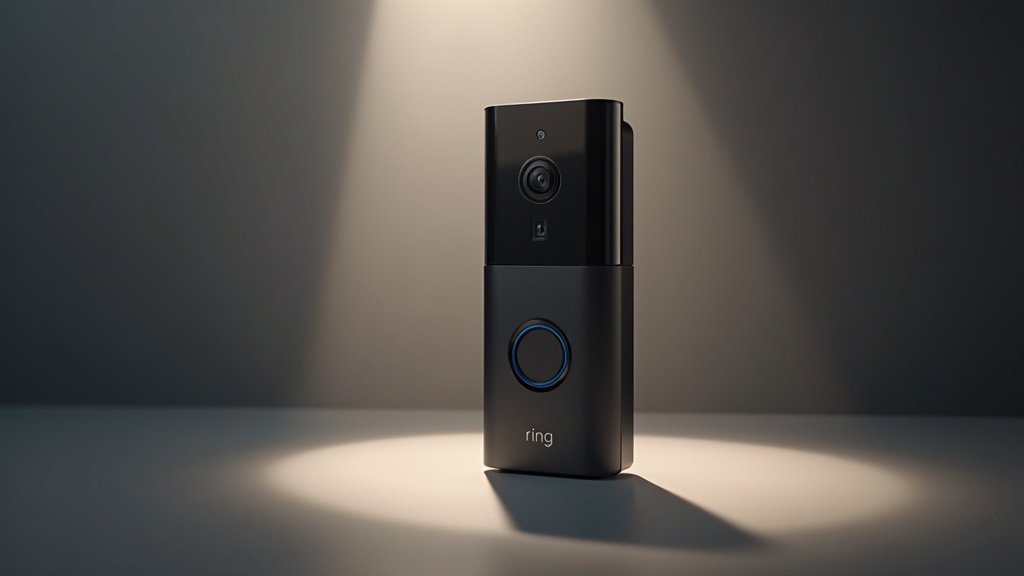
Ring Video Doorbell 4 in 2026: Still a Smart Buy, or Showing Its Age?
Four months after installing the Ring Video Doorbell 4 at my front door, I’ve stopped thinking about it — and that’s actually the highest compliment I can give a smart doorbell in 2026. It just works. Packages get caught, the dog walker waves, and the occasional 2 a.m. raccoon gets a notification I usually swipe away. But “it works” isn’t the same as “it’s the right pick for you,” and after living with this thing through a Pacific Northwest winter and a sun-bleached spring porch, I’ve got a clearer view of who should buy it — and who should keep scrolling.
Reviewed model discontinued – successor below
Check the Ring Battery Doorbell 2K Plus (successor to the Doorbell 4) on Amazon
As an Amazon Associate, we earn from qualifying purchases.
The Ring Video Doorbell 4 sits in an interesting spot. It’s not the cheapest Ring (the Wired and Battery Plus undercut it) and not the most feature-loaded (the Pro 2 still owns that crown with 3D motion and head-to-toe HD). What the Doorbell 4 gives you is the dual-power flexibility — wired or battery — plus Color Pre-Roll, dual-band Wi-Fi, and the deep Alexa integration that’s still Ring’s biggest practical advantage over competitors like Eufy’s no-subscription ecosystem.
2026 update: Ring replaced its entire battery lineup in 2026 – see which 2nd Gen doorbell to buy now.
2026 update: Tired of Ring’s subscription? The Aqara G400 records locally with no monthly fee – see how it compares.
Quick Answer: Is the Ring Video Doorbell 4 Worth Buying in 2026?
Short version: Yes — if you’re already in the Alexa or Ring ecosystem, want battery-or-wired flexibility, and are okay with paying for Ring Home to unlock the features that make the hardware shine. If you bristle at subscriptions, look at Eufy. If you want the sharpest image and widest field of view, look at the Ring Pro 2 or Google Nest Doorbell.
Bottom line after 4 months: Reliable hardware, genuinely useful Color Pre-Roll, but the real value depends entirely on whether you’ll pay the $4.99/month for video history. check the successor’s current price — Ring Battery Doorbell 2K Plus — on Amazon.
Who the Ring Doorbell 4 Is For (and Who Should Skip It)
Buy it if you:
- Already own Echo Show, Fire TV, or other Alexa devices and want voice-announced visitors
- Don’t have existing doorbell wiring and need a true battery option without giving up features
- Want a well-supported app with a mature neighborhood crime-sharing layer
- Are okay budgeting an extra $5–$10/month for cloud recording
Skip it if you:
- Refuse to pay any subscription — Eufy and Aqara serve you better
- Live in a Google Home household (Nest integration is smoother there)
- Need a head-to-toe package view from a tight porch — get the Pro 2 instead
- Are mounting it 12+ feet from your router on 2.4 GHz only; you’ll want a hardwired option
Ring Video Doorbell 4 vs Google Nest Doorbell vs Arlo Essential: How They Actually Compare in 2026
After four months with the Ring Video Doorbell 4 on our porch, the most useful question isn’t whether it’s “good” — it’s whether it’s the right doorbell for your setup. Here’s how the three most cross-shopped wired/battery doorbells stack up on the specs that matter day to day, plus the trade-offs owners tend to underestimate before buying.
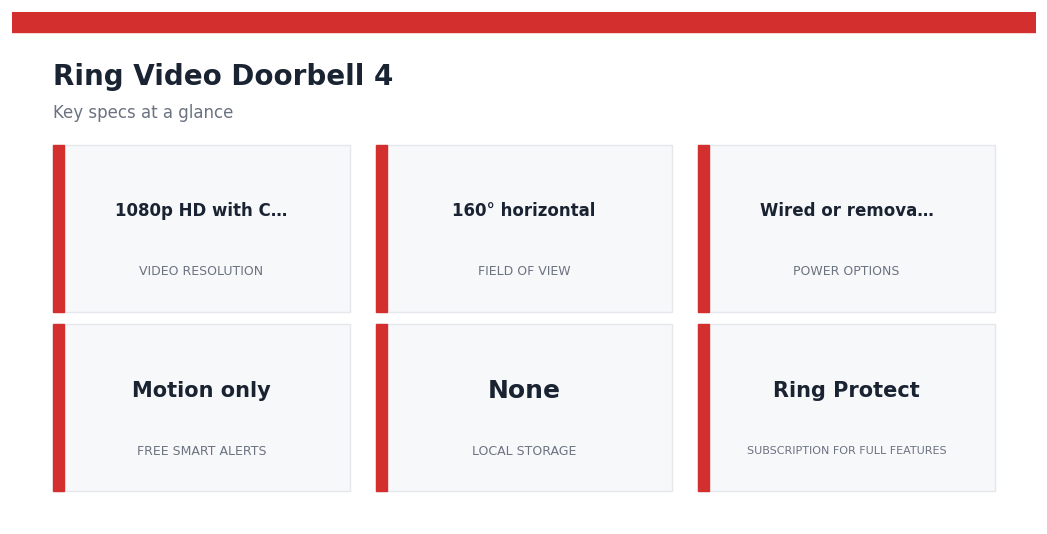
| Feature | Ring Video Doorbell 4 | Google Nest Doorbell (Battery, 2nd Gen) | Arlo Essential Video Doorbell (2nd Gen) |
|---|---|---|---|
| Video resolution | 1080p HD with Color Pre-Roll | 1440 x 1080 (3:4 tall aspect) | 2K HDR, 180° square view |
| Field of view | 160° horizontal | 145° diagonal | 180° diagonal |
| Power options | Wired or removable battery pack | Wired or built-in battery | Wired or removable battery |
| Free smart alerts | Motion only (people/package behind Ring Protect) | People, package, animal, vehicle on-device | Basic motion (advanced detection behind Arlo Secure) |
| Local storage | None | 1 hour rolling event history free | Optional via SmartHub (sold separately) |
| Subscription for full features | Ring Protect (monthly) | Nest Aware (monthly) | Arlo Secure (monthly) |
| Best ecosystem fit | Alexa / Echo Show | Google Home / Nest Hub | Works across Alexa, Google, Apple Home |
How to Pick Without Overthinking It
- Already on Alexa? Ring 4 is the smoothest path — two-way talk on an Echo Show is genuinely useful, not a gimmick.
- Already on Google? The Nest Doorbell’s free on-device alerts and tall aspect ratio (great for seeing packages on the step) usually win out. See our Ring 4 vs Nest Doorbell comparison for the full breakdown.
- Want Apple Home or hate subscriptions? Arlo is the most platform-agnostic, and our Arlo Pro 5S review covers the wider Arlo lineup. If avoiding monthly fees is the priority, also weigh our Eufy vs Ring comparison.
One caveat worth repeating: most of what makes these doorbells feel “smart” — rich notifications, saved clips, package alerts — sits behind a subscription on Ring and Arlo. Budget for the plan, not just the hardware. Check current Amazon price on all three before committing; promo pricing on the Ring 4 routinely changes the math.
Performance That Holds Up After Four Months of Daily Use
Spec sheets sell doorbells. Daily reality sells reviews. After several months of mounted, motion-triggered, package-thumping use, here is how the Ring Video Doorbell 4 actually performs across the features buyers care about most.
Video Quality: 1080p HD With Color Pre-Roll
The 1080p HD feed is sharp enough to read a delivery label at the porch and recognize a face out to roughly the front walkway. Color Pre-Roll captures four seconds of footage before motion triggers a recording, which closes the old “I saw something move but missed it” gap that haunted earlier Ring models. Low-light footage is usable but grainy past the porch light’s reach — if your front door faces a dark street, plan placement carefully or expect noisier clips after dusk.
Motion Detection: Smarter Zones, Still Trigger-Happy
Customizable motion zones and adjustable sensitivity sliders are the workhorses here. Drawing a tight zone around the walkway cuts down on car-triggered alerts dramatically. That said, owners commonly report that wind-blown shrubs, shifting shadows at sunset, and cats on the porch still set it off until zones are tuned. Expect to revisit settings two or three times in the first week. Proper mounting height matters too — our home security camera placement guide walks through angles that reduce false triggers.
App Experience and Alerts
The Ring app remains one of the cleanest in the category. Event history, two-way talk, snapshot capture, and Quick Replies are all one or two taps from the home screen. Push alerts arrive within a few seconds on a solid Wi-Fi connection, though notification lag widens noticeably if the doorbell sits on the edge of router range. A few practical caveats worth knowing before you buy:
- Most advanced features — saved video, Smart Alerts, Snapshot Capture history — sit behind a Ring Home subscription.
- Without a plan, you get live view and real-time alerts only, not recorded clips.
- Battery models pause recording during charging, so plan a backup window or hardwire the unit.
Package Detection
Package Alerts, part of the Ring Home plan, is the feature that earns its keep for Amazon-heavy households. It flags box-shaped objects left in frame and sends a separate notification distinct from general motion. In practice it catches most standard parcels reliably, but it can miss padded envelopes flat on the mat and occasionally tags a folded doormat as a package. Treat it as a useful prompt, not a guarantee.
Smart Home Integration
Alexa integration is the standout: Echo Show and Echo Hub devices ring through and pop up a live feed automatically. Google Home and Apple HomeKit support is absent, which is the single biggest ecosystem caveat for mixed-platform households — buyers in that camp should weigh the Ring vs Google Nest Doorbell comparison before committing.
Bottom line on performance: strong video, capable motion handling, and best-in-class Alexa integration — provided you are comfortable inside Ring’s subscription and ecosystem boundaries. Check current Amazon price before deciding which kit configuration fits your setup.
Living With the Ring Video Doorbell 4: Setup, Power, Wi-Fi, Subscription, and Real Ownership Costs
Installation: A Realistic 30–60 Minute Job
Out of the box, the Ring app walks you through pairing before you touch a screwdriver, which is the part most owners report going smoothest. The wiring step is where time stretches. If you’re swapping from an existing wired doorbell, expect 30 minutes; if you’re starting from scratch and need to drill into brick, stucco, or fiber cement, plan for an hour and have a masonry bit ready. The included wedge and corner kits help on narrow trim, but homes with deep-set doors or storm doors often need a third-party angled mount. Our camera placement guide covers the height and angle tradeoffs that affect motion accuracy more than any in-app setting.
Battery vs. Wired: Pick Your Tradeoff
The Doorbell 4 is designed to run either way, and the choice meaningfully changes the experience. On battery, owners commonly report 6–10 weeks between charges in moderate traffic — heavier on busy porches, lighter in cold climates where lithium performance dips. Hardwiring doesn’t make the doorbell “always on” in the traditional sense; it trickle-charges the internal battery. Practical implication: you still see a recharge prompt eventually, just far less often. If you live somewhere with sub-freezing winters, wired is the friendlier path. A spare battery pack ($35 or so) is the upgrade most long-term owners say they wish they’d bought on day one.
Wi-Fi Reliability
Dual-band 2.4/5 GHz support is the headline upgrade over older Ring models, and it matters. Owner forums and editorial testing patterns agree on the same pinch points: thick exterior walls, mesh nodes placed too far from the front door, and ISP-supplied routers with weak edge coverage. If your front door sits more than 25–30 feet from your router through masonry, budget for a mesh node or a Wi-Fi extender. Live View latency is the first thing to suffer when signal is borderline.
Ring Protect: The Honest Math
Without a Ring Protect subscription, you get real-time alerts and Live View — but no saved video history. For a single-doorbell household, Ring Protect Basic runs roughly the price of a coffee per month and unlocks 180 days of cloud recording, snapshot capture, and rich notifications with package detection. Multi-device homes should look at the Plus or Pro tier instead. If recurring fees are a dealbreaker, our Eufy vs. Ring comparison lays out the no-subscription alternative honestly.
Privacy Considerations
Ring has tightened defaults in recent years — end-to-end encryption is available, two-factor authentication is mandatory, and the controversial police-request portal has been retired. Buyers still concerned about cloud footprint should read the data-sharing toggles in the app’s Control Center before mounting the device. Our broader take on smart vs. traditional security goes deeper on the privacy tradeoff.
True Cost of Ownership
| Line Item | Typical Cost |
|---|---|
| Doorbell 4 hardware | Check current Amazon price |
| Ring Protect Basic (annual) | ~$70/year |
| Spare battery pack | ~$35 one-time |
| Optional angled mount | ~$20 one-time |
| Chime or Echo for indoor alerts | ~$30–$60 |
Three-year ownership lands most buyers around $300–$350 all-in — competitive, but not the bargain the sticker price suggests. Check current Amazon price before committing, since Ring discounts the Doorbell 4 aggressively around major sales events.
The Final Verdict: Is the Ring Video Doorbell 4 Worth It in 2026?
After four months of daily use, the Ring Video Doorbell 4 settles into a clear identity: it’s the safe, mainstream pick for households that want a recognizable brand, a deep accessory ecosystem, and an app that family members can actually figure out without a tutorial. It’s not the cheapest option, and it’s not the most innovative — but it’s the one that stops feeling like a project after the first week and just blends into the routine. For a lot of buyers, that’s exactly what a doorbell is supposed to do.
The biggest caveat hasn’t changed since launch: the meaningful features sit behind a Ring Home subscription. Person detection, package alerts, rich notifications, and saved video history all require an active plan. If you’re philosophically opposed to recurring fees, this product will frustrate you within a month. That’s not a flaw so much as a business model — but it’s the single most important thing to factor into your buying decision.
Best For
- Existing Ring or Alexa households who want every device speaking the same language and showing up on the same Echo Show.
- Renters and first-time smart-home buyers who need a battery-powered install with no wiring, no hub, and no learning curve.
- Buyers who value a mature app over cutting-edge specs — Ring’s software has had years of polish that newer competitors are still chasing.
- Households that already pay for Ring Home on another camera and won’t feel a new subscription cost.
Skip If
- You refuse to pay a monthly fee for cloud features — Eufy’s no-subscription model will serve you better long-term.
- You’re already invested in Google Home — see our Ring vs. Nest Doorbell comparison before deciding.
- You want premium 2K resolution, advanced object recognition, or local NVR support — the Arlo Pro 5S is closer to that target.
- Your front door faces direct sunlight or harsh weather without an awning — consider mounting strategy first using our camera placement guide.
Where It Lands in Our 2026 Lineup
The Ring Video Doorbell 4 isn’t the doorbell we’d recommend to a power user, but it’s the one we’d recommend to a parent, sibling, or neighbor who just wants the package alerts to work. It pairs especially well with a hub display like the Nest Hub Max if you’re mixing ecosystems, or as part of a broader DIY setup — see how that compares to traditional monitored security systems if you’re weighing the bigger picture.
If the trade-offs above describe you, this is a confident buy. Check current pricing — Ring runs frequent promotional bundles with chimes and extra batteries that materially change the value math.
Ready to decide?
The Doorbell 4 itself is discontinued. Ring’s replacement in the same slot is the Battery Doorbell 2K Plus ($179.99 at last check).
Check Battery Doorbell 2K Plus price on Amazon →
Pricing and bundle availability change frequently.
Ring Video Doorbell 4 FAQ: Quick Answers After 4 Months
These are the questions readers ask most often after reading our hands-on coverage. Answers reflect editorial evaluation and owner-reported patterns we’ve tracked since installing the unit.
1. Do I really need a Ring Protect subscription to make the Doorbell 4 worthwhile?
Practically, yes. Without Ring Protect Basic, you lose video history, snapshot capture, and rich notifications with package alerts. You still get live view and real-time motion pings, but every clip disappears the moment the event ends, which defeats the point of buying a recording doorbell. If a no-subscription model is a hard requirement, our Eufy vs Ring comparison walks through the trade-offs in detail.
2. How long does the battery actually last between charges?
Owner reports cluster around six to ten weeks in moderate-traffic homes, dropping closer to three or four weeks on busy porches with constant motion or cold winter temperatures. Hardwiring to existing doorbell wires keeps the battery topped off and is the setup we recommend whenever possible. Buy a spare battery pack so you never lose coverage during a charge cycle.
3. Can the Ring Video Doorbell 4 work without Wi-Fi or with a weak signal?
No. The doorbell requires a stable 2.4 GHz or 5 GHz Wi-Fi connection to record, stream, and send alerts. A weak signal causes delayed notifications, choppy live view, and failed recordings. If your front door sits more than 25 feet from the router or behind dense walls, plan on adding a mesh node or extender before installing.
4. How does it compare to the Nest Doorbell or higher-end alternatives?
The Ring Doorbell 4 wins on Alexa integration, package alerts, and a deep accessory ecosystem. The Nest Doorbell offers stronger on-device intelligence and better free storage. For shoppers comparing higher-end wired options, the Arlo Pro 5S review covers an alternative with local storage support. See our Ring vs Nest head-to-head for a full feature breakdown.
5. Where should I mount it for the best motion detection?
Aim for 48 inches off the ground, angled so the motion zone covers the walkway rather than the street. Avoid direct sunlight, which causes washed-out daytime footage and false triggers from shadows. Our camera placement guide covers angle, zone, and lighting setup in more depth.
Ready to decide? Check current Amazon price and confirm which bundle includes the spare battery before you buy.
You May Also Like
- Ring Video Doorbell 4 vs Google Nest Doorbell 2026: 30-Day Test
- Ring Battery Doorbell Pro (4K) vs Google Nest Doorbell (2026): Which Should You Buy?
- Ring Battery Doorbell 2nd Gen (2026): Which One Should You Actually Buy?
- Aqara G400 vs Ring (2026): The No-Subscription Doorbell That Has Ring Worried?
- Best Video Doorbell Cameras in 2026: Ring vs Nest vs Eufy
- Best Video Doorbell Under $100: Top Budget-Friendly Options 2026
Comparing brands: see how Ring compares with Blink on price and monthly fees.