Best Indoor Security Cameras in 2026: Top 6 WiFi Cameras for Home Monitoring
As an Amazon Associate, TheHomePicker.com earns from qualifying purchases at no extra cost to you. Reviews draw on published performance data, verified manufacturer specs, and owner feedback.
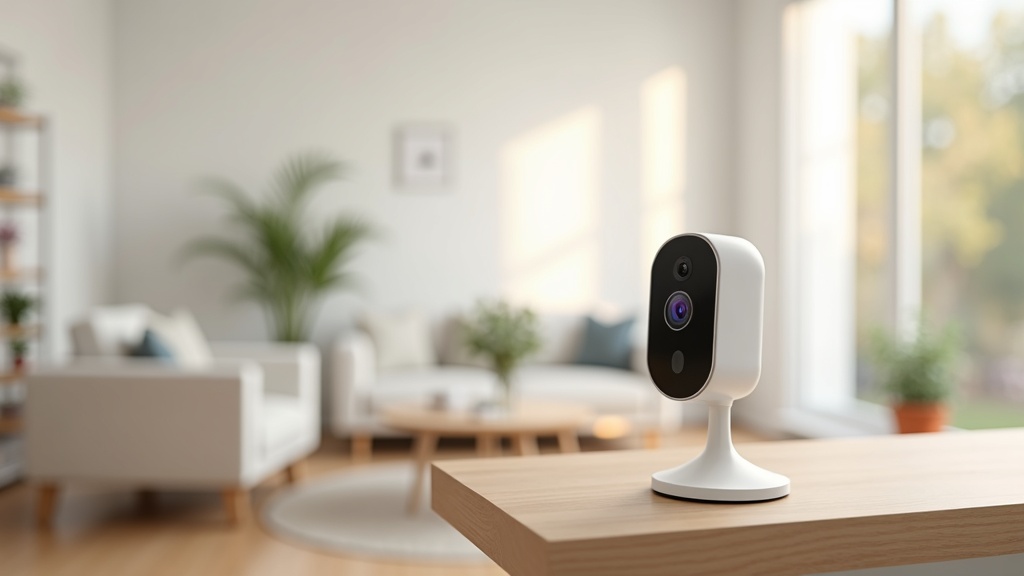
Choosing an indoor security camera in 2026 comes down to two questions before anything else: do you want to pay a monthly subscription to store footage in the cloud, or would you rather own your recordings outright on a local card? After that, it is resolution, field of view, pan/tilt capability, and ecosystem fit that separates the top picks from the rest.
Below are the six best indoor security cameras across every budget and use case, based on verified specs and published testing. For yard and doorbell coverage, see our companion guide to the best outdoor security cameras in 2026.
How to Choose an Indoor Security Camera
Subscription vs. Local Storage
Cloud-first cameras like Ring and Nest produce polished experiences but carry ongoing costs: Ring Protect starts at $4.99/month per camera, Nest Aware (now Google Home Premium) at $10/month — that is $215–$360 over three years on top of hardware. Cameras like the TP-Link Tapo C225 and Reolink E1 Zoom record to a MicroSD card with no monthly bill while still sending remote alerts. Wyze sits in the middle with a free event-clip tier and a low-cost optional AI upgrade.
Resolution and Night Vision
2K (roughly 2560×1440) is the sweet spot in 2026 — sharp enough to identify faces in freeze-frames without demanding excessive storage. Color night vision, available on the Wyze Cam v4, delivers far more useful low-light footage than standard infrared black-and-white.
Pan/Tilt vs. Fixed Wide Angle
A wide-angle fixed lens (130–152 degrees) covers most rooms without moving. Pan/tilt with auto-tracking follows people and pets across a full open-plan space, eliminating blind spots. Fixed is simpler and more reliable; pan/tilt is better for large or irregular rooms.
Privacy Considerations
Indoor cameras record intimate spaces. Prioritize physical privacy shutters (hardware lens block, not just software), local storage options, and two-factor authentication. A camera that never sends footage off your network is fundamentally harder to compromise remotely than a cloud-only device.
The 6 Best Indoor Security Cameras in 2026
1. Google Nest Cam Indoor (Wired) — Best Overall for Smart Home Users
Google’s third-gen Nest Cam Indoor delivers 2K (2560×1440) with a 152-degree fixed lens and HDR that handles bright windows alongside shadowed corners simultaneously. On-device AI handles basic motion and person detection for free, and the camera stores a rolling window of event clips locally — a meaningful differentiator versus cloud-only competitors.
Full AI features — familiar-face recognition, searchable history, extended event storage — require Nest Aware — now Google Home Premium ($10/month). For Google Home households with Chromecast displays, the integration alone justifies the subscription. For those outside that ecosystem, weigh the ongoing cost before committing.
- Pros: Sharp 2K HDR, free local event storage, smart AI alerts, seamless Google Home integration
- Cons: Full AI history requires Nest Aware, no pan/tilt, wired only
- Best for: Google Home households wanting reliable set-it-and-forget-it monitoring
Price: ~$99 | Check price on Amazon →
2. Wyze Cam v4 — Best Budget Camera with the Best Free Tier
At around $36, the Wyze Cam v4 punches well above its price. It shoots in 2.5K with color night vision — low-light footage renders in natural color instead of grainy infrared — and the free tier includes 14-day rolling event clips in the cloud, more generous than almost any competitor at this price point. Alexa and Google Assistant support is built in.
Wyze Cam Plus ($1.99/month per camera) adds AI detection for people, pets, packages, and vehicles. For renters and first-time buyers who want solid coverage without a long-term commitment, the v4 is the obvious starting point.
- Pros: Excellent value at $36, 2.5K color night vision, free 14-day event clips, broad smart-home compatibility
- Cons: Budget plastic build, AI detection requires Cam Plus, 2.4 GHz only
- Best for: Budget buyers and renters who want solid coverage without monthly fees
Price: ~$36 | Check price on Amazon →
3. Ring Indoor Cam Plus — Best for Ring and Alexa Ecosystem Users
The Ring Indoor Cam Plus is compact, quick to set up, and deeply integrated with Amazon Alexa — a voice command on an Echo Show pulls up a live feed instantly. It captures 2K (2560×1440) HDR with two-way talk. The camera is at its best inside an existing Ring or Alexa household where a shared Ring Multi plan spreads the subscription cost across all devices.
Standalone, cloud recording requires Ring Solo at $4.99/month per camera. Without it, you get motion alerts but no saved clips to review. For a full Ring vs. Blink breakdown, see our Ring vs. Blink security camera comparison.
- Pros: Clean 2K HDR, outstanding Alexa integration, fast setup, compact form factor
- Cons: Cloud recording requires Ring Protect subscription, no local storage
- Best for: Existing Ring or Amazon Alexa ecosystem households
Price: ~$59.99 | Check price on Amazon →
4. TP-Link Tapo C225 — Best No-Subscription Pan/Tilt Camera
The Tapo C225 delivers 2K QHD with 360-degree pan/tilt auto-tracking, a physical privacy shutter, and MicroSD storage up to 512 GB — with no subscription required for core features. It supports HomeKit, Alexa, and Google Home simultaneously, making it the most universally compatible camera on this list. The physical shutter blocks the lens mechanically, not just in software, which matters for bedrooms and nurseries.
At around $45 it undercuts the Nest Cam by more than half while adding pan/tilt and eliminating the subscription requirement — a genuinely compelling combination. Some advanced AI classification features require a Tapo Care subscription, but recording, tracking, and alerts all work without one.
- Pros: 360-degree pan/tilt auto-tracking, physical privacy shutter, 512 GB MicroSD support, no subscription for core features, tri-platform compatibility
- Cons: Advanced AI classification needs Tapo Care, requires strong WiFi for smooth tracking
- Best for: Privacy-conscious buyers who want full-room pan/tilt coverage without monthly fees
Price: ~$45 | Check price on Amazon →
5. Reolink E1 Zoom — Best for High-Resolution Local Storage
Reolink has built a loyal following among buyers who want local-first, high-resolution security without monthly fees. The E1 Zoom supports 4K or high-resolution capture with optical/hybrid zoom and auto-tracking — specs that compete with cameras costing twice as much. Person and pet detection work without any subscription, and footage records locally via MicroSD or a Reolink NVR for multi-camera setups.
The app is less polished than Ring or Nest, and cloud features are limited. For buyers who want to own their footage, avoid cloud breaches, or build a multi-camera NVR system, Reolink is hard to beat on value.
- Pros: 4K resolution, optical/hybrid zoom, zero subscription required, full NVR support, auto-tracking
- Cons: App less refined than cloud-first brands, limited cloud integration
- Best for: Tech-comfortable buyers who want maximum resolution and true local control
Price: ~$90–$130 | Check price on Amazon →
6. Blink Mini 2K+ — Best Ultra-Budget Plug-In Camera
The Blink Mini 2K+ delivers genuine 2K video in a plug-in form factor the size of a hockey puck, at around $39.99. No battery to manage, no charging routine. It connects via 2.4 GHz WiFi, integrates with Alexa, and sends motion alerts for free. Saving and reviewing recorded clips requires a Blink Subscription ($3.99/month per camera or $11.99/month Plus for unlimited devices); pairing with a Sync Module 2 enables USB local storage as a free alternative.
- Pros: Very affordable 2K camera, plug-in convenience, Alexa integration, USB local storage option via Sync Module 2
- Cons: Limited free clip tier, no pan/tilt, 2.4 GHz only
- Best for: First-time buyers and Amazon Prime households wanting affordable 2K coverage
Price: ~$39.99 | Check price on Amazon →
Side-by-Side Comparison
| Camera | Resolution | FOV / Motion Coverage | Subscription Required? | Storage | Price | Best For |
|---|---|---|---|---|---|---|
| Google Nest Cam Indoor | 2K (2560×1440) | 152° fixed | Free tier; Nest Aware for full AI | Local event clips + Cloud (Aware) | ~$99 | Google Home users |
| Wyze Cam v4 | 2.5K | 130° fixed | No (free 14-day clips); Cam Plus for AI | Cloud free tier + microSD | ~$36 | Budget buyers |
| Ring Indoor Cam Plus | 2K HDR | 140° fixed | Yes — Ring Protect for recordings | Cloud only | ~$59.99 | Ring / Alexa ecosystem |
| TP-Link Tapo C225 | 2K QHD | 360° pan/tilt + auto-track | No — free core features | microSD up to 512 GB + Cloud | ~$99 | Privacy-first + pan/tilt |
| Reolink E1 Zoom | 4K / High-Res | Pan/tilt + optical zoom | No — local/NVR storage | microSD + NVR | ~$90–$130 | Local storage + 4K |
| Blink Mini 2K+ | 2K | 110° fixed | Optional — Blink Subscription for clips | Cloud (subscription) + USB local | ~$39.99 | Ultra-budget / Alexa |
The Real Cost of Cloud Subscriptions
Sticker price only tells half the story. Here is what each plan actually costs per year:
- Ring Solo: $4.99/month per camera = $49.99/year per camera
- Nest Aware (Google Home Premium): $10/month or $100/year (30-day event history) or $20/month Advanced (60-day) — covers all your Nest cameras
- Blink Subscription: $3.99/month per camera or $11.99/month Plus unlimited
- Wyze Cam Plus: $1.99/month per camera — the most affordable AI tier available
- TP-Link Tapo C225 / Reolink E1 Zoom: $0/month — MicroSD is a one-time cost
A single Ring camera with Ring Solo adds up to about $410 over five years once you include the subscription ($59.99 hardware plus roughly $350 in fees) — almost seven times the hardware cost alone. Equipping three or four rooms multiplies that figure fast. If long-term cost is a priority, run the math before defaulting to cloud-first cameras.
Privacy Tips for Indoor Security Cameras
- Use a physical privacy shutter for sensitive rooms. The Tapo C225 blocks the lens at the hardware level — not just in software — making it the safer choice for bedrooms and nurseries.
- Enable two-factor authentication on every account. Most documented camera hacks exploit weak passwords without 2FA; enabling it eliminates the most common attack vector.
- Prefer local storage in intimate spaces. Footage that never leaves your home network cannot be accessed through a cloud breach at the manufacturer’s end.
- Audit app permissions regularly. Disable microphone access when two-way audio is not actively in use.
- Read the manufacturer’s data policy before buying — know where footage is stored, how long it is kept, and what is shared with third parties.
For complete home coverage, also see our guides to the best outdoor security cameras and the best video doorbell cameras in 2026.
Frequently Asked Questions
Q: Which indoor cameras work without a subscription?
A: The TP-Link Tapo C225 and Reolink E1 Zoom are the strongest no-subscription options — both record locally to MicroSD with zero monthly fees. The Wyze Cam v4 offers a free 14-day event clip tier. The Blink Mini 2K+ supports local USB storage via a Sync Module 2 at no ongoing cost.
Q: Are indoor security cameras a privacy risk?
A: They can be when misconfigured. Always enable two-factor authentication, choose cameras with local storage for bedrooms, and prefer models with physical privacy shutters. Cloud cameras secured with 2FA and unique passwords carry far lower risk than those on shared or reused credentials.
Q: What resolution do I actually need for an indoor camera?
A: 2K (2560×1440) is the practical sweet spot. It delivers enough detail to identify faces and read text in a frozen frame without demanding excessive bandwidth or storage. 1080p works for general awareness; 4K is useful when you need to zoom into fine detail in large or high-value spaces.
Q: Can I cover multiple rooms without paying a subscription per camera?
A: Ring Multi ($9.99/month) and Google Home Premium, formerly Nest Aware ($10–$20/month) each cover all devices on an account at a flat rate. Wyze Cam Plus is $1.99/month per camera. The simplest path is no-subscription cameras like the Tapo C225 or Reolink — one MicroSD card per camera, no monthly bill.
Prices and subscription rates are current as of our latest update and subject to change. Confirm current pricing before purchasing.
You May Also Like
- Arlo Pro 5S Review 2026: 2K HDR Security Without the Monthly Fee
- Eufy Security vs Ring Camera 2026: No Monthly Fee vs Full Ecosystem
- Ring vs Blink Security Camera: Which One Should You Buy?
- Home Security Camera Placement Guide 2026: Where to Install for Coverage
- Ring’s New 2K Spotlight & Floodlight Cams (2026): What Changed and Should You Upgrade?