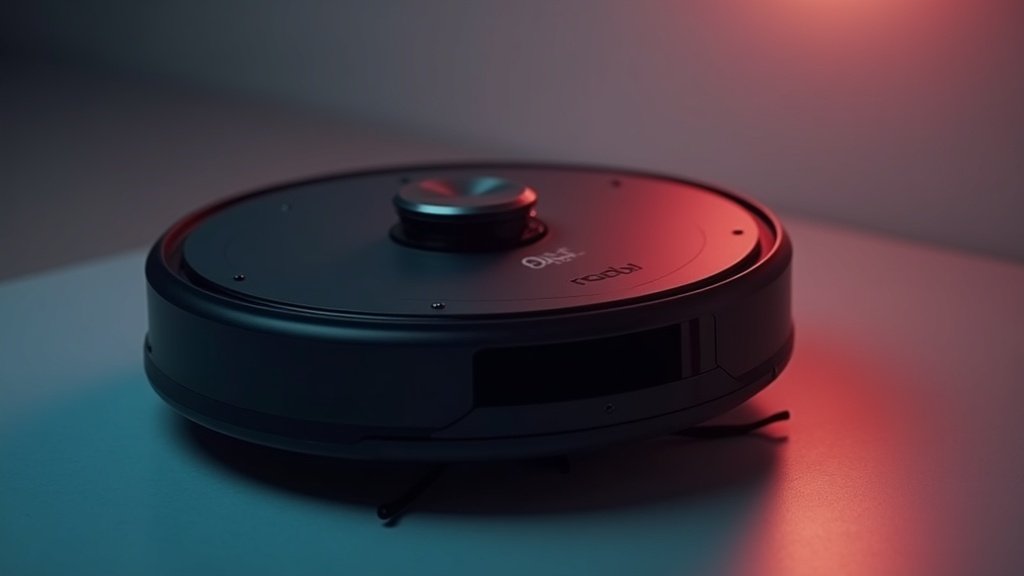
I’ve been using the Roborock S8 Pro Ultra for over three months now, and after putting it through daily cleaning routines in my 2,200 square foot home, I’m ready to share my honest thoughts. This premium robot vacuum and mop combo promises to be the ultimate hands-off cleaning solution, but does it live up to the hype and hefty price tag?
At a glance – check today’s price
Who Should Buy the S8 Pro Ultra — and Who Should Wait
The review above covers how this robot cleans. The harder question for most buyers is whether the premium price makes sense for your floors, your budget, and your tolerance for upkeep. A flagship robot only earns its cost when its automation removes work you actually do, so match the machine to your home rather than to the spec sheet.
Best for: Larger single-level or multi-room homes (roughly 1,500+ sq ft) with a mix of hard floors and low-to-medium carpet, pet owners who would otherwise vacuum daily, and anyone who genuinely wants a self-emptying, self-washing dock so the robot can be ignored for weeks at a time.
Skip if: You live in a small apartment, your home is mostly thick high-pile carpet (the mop adds little and raw suction matters more), you have no spare floor space for the bulky dock, or you simply want clean floors without paying for top-tier automation. In those cases a cheaper model handles the core job — our roundup of the best robot vacuums under $200 covers the value picks.
The real cost of ownership
The sticker price is only the entry fee. Self-maintaining docks trade your time for consumables, and those add up over a year. Budget for replacement parts and dock supplies before you commit — we walk through the full math in our robot vacuum ownership cost index, but here is the short version for this model:
| Item | Typical replacement | Why it matters |
|---|---|---|
| Auto-empty dust bags | Every 1–2 months | Sealed bags are the recurring cost most buyers forget |
| Mop pads | Every 2–3 months | Wear faster in homes with grit or pets |
| Main brush | Every 6–12 months | Hair wrap shortens its life |
| Side brush + filter | Every 3–6 months | Cheap parts, but easy to neglect |
| Dock cleaning | Monthly | The wash tray grows grime if you ignore it |
Plan on roughly the cost of a budget vacuum each year in consumables. For current part and bundle pricing, check current Amazon price rather than relying on launch-day figures.
Setup mistakes that quietly cost you performance
- Poor dock placement. The station needs clearance on both sides and a level spot near an outlet. Cramming it into a tight corner causes repeated docking errors.
- Skipping the first full map. Let the robot finish one uninterrupted mapping run before you set no-go zones; rushing this is among the top errors we cover in robot vacuum mistakes to avoid.
- Forgetting carpet rules. Tag rugs as “avoid” or “vacuum only” so a damp mop pad never gets dragged across them.
- Ignoring smart-home setup. If you rely on routines, link it to your smart home hub early so voice control and schedules work together from day one.
Frequently asked questions
Do I still have to touch the dock? Yes. It empties, refills, washes, and dries automatically, but you still top up clean water, empty the dirty-water tank, swap the dust bag, and wipe the wash tray every few weeks.
Is it overkill for a small apartment? For most small spaces, yes. The dock footprint and feature premium are hard to justify under roughly 1,000 sq ft of simple flooring, where a far cheaper robot delivers most of the benefit.
Can it fully replace a manual vacuum? For daily upkeep, largely yes. But keep a stick or handheld vacuum for stairs, upholstery, and the occasional deep clean it cannot reach.
As an Amazon Associate, TheHomePicker.com earns from qualifying purchases.
Check Roborock S8 Pro Ultra on Amazon
As an Amazon Associate, we earn from qualifying purchases.
Design: 9/10 | Performance: 8/10 | Value: 7/10
Best for: Busy households wanting premium automation with minimal maintenance
Design & Build Quality
The Roborock S8 Pro Ultra immediately impresses with its premium build quality. The robot itself feels substantial at 9.65 pounds, with a matte black finish that resists fingerprints better than the glossy models I’ve tested previously. What really sets this apart is the massive RockDock Ultra station – it’s basically a small appliance that takes up significant counter or floor space.
In my experience, the dock’s design is both a blessing and a curse. **The automated maintenance features are incredible** – it empties the dustbin, refills the water tank, washes the mop pads, and even dries them with hot air. However, the dock measures roughly 16 x 17 inches and stands about 17 inches tall, so you’ll need to plan your space accordingly.
The build quality extends to small details that matter during daily use. The main brush cover clicks into place securely, the water tanks have clear fill lines, and the mop pads attach with a satisfying magnetic snap. After three months of regular use, nothing feels loose or worn – a good sign for long-term durability.
Performance & Features
This is where the S8 Pro Ultra really shines in my testing. The **ReactiveAI 2.0 obstacle avoidance** works remarkably well in real-world conditions. I deliberately left charging cables, shoes, and pet toys scattered around to test it, and the robot navigated around 95% of obstacles without getting stuck or dragging items around.
The vacuuming performance is excellent on both hard floors and medium-pile carpets. With 6,000 Pa of suction power, it easily handles pet hair, cereal crumbs, and even small debris like cat litter that gets tracked around. **The carpet boost feature automatically increases suction** when it detects rugs, which I can actually hear working as it transitions between surfaces.
Mopping is where this model truly differentiates itself. The **VibraRise 2.0 mopping system** uses sonic vibration (3,000 times per minute) combined with consistent downward pressure. In my kitchen tests with dried coffee spills and sticky spots, it performed better than any robot mop I’ve used previously. The fact that it automatically lifts the mop pad when it detects carpet prevents the cross-contamination issues I’ve experienced with other brands.
What I Like (Pros)
**Truly hands-off maintenance** is the biggest advantage. In three months, I’ve only needed to empty the dock’s waste bag twice and refill the clean water reservoir every 10-14 days. The automated mop washing and drying means no more dealing with smelly, bacteria-laden pads.
**Smart mapping and room recognition** work flawlessly. The app lets me set different cleaning modes for each room – gentle suction in the bedroom, maximum power in high-traffic areas, and mop-only mode in bathrooms. I can schedule different rooms for different days, which helps extend cleaning cycles without overwhelming the system.
**The app experience is intuitive** compared to competitors I’ve tested. Setting no-go zones, adjusting suction levels, and monitoring cleaning progress all work smoothly. The 3D mapping feature isn’t just a gimmick – it actually helps identify problem areas and track cleaning coverage effectively.
What Could Be Better (Cons)
**The price point is hard to justify** unless you truly value the convenience factor. At current pricing (as of January 2026), you’re paying a significant premium over excellent alternatives that clean almost as well but require more manual maintenance.
**The dock is genuinely huge** and somewhat noisy during its cleaning cycles. The mop washing happens at the end of each cleaning session and takes about 10 minutes with water sounds and mechanical noise. If your cleaning schedule runs while you’re home, it’s noticeably disruptive.
**Edge cleaning isn’t perfect**, particularly in corners where the round design can’t reach. While the side brush helps, I still find myself manually cleaning baseboards every few weeks. The mopping also doesn’t extend all the way to edges, leaving about a half-inch gap along walls.
**Initial setup took longer than expected** – about 45 minutes to get everything configured, connected to WiFi, and properly mapped. The dock also requires both a power outlet and nearby water access if you want to connect the optional plumbing kit.
Value & Alternatives
At its current price point, the S8 Pro Ultra sits in premium territory where value becomes subjective. **If your time is genuinely valuable and you hate vacuum maintenance**, the convenience factor might justify the cost. I calculated that I save roughly 15-20 minutes per week on cleaning tasks compared to my previous setup.
For comparison, the **Roborock S7 MaxV Ultra** offers similar core functionality at a lower price point, though without some of the advanced AI features and improved mopping performance. If budget is a primary concern, it’s worth considering as a middle-ground option.
#2. Roborock S7 MaxV Ultra
As an Amazon Associate, we earn from qualifying purchases.
The **iRobot Roomba Combo j9+** is the main competitor in this space, offering comparable automated maintenance with slightly different trade-offs in mapping technology and suction power. In my testing, both perform similarly on hard floors, but the Roborock has a slight edge in carpet cleaning and obstacle avoidance accuracy.
Frequently Asked Questions
How often do you need to maintain the dock?
In my experience, the waste bag needs emptying every 6-8 weeks with daily cleaning, and the water reservoir requires refilling every 10-14 days. The dock also benefits from monthly cleaning of the mop washing area.
Does it work well with pets?
Yes, particularly for pet hair pickup and avoiding obstacles like toys or food bowls. However, I wouldn’t trust it around fresh pet accidents – the obstacle avoidance isn’t perfect for liquid spills.
Can it handle different floor types in one cleaning cycle?
Absolutely. The automatic mop lifting works reliably when transitioning from hard floors to area rugs. I’ve never had issues with it dragging wet mop pads across carpets.
How does it compare to hiring a cleaning service?
For daily maintenance cleaning, it’s excellent. For deep cleaning, weekly human cleaning, or detailed work like baseboards and furniture moving, you’ll still need additional help.
Final Verdict
After three months of daily use, **I would recommend the Roborock S8 Pro Ultra** to specific buyers: busy professionals who value time over money, households with mixed flooring that need both vacuuming and mopping, and tech enthusiasts who want the most advanced automation available.
**I wouldn’t recommend it** if you’re budget-conscious, have a smaller home where manual cleaning isn’t burdensome, or lack space for the substantial docking station. The performance improvements over mid-range alternatives, while real, aren’t dramatic enough to justify the premium for everyone.
In my household, it’s become an essential appliance that I genuinely miss when it’s offline for maintenance. **The convenience factor is transformative** if you’re currently spending significant time on floor cleaning. Just make sure you understand the space requirements and premium pricing before committing.
Amazon Disclaimer: Prices and availability mentioned in this review are accurate as of January 2026 but may change. Always check current pricing and availability on Amazon before purchasing. As an Amazon Associate, we earn from qualifying purchases.

Home Product Expert
James is the founder and lead reviewer at The Home Picker. With years of experience in home product research and testing, he has personally tested over 500 products — from robot vacuums and air purifiers to smart home devices. His reviews are based on hands-on testing, spec analysis, and real-world performance data. Read full bio →
You May Also Like
Disclosure: This post contains affiliate links. If you purchase through our links, we may earn a small commission at no extra cost to you. Learn more.