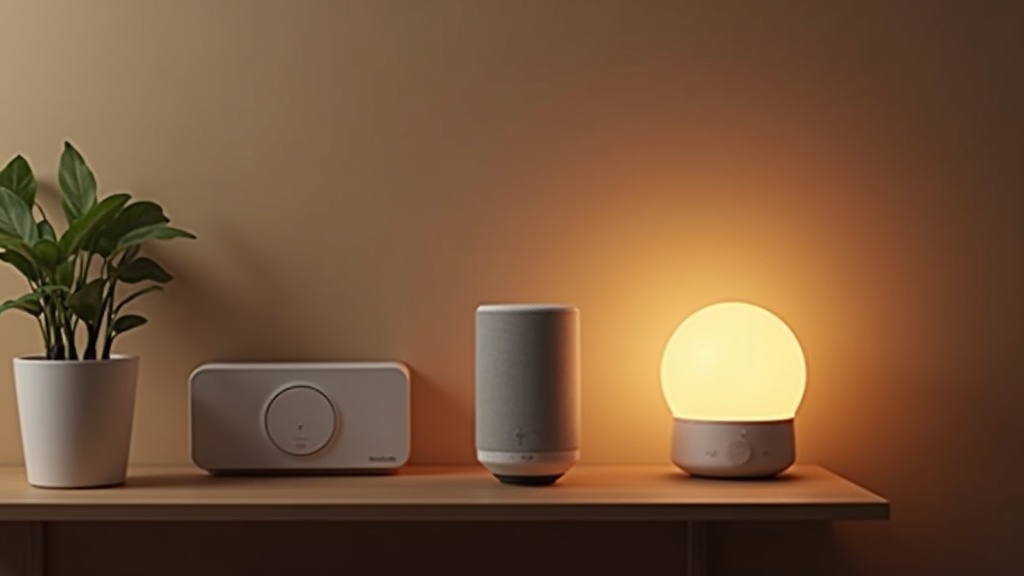
Here’s the paradox of building a smart home in 2026: it has never been easier, and it has never been more confusing. Easier, because a $25 speaker can now dim your lights, read you the weather, and start your coffee before your feet hit the floor. More confusing, because there are four competing “ecosystems,” a protocol called Matter that was supposed to fix everything (spoiler: it mostly did, eventually), and roughly nine thousand YouTube videos telling you that you’re doing it wrong.

I’ve built out smart homes in a cramped rental apartment and a full house, made every rookie mistake at least twice, and helped enough friends untangle their gadget spaghetti to know where people get stuck. So this is the guide I wish someone had handed me on day one: no jargon dumps, no “just buy everything” energy — just a clear, honest path from zero to a smart home that actually works and doesn’t make you want to throw your router out a window.
Just want to start today? The three things most people buy first
Check smart home starter kits on Amazon · Amazon Echo · Smart plug
As an Amazon Associate, we earn from qualifying purchases.
TL;DR — The 6-Step Smart Home Setup, in One Breath
If you read nothing else, read this. Building a smart home is really just six moves in order:
- Pick your ecosystem — Alexa, Google Home, Apple Home, or “Matter and stay flexible.” This one choice shapes everything after it, so don’t skip it.
- Fix your Wi-Fi first — every smart device leans on your network. A flaky router turns a smart home into a haunted house.
- Start with one room, one job — don’t automate the whole house on day one. Nail one thing (usually lights) and build from there.
- Buy the cheap gateway devices — a smart speaker/display, a couple of smart plugs, and a few smart bulbs. This is the $80–$150 entry point.
- Add a hub only when you outgrow Wi-Fi-only — once you’re past ~15 devices or want Zigbee/Thread/Z-Wave gear, a hub earns its keep.
- Lock down security and privacy — strong passwords, a guest network for gadgets, and Matter to avoid getting trapped in one brand forever.
That’s the whole map. Now let’s walk it, one step at a time.
Step 1: Pick Your Ecosystem (This Is the Big One)
Your “ecosystem” is the app-and-voice-assistant world your devices live in. It’s the single most important decision you’ll make, because it determines which voice assistant answers you, which app you’ll open a hundred times a week, and — annoyingly — which gadgets play nice together. Choose in haste and you’ll spend next year fighting compatibility gremlins.
You’ve got four real options in 2026. Here’s the honest version of each, no marketing gloss.
- Amazon Alexa — The friendly, cheap, works-with-everything default. Alexa supports the widest range of devices, the Echo speakers are constantly on sale for pocket change, and setup is genuinely idiot-proof. The tradeoff: it’s Amazon, so expect the app to nudge you toward buying more stuff, and the voice assistant occasionally answers a question you didn’t ask. Best pick for most beginners.
- Google Home — The smart one, literally. Google Assistant understands natural, messy human speech better than the others (“hey, it’s freezing in here” lands better than you’d think), and if you already live in Gmail, Google Calendar, and Android, it slots right in. Downside: Google has a habit of renaming and reshuffling its smart home products, which keeps longtime users mildly nervous.
- Apple Home — The private, polished, walled garden. If you’re an iPhone household, Apple Home is beautifully clean, takes privacy seriously (a lot of processing stays on-device), and the Home app is a pleasure. The catch: fewer compatible devices, generally higher prices, and you’ll want a HomePod or Apple TV sitting at home to act as a hub for remote access.
- Matter (the “don’t lock me in” strategy) — Matter isn’t a voice assistant; it’s the universal language that finally lets a device work across Alexa, Google, and Apple at the same time. In 2026 it’s matured into something genuinely reliable (the early days were rough — I’ll admit it). Buying Matter-certified gear means you can switch ecosystems later without re-buying most of your devices (coverage is best for core categories like lights, plugs, locks and sensors — some device types are still being added). It’s less “pick this instead” and more “make sure whatever you pick speaks this.”
My blunt take: iPhone-first household that values privacy → Apple Home. Everyone else → start with Alexa for the price and simplicity, and buy Matter-certified devices so you’re never trapped. Here’s the full comparison:
| Amazon Alexa | Google Home | Apple Home | Matter | |
|---|---|---|---|---|
| Best for | Beginners & budget builds | Android/Google households | iPhone households, privacy | Staying flexible & future-proof |
| Voice assistant | Alexa | Google Assistant | Siri | None (works with all three) |
| Works with | The most devices, by far | Very wide | Narrower, curated | Cross-platform by design |
| Learning curve | Very easy | Easy | Easy (if you’re on iPhone) | Easy — it’s a label, not an app |
| Cost to start | $ (cheapest) | $$ | $$$ | Varies (buy certified) |
Want a deeper walkthrough of which devices fit which ecosystem before you commit? Our smart home buying guide for 2026 breaks down the actual gear category by category.
Pick a voice assistant to anchor your ecosystem
Amazon Echo (Alexa) · Google Nest speaker · Apple HomePod mini
As an Amazon Associate, we earn from qualifying purchases.
Step 2: Get Your Wi-Fi Right — Before You Buy Anything Else
This is the step everyone wants to skip, and it’s the step that quietly ruins more smart homes than any other. Here’s the uncomfortable truth: almost every smart device you buy depends on your Wi-Fi network. Smart bulbs, plugs, cameras, speakers — they all phone home over Wi-Fi. If your network is weak, oversubscribed, or ancient, your “smart” home will feel possessed: lights that lag, cameras that buffer, a speaker that pretends it can’t hear you.
A few ground rules that will save you hours of frustration:
- Most cheap smart devices only use the 2.4GHz band. That band has better range but is more crowded. If your router hides 2.4GHz or forces “band steering,” you’ll hit pairing headaches. Know how to access it.
- Coverage beats speed. A dead corner where your smart doorbell lives is worse than slightly slower download speeds. If you have Wi-Fi dead zones, a mesh system is worth more than a faster internet plan.
- Count your devices. Twenty smart gadgets plus phones, laptops, and TVs add up fast. Older routers choke past a couple dozen connections.
Before you spend a cent on bulbs, make sure your network can carry the load. We wrote a full playbook on exactly this: how to set up a reliable Wi-Fi network for smart home devices in 2026. Read it. Your future self, standing in a dark room yelling at an unresponsive light, will thank you.
Weak Wi-Fi? A mesh system fixes dead zones
Check mesh Wi-Fi systems on Amazon
As an Amazon Associate, we earn from qualifying purchases.
Step 3: Start With One Room, One Job (Don’t Boil the Ocean)
The fastest way to burn out on smart home stuff is to try automating everything at once. You buy a giant box of gadgets, spend a whole Saturday pairing them, hit one snag, and the box ends up in a closet next to the bread maker you swore you’d use.
Do the opposite. Pick one room — the living room is the classic starting point — and one job you actually care about. For most people that job is lighting: “I want to say goodnight and have the lights turn off.” That’s it. Nail that single, satisfying win.
Why this works so well:
- You learn the app on low stakes. Pairing three bulbs teaches you the same skills as pairing thirty, minus the overwhelm.
- You find out what you actually want. Maybe you love voice control; maybe you’d rather tap a phone. Better to learn that on a $40 experiment than a $400 one.
- Momentum is everything. One automation that genuinely delights you is what makes you excited to add the next. That’s how a smart home grows — organically, not in one heroic weekend.
Once your one room feels effortless, expand to the next: the bedroom, then the entryway, then wherever the daily friction is. Slow is smooth, and smooth is smart.
Step 4: The Gateway Devices — Cheap Entry Points That Hook You
These are the three device categories that turn a normal home into a smart one for surprisingly little money. You don’t need all of them, and you definitely don’t need the fancy versions. Start cheap.
Smart speaker or display — your command center
A smart speaker (or a display, if you like a screen for video calls, recipes, and camera feeds) is the front door to your whole system. It’s your voice remote and, in many cases, doubles as a basic hub. Entry-level models are frequently on sale for the price of a couple of pizzas, which is why they’re the most common first purchase. Pick the one that matches the ecosystem you chose in Step 1 — an Echo for Alexa, a Nest for Google, a HomePod for Apple.
Smart plugs — the gateway drug of home automation
If I could only recommend one starter device, it’d be the humble smart plug. It sits between the wall and any dumb appliance — a lamp, a fan, a coffee maker, those holiday lights you forget to turn off — and instantly makes it voice- and schedule-controllable. No wiring, no commitment, usually under $10 each in a multipack. This is the device that makes people go “oh, I get it now.”
Smart bulbs — the visible, satisfying win
Smart bulbs are how most people fall in love with a smart home, because the payoff is instant and visible: dimming, scheduling, color scenes, and “turn off all the lights” from bed. You can go Wi-Fi-direct (no hub needed, perfect for starting out) and add fancier hub-based bulbs later. Start with the room you spend the most time in.
The classic starter trio — plugs, bulbs, a speaker
Smart plugs · Smart bulbs · Starter kits
As an Amazon Associate, we earn from qualifying purchases.
Step 5: Add a Hub When You Outgrow Wi-Fi-Only
Here’s a thing nobody tells beginners: you probably don’t need a hub to start. Wi-Fi-direct plugs and bulbs get most people surprisingly far. So don’t let a “you must buy a hub first” post scare you off. But there’s a point where a hub stops being optional and starts being a genuine upgrade.
You’ve outgrown Wi-Fi-only when you notice any of these:
- Your Wi-Fi is getting crowded. Cram 20-plus devices onto one network and things get flaky. A hub moves many devices onto low-power protocols like Zigbee, Z-Wave, or Thread, freeing up your Wi-Fi and improving reliability.
- You want the good gear. A lot of the best sensors, locks, and bulbs use Zigbee or Thread rather than Wi-Fi — they’re faster to respond and sip battery. Those need a hub (or a hub-capable speaker) to talk to.
- Your automations feel sluggish. A local hub often processes routines on your network instead of round-tripping to a distant server, so lights snap on instead of thinking about it.
Good news: many smart speakers and displays now have a hub built in (Thread and Zigbee radios are increasingly common inside them), so you may already own one without realizing it. If not, a dedicated hub is the move. We compared the current field in our best smart home hub guide for 2026 — start there before you buy, because the right hub depends on which ecosystem and protocols you’re leaning into.
Ready to level up? Compare the current hubs
Check smart home hubs on Amazon
As an Amazon Associate, we earn from qualifying purchases.
Step 6: Security, Privacy, and Not Getting Locked In
A smart home is, at the end of the day, a bunch of internet-connected cameras, microphones, and locks inside your house. That’s not a reason to panic — it’s a reason to spend fifteen minutes doing the basics that most people skip. Do these and you’re ahead of the majority of smart homes out there.
- Use strong, unique passwords and turn on two-factor authentication on your ecosystem account (your Amazon, Google, or Apple login). That account controls everything — protect it like it’s your front door key, because functionally it is.
- Put your smart gadgets on a separate network. Most routers let you create a guest or IoT network. Keeping cheap smart devices off the same network as your laptop and phone means a compromised bargain-bin gadget can’t snoop on your important stuff.
- Change default device passwords immediately — especially on cameras. “admin/admin” is an open invitation.
- Check the privacy settings on your voice assistant. All three big platforms let you review, mute the mic, and auto-delete voice recordings. Take two minutes to set this how you like it.
- Buy Matter-certified devices to avoid lock-in. This is the anti-regret move. Because Matter works across Alexa, Google, and Apple, choosing certified gear means that if you ever switch ecosystems — or one brand’s app enshittifies — you can move most of your devices without re-buying your whole house (best for core categories today; some device types are still rolling in). Flexibility is a feature.
None of this is paranoid or hard. It’s the smart-home equivalent of locking your car: a small habit that quietly saves you from the bad day.
A Realistic First Build (What I’d Actually Buy)
Putting it all together, here’s a sane starter kit for someone going from zero, ecosystem already chosen and Wi-Fi confirmed solid:
- 1 smart speaker or display — your command center and often a starter hub.
- 2–3 smart plugs — instant control over lamps, fans, and the coffee maker.
- 3–4 smart bulbs — in the room you use most, for that first delightful “lights off” moment.
That’s a genuinely useful smart home, and it’s more than enough to learn what you love before you spend real money. Here is that build as a concrete shopping list, with prices read from Amazon on the day of this update:
| What it does | The pick | Price |
|---|---|---|
| Echo Dot (newest model) | Amazon Echo Dot (newest model) – Vibrant sound | $79.99 |
| EIGHTREE 15A smart plug | EIGHTREE 15A Smart Plug | $12.98 |
| Kasa smart bulbs | Kasa Smart Light Bulbs | $14.99 |
| Amazon Smart Thermostat | Amazon Smart Thermostat | $62.99 |
The speaker, plug and bulbs together come to about $108 — that is the real entry point, and it is enough to run a room. Adding the thermostat takes it to about $171, and that is the one piece that can pay for itself out of a heating bill rather than just being fun. Prices on all four move constantly, so treat these as a snapshot rather than a promise.
Smart Home Setup FAQ
What’s the cheapest way to start a smart home?
A single smart plug and a smart bulb, controlled from a free app on the phone you already own. That’s under $20 and teaches you the basics. Add a budget smart speaker when you want voice control — Echo and Nest models go on sale constantly. You do not need to buy a hub or a starter kit to begin.
Do I need a hub for a smart home?
Not to start. Wi-Fi-direct plugs and bulbs work straight out of the box with just their app or a smart speaker. You’ll want a hub once you pass roughly 15–20 devices, or when you buy gear that uses Zigbee, Z-Wave, or Thread. Many smart speakers now include a hub built in, so you may already have one.
Alexa or Google Home for a beginner?
Both are excellent and beginner-friendly. Go Alexa if you want the cheapest hardware and the widest device compatibility — it’s the safest default. Go Google Home if you’re deep in Android and Google apps and want the smartest natural-language understanding. Either way, buy Matter-certified devices so you can switch later without regret.
Is Matter worth waiting for?
There’s nothing to wait for — Matter is here and, in 2026, genuinely reliable after a rocky start. Don’t delay your build for it. Just look for the “Matter” logo on the devices you buy so your gear stays cross-compatible across Alexa, Google, and Apple. Think of it as insurance, not a separate system.
Can renters set up a smart home?
Absolutely — smart homes are renter’s paradise. Stick to non-permanent gear: smart plugs, smart bulbs (they screw into existing sockets), plug-in speakers, and stick-on or tabletop sensors. Skip anything that requires rewiring, like hardwired switches, unless your lease allows it. When you move, everything unscrews and unplugs and comes with you.
Disclosure: As an Amazon Associate, The Home Picker earns from qualifying purchases. This guide covers general smart home setup principles and ecosystem tradeoffs; specific device categories are given as examples to illustrate the steps, not as endorsements of particular models. Availability, pricing, and platform features change over time, so verify current details before you buy.
👉 Automating the garage? Read Best Smart Garage Door Openers 2026.
👉 Setting up smart lighting? Read Best Smart Light Bulbs 2026.
Next step: see best smart locks for a front door.