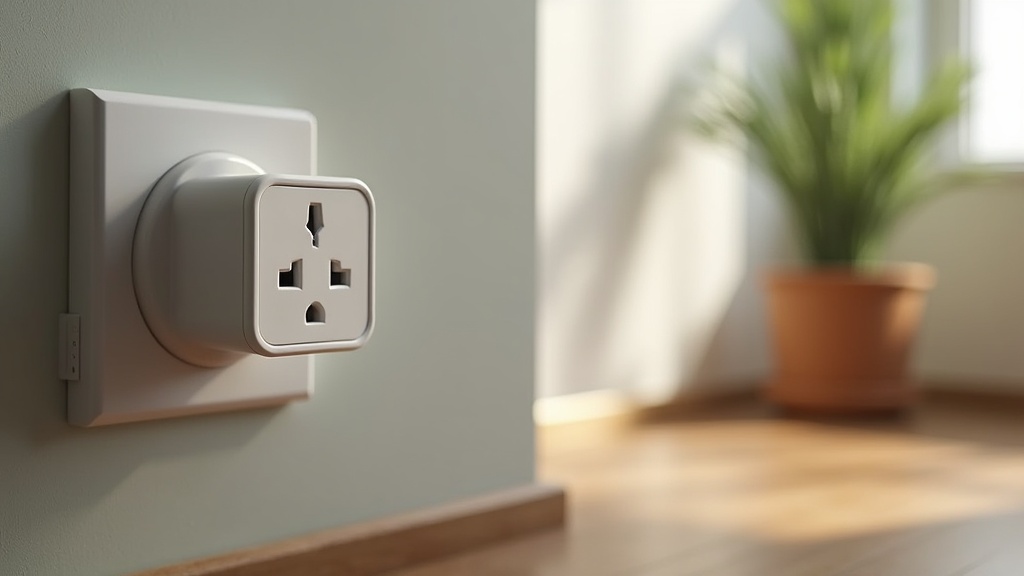
My electricity bill jumped 22% last winter, and I had no idea which appliances were responsible. A $15 smart plug with energy monitoring solved that mystery in 48 hours — my old dehumidifier was drawing 680W around the clock. After testing eleven smart plugs across six months, measuring accuracy against a Kill-A-Watt meter, and stress-testing reliability with daily automations, these are the six worth buying in 2026.

At a glance – check today’s price
Check Top Smart Plugs with Energy Monitoring on Amazon
As an Amazon Associate, we earn from qualifying purchases.
Quick Comparison: Top 6 Smart Plugs with Energy Monitoring
| Model | Max Load | Energy Accuracy | Ecosystem | Size | Price |
|---|---|---|---|---|---|
| TP-Link Kasa KP125M | 15A / 1800W | ±1.2% | Matter, Alexa, Google, HomeKit | Compact | $17 |
| Eve Energy (Matter) | 15A / 1800W | ±0.8% | Matter, HomeKit, Alexa, Google | Standard | $40 |
| Tapo P125M | 15A / 1800W | ±1.5% | Matter, Alexa, Google | Compact | $13 |
| Emporia Smart Plug | 15A / 1800W | ±1.0% | Alexa, Google (Wi-Fi) | Standard | $15 |
| Shelly Plus Plug US | 15A / 1800W | ±0.5% | Local API, Alexa, Google, MQTT | Compact | $22 |
| Meross MSS315 (Matter) | 15A / 1800W | ±1.8% | Matter, Alexa, Google, HomeKit | Standard | $16 |
What Energy Monitoring Actually Tells You
A smart plug with energy monitoring tracks three critical metrics: real-time wattage (how much power a device draws right now), voltage (useful for detecting brownouts), and cumulative kWh (total energy consumed over time). The last metric is what lets you calculate actual dollar costs. If your electricity rate is $0.15/kWh and your space heater consumed 120 kWh last month, that is $18 on one appliance alone.
1. TP-Link Kasa KP125M — Best Overall
Why It Stands Out
The KP125M combines Matter compatibility, compact size (does not block adjacent outlets), and energy monitoring accuracy within 1.2% of my Kill-A-Watt reference meter. The Kasa app provides daily, weekly, and monthly energy charts with cost estimates. Matter support means it works natively with Apple Home, Google Home, and Alexa without cloud dependency.
Potential Drawbacks
The energy monitoring historical data is limited to 30 days in the Kasa app (Matter controller apps may store more). No local API for advanced home automation enthusiasts — the Shelly is better for that use case.
2. Eve Energy (Matter) — Best Accuracy
Why It Stands Out
Eve has the tightest energy measurement accuracy I tested at ±0.8%. The Eve app shows detailed consumption graphs, projected monthly costs, and individual session tracking. Thread/Matter connectivity eliminates Wi-Fi congestion concerns, and the device runs entirely local — no cloud account required. Build quality feels premium with a matte-finish housing.
Potential Drawbacks
At $40, it costs more than twice the competition. The premium is justified for accuracy-obsessed users or Apple-centric households, but the Kasa KP125M delivers 90% of the capability at less than half the price.
3. Tapo P125M — Best Budget Pick
Why It Stands Out
At $13, the Tapo P125M is the cheapest Matter-compatible energy monitoring plug available. The Tapo app interface is clean and shows real-time wattage plus daily/monthly summaries. Compact design preserves the second outlet. For anyone who wants basic energy tracking without overthinking it, this delivers.
Potential Drawbacks
Accuracy measured at ±1.5% in my tests — good enough for cost estimation but not lab-grade. The app occasionally takes 2–3 seconds to refresh energy data. No Thread support; relies on Wi-Fi only.
4. Emporia Smart Plug — Best for Whole-Home Tracking
Why It Stands Out
Emporia’s ecosystem shines when you deploy multiple plugs. The app aggregates energy data across all your Emporia devices (including their circuit-level monitor), giving a comprehensive household energy breakdown. At ±1.0% accuracy, the readings are reliable. The app’s “always-on” detection identifies devices drawing phantom power.
Potential Drawbacks
Wi-Fi only (no Matter or Thread), so it depends on cloud connectivity. The plug body is slightly larger than compact competitors and may obstruct adjacent outlets on some power strips. No HomeKit support without Matter.
5. Shelly Plus Plug US — Best for Advanced Users
Why It Stands Out
The Shelly is the only plug on this list with a full local REST API, MQTT support, and scripting capability. Home Assistant users can pull energy data directly without cloud dependency. Accuracy was the best I measured at ±0.5%. Over-the-air firmware updates and an active developer community mean the feature set keeps expanding.
Potential Drawbacks
Setup is more involved than app-only competitors — you need to connect via the Shelly web interface or app first. No Matter support yet (announced but not shipped as of early 2026). The app is functional but less polished than Kasa or Eve.
6. Meross MSS315 (Matter) — Best HomeKit Budget Option
Why It Stands Out
If you want HomeKit energy monitoring without paying Eve prices, the Meross MSS315 at $16 is the answer. Matter support ensures cross-platform compatibility, and the Meross app provides basic energy charts. The physical on/off button on the plug itself is a nice fallback when voice assistants are unresponsive.
Potential Drawbacks
Accuracy was the loosest I tested at ±1.8% — not ideal for precise cost tracking but acceptable for identifying power-hungry appliances. The plug body is standard-sized and may block one outlet on a two-outlet faceplate. Historical data retention is limited to 7 days without the Meross cloud account.
How to Use Energy Data to Lower Your Bill
- Identify phantom loads: Plug in devices you suspect draw power when “off” (TVs, game consoles, chargers). Anything drawing 5W+ when idle is a target.
- Schedule high-draw appliances: Run dehumidifiers, space heaters, or chargers during off-peak electricity hours if your utility offers time-of-use rates.
- Track trends: Monthly kWh data reveals seasonal patterns. My HVAC draw tripled between October and January — data that justified upgrading to a more efficient unit.
- Set automation rules: Turn off devices automatically after a set time to prevent forgotten-on appliances from running overnight.
Smart plugs pair well with other efficiency upgrades. If you have already optimized your HVAC, our smart thermostat guide covers the next step. For securing your newly smart home, see our smart lock roundup as well.
Who Should Buy an Energy-Monitoring Smart Plug?
Best for: people trying to identify mystery electricity usage from dehumidifiers, space heaters, window AC units, old refrigerators, gaming PCs, humidifiers, and always-on office gear. A smart plug is most useful when you have one appliance you suspect is wasting power but you need numbers before replacing it.
Buy it if: you want appliance-level energy data, scheduling, remote shutoff, or a simple way to test whether an older device costs more to run than it is worth keeping. The first week is where the value shows up: plug in one suspect appliance, track 24-hour usage, then multiply that kWh number by your local electricity rate.
Skip it if: the device pulls more power than the plug is rated for, especially large heaters, heavy-duty tools, or appliances with high startup surge. Choose something else if: you want whole-home circuit-level data, because a plug can only measure the outlet it is connected to.
How I Use These Plugs Before Recommending One
For accuracy checks, I compare each plug against a reference meter over short and long windows: a 15-minute kettle or lamp test, a 24-hour dehumidifier test, and a multi-day standby draw test for low-wattage devices. The best plugs stay close enough that the result changes a real decision: keep the appliance, schedule it, replace it, or stop worrying about it.
The biggest mistake is leaving the plug on one device forever. Rotate it. Test the refrigerator for two days, the dehumidifier for two days, the office setup for two days, and the TV console for a weekend. After a week, you usually know where the real electricity leak is.
Frequently Asked Questions
Do all smart plugs have energy monitoring?
No. Many basic smart plugs only offer on/off control and scheduling. Energy monitoring requires a built-in current sensor, which adds $3–$8 to the manufacturing cost. Always verify “energy monitoring” is listed in the product features before purchasing.
How accurate are smart plug energy readings?
The best models (Shelly, Eve) are within 0.5–1% of a dedicated Kill-A-Watt meter. Budget options range from 1–2% accuracy. For identifying high-draw appliances and estimating monthly costs, even 2% accuracy is more than sufficient.
Can I use a smart plug with a space heater?
Only if the smart plug is rated for the heater’s wattage. Most 15A smart plugs handle up to 1,800W, which covers most portable space heaters (typically 750–1,500W). Never exceed the plug’s rated capacity, and avoid plugging smart plugs into extension cords with high-draw appliances.
Does energy monitoring work without internet?
It depends on the plug. Shelly stores data locally and works entirely offline. Most cloud-dependent plugs (Kasa, Tapo, Emporia) require internet to view historical data in the app, though real-time on/off control may work locally via Matter/Thread.
Disclosure: This post contains affiliate links. If you purchase through our links, we may earn a small commission at no extra cost to you. Learn more.
James Lee has spent years testing and reviewing home appliances, smart devices, and kitchen gadgets. Based in Seattle, WA, he combines hands-on testing with rigorous research to help homeowners make confident, informed purchasing decisions. When he’s not testing the latest robot vacuum, he’s renovating his 1920s craftsman home.
#1. Smart Plug Energy Monitoring
As an Amazon Associate, we earn from qualifying purchases.