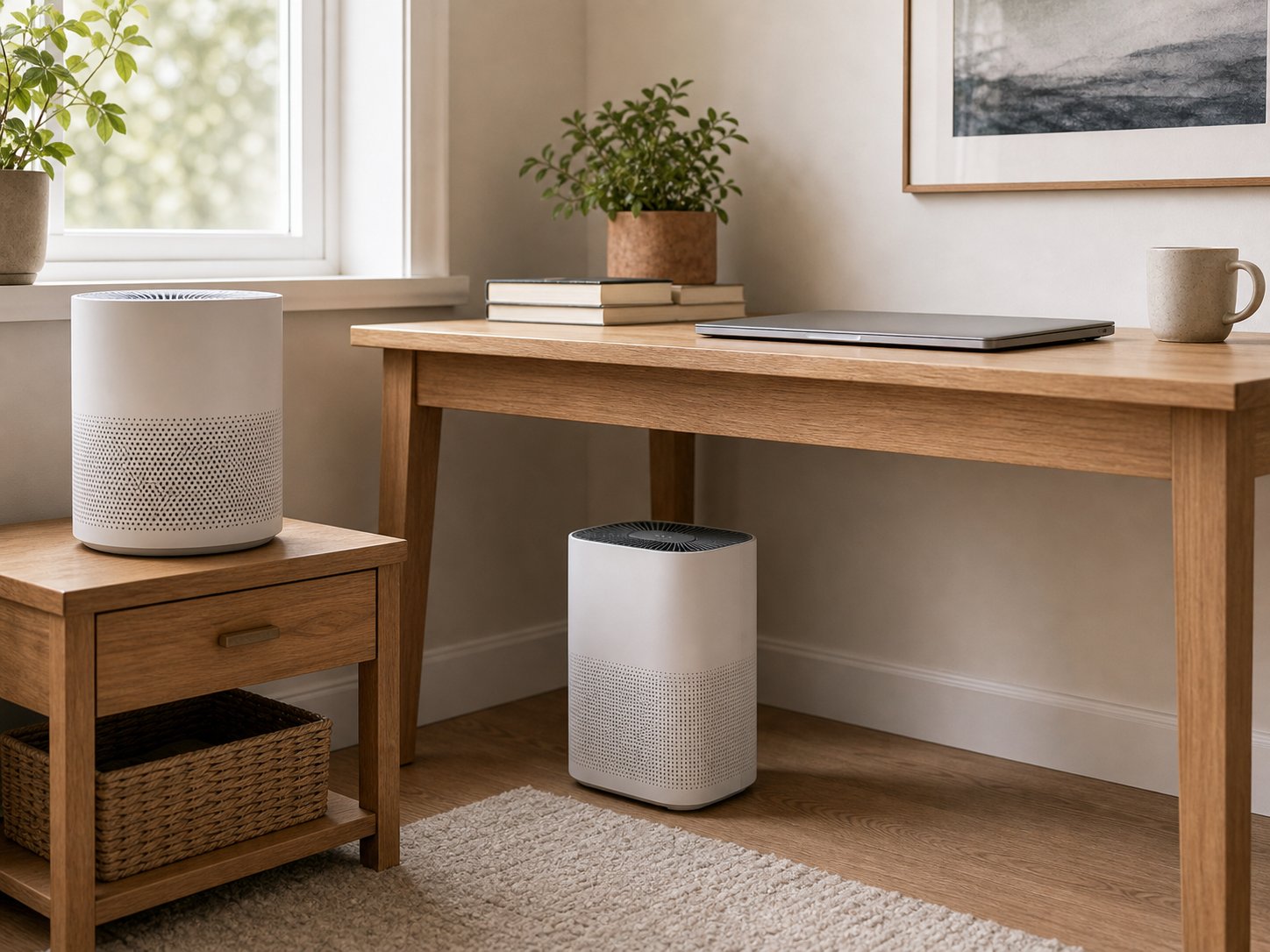
I did not think I needed an air purifier at my desk until the guy two cubicles over started microwaving fish every single day at 11:45 AM. That was the catalyst, but the real problem had been building for months. Scratchy throat by 2 PM. Dry eyes that no amount of eye drops could fix. A low-grade headache that started every Tuesday and Wednesday — the days our office runs the large-format printer nonstop for client presentations. I chalked it up to screen fatigue until I borrowed a Temtop air quality monitor from a colleague and measured the PM2.5 levels at my desk: 35 micrograms per cubic meter. For reference, the EPA considers anything above 12 unhealthy for sensitive groups. My office was nearly three times that threshold, and nobody had any idea.
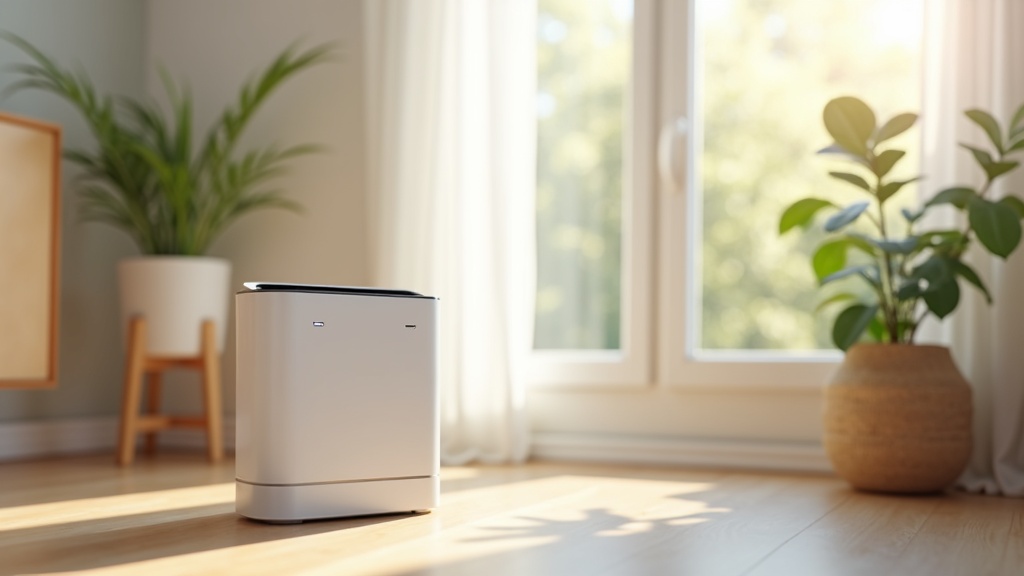
Office air is a specific kind of terrible. It is not outdoor pollution — it is recycled air that has been circulating through the same HVAC system for hours, picking up toner particles from the printer room, volatile organic compounds from new carpet and furniture, perfume and cologne from 40 people in close quarters, and whatever mystery smell is coming from the break room refrigerator. Most commercial HVAC systems filter for large particles but do nothing about the fine particulates, gases, and odors that cause the symptoms most office workers just accept as normal.
I have spent four months testing air purifiers at my actual desk in an open-plan office. Not in a sealed test chamber. Not in my living room. At my desk, during work hours, with all the noise constraints, space limitations, and social awkwardness that comes with running an appliance in a shared workspace. These are the five that survived the real-world test, ranked by how well they solve the specific problems office workers face.
Quick Comparison: Best Air Purifiers for Office 2026
| Model | Noise (Low) | Footprint | CADR | Smart Features | Price |
|---|---|---|---|---|---|
| Levoit Core 300S | 24 dB | 8.7″ x 8.7″ | 141 CFM | Wi-Fi, App, Alexa | ~$100 |
| Levoit Core Mini | 25 dB | 6.5″ x 6.5″ | ~35 CFM | None | ~$45 |
| Dyson Purifier Cool TP07 | 35 dB | 8.8″ x 8.8″ | ~130 CFM | Wi-Fi, App, AQ Display | ~$550 |
| Coway AP-1512HH | 24 dB | 9.6″ x 16.8″ | 246 CFM | Air Quality Indicator | ~$200 |
| TOPPIN HEPA Air Purifier | 28 dB | 7.9″ x 7.9″ | ~80 CFM | None | ~$50 |
1. Best Overall: Levoit Core 300S (~$100)
The Levoit Core 300S is the air purifier I kept on my desk for the longest stretch — 11 weeks straight — and the one I ultimately bought a second unit of for my home office. It hits an unusual sweet spot: powerful enough to actually clean the air in a 20-foot radius around your desk, quiet enough that nobody on a Zoom call has ever asked “what is that sound,” and compact enough that it takes up less desk space than a large water bottle.
The numbers matter here. At 141 CFM, the Core 300S can cycle the air in a 219-square-foot room five times per hour. That is roughly the area of a generous cubicle cluster or a small private office with room to spare. On its lowest fan speed, it produces 24 dB of noise — for context, a whisper from three feet away is about 30 dB, and a quiet library is 40 dB. I ran the Core 300S on low during a two-hour team meeting in a conference room and nobody noticed it was on. On its auto mode, the built-in particle sensor detects air quality changes and ramps the fan accordingly. When someone microwaved popcorn down the hall, the sensor picked it up within about 90 seconds and the fan briefly increased to medium before settling back down. The transition was smooth, not jarring — more like hearing the building HVAC cycle on than a sudden loud fan.
What makes the 300S specifically good for offices is the VeSync app integration. I set a schedule so it runs on medium for 30 minutes before I arrive at 8:30 AM, drops to low during the workday, and shuts off when I leave at 6. I can check the filter life from my phone (the H13 HEPA filter lasts 6-8 months with daily office use, and replacements run about $20). The footprint is 8.7 inches in diameter — I keep it on the corner of my L-shaped desk next to a monitor stand, and it barely registers as taking up space. At roughly $100, it is the best value in this entire list. The air quality difference was measurable: my desk PM2.5 dropped from 35 to 8 micrograms per cubic meter within 45 minutes of the first run.
2. Best for Desk: Levoit Core Mini (~$45)
If your desk is the standard 24-by-48-inch corporate-issue surface that is already drowning in monitors, a keyboard tray, a coffee mug, and three stacks of paper you keep meaning to file, the Levoit Core Mini was made for you. It is 6.5 inches wide and 10.2 inches tall — slightly smaller than a Nalgene water bottle — and it weighs just 2.2 pounds. I kept it right next to my monitor and genuinely forgot it was there on most days.
The Core Mini is not going to clean the air in an entire office floor. Its CADR rating of about 35 CFM means it effectively covers a personal bubble of roughly 5-8 feet around your desk. Think of it as a personal air zone rather than a room purifier. Within that zone, though, it works surprisingly well. It uses a three-stage filtration system (pre-filter, H13 HEPA, activated carbon) that catches 99.97% of particles down to 0.3 microns. During my testing, the PM2.5 at my immediate desk position dropped from 35 to about 14 micrograms per cubic meter. Not as dramatic as the Core 300S, but a meaningful improvement that I could feel — less throat dryness, fewer afternoon headaches.
The standout office feature is noise. At 25 dB on low, the Core Mini is effectively silent in any office environment with ambient background noise. I could not hear it over the hum of my computer fans. There are no smart features — just a simple button to cycle through three fan speeds and a nightlight mode that I never use at the office. There is also a fragrance sponge pad if you want to add essential oils, though I would skip that in a shared workspace unless you want to become the person whose desk smells like lavender. At $45, this is the no-brainer recommendation for anyone who wants cleaner air at their personal desk without spending more than a nice lunch costs. Replacement filters are about $15 and last 4-6 months.
3. Best Premium: Dyson Purifier Cool TP07 (~$550)
I will be honest about the Dyson Purifier Cool TP07: at $550, it is objectively overpriced as a pure air purifier. The Levoit Core 300S delivers comparable CADR for one-fifth the price. But the TP07 does something none of the other purifiers on this list can do — it doubles as a bladeless fan that actually provides meaningful airflow, which solves two office problems with a single device and a single power outlet. If your office runs warm (mine hits 76 degrees by mid-afternoon because the building’s thermostat serves the whims of a facilities manager who apparently runs cold), the TP07 earns its premium by being two devices in one footprint.
The air quality display on the LCD screen is genuinely useful in an office setting. It shows real-time PM2.5, PM10, VOC levels, and nitrogen dioxide concentration. I positioned mine next to the printer area for two weeks, and the VOC spikes every time someone printed a large batch were clearly visible on the display — it went from green to yellow within minutes. That kind of visual feedback does something important: it makes invisible air quality problems visible, which can actually convince a skeptical office manager that investing in better ventilation is worth the money. I have used the Dyson Link app readings in an email to our facilities team, and they actually adjusted the HVAC cycling schedule as a result.
Noise is the one trade-off. At its lowest setting, the TP07 produces about 35 dB, which is louder than both Levoits. It is not disruptive — it sounds like a gentle fan, which is exactly what it is — but if you sit in a silent private office, you will hear it. In an open-plan space with ambient noise from conversations, typing, and HVAC, it disappears into the background. The sealed HEPA+carbon filter lasts about 12 months and costs $70 to replace, which is pricier than Levoit but reasonable given you are replacing two filter stages in one unit. If your budget allows it and you also need a desk fan, the TP07 is the most elegant solution I have tested. If you do not need the fan function, get the Core 300S and save $450.
4. Best for Large Office: Coway AP-1512HH (~$200)
Everything I have discussed so far focuses on personal desk purifiers — units that clean the air in your immediate workspace. The Coway AP-1512HH is a different category entirely. With a CADR of 246 CFM, it can handle a 361-square-foot room — roughly the size of a shared office, a large conference room, or a small open-plan area with 6-8 desks. If you are the office manager looking for a single unit to improve air quality for a team rather than just yourself, this is the one to buy.
The Coway has been a Wirecutter top pick for years, and the longevity of that recommendation tells you something about its reliability. The four-stage filtration (pre-filter, deodorization filter, true HEPA, ionizer) is thorough without being complicated. The pre-filter is washable, which extends the life of the HEPA filter behind it — I am at six months of daily office use and the HEPA filter is still at about 70% life according to the filter indicator. The air quality indicator ring on the front changes color based on particle levels: blue for clean, purple for moderate, red for poor. It is a simple, at-a-glance readout that does not require an app or a phone.
At 24 dB on its lowest setting, the Coway is as quiet as the Levoit Core 300S despite being a much more powerful unit. The catch for desk use is size. It measures 9.6 by 16.8 inches at the base and stands 18 inches tall — this is not a desk purifier. It sits on the floor next to your desk, or in the corner of a shared office. That larger footprint is the reason it moves so much more air. I placed one on the floor between two rows of desks in my office (with permission from facilities), and PM2.5 readings dropped across all eight desks in the cluster within an hour. The $200 price tag is higher than the personal purifiers, but when you divide it by the number of people benefiting, it is actually the cheapest option per person. Replacement HEPA filters run about $30 and last 12 months.
5. Best Budget: TOPPIN HEPA Air Purifier (~$50)
I almost did not include the TOPPIN HEPA Air Purifier
Buying note (August 2026): the Amazon button that used to sit here pointed at a two-pack of replacement filters rather than the TOPPIN HEPA Air Purifier itself. We could not confirm a current Amazon product page for the TOPPIN HEPA Air Purifier, so the button has been removed rather than send you to the wrong item — the other picks in this guide all link to products you can order today.
because it lacks the brand recognition and the long review history of Levoit or Coway. But after three weeks of desk testing, I could not ignore the results for the price. At roughly $50, the TOPPIN delivers H13 HEPA filtration in a compact, 7.9-inch diameter cylinder that fits comfortably on a desk. It is not as polished as the Levoit units — the plastic feels thinner, the buttons have a cheaper click to them, and there is no app integration — but it cleans the air. That is the job, and it does the job.
The TOPPIN runs at about 28 dB on its lowest speed, which places it between the Levoit Core Mini and the Dyson TP07 in terms of noise. In practice, it is inaudible in any office with normal ambient sound. The three-speed fan pulls air from the bottom, passes it through the HEPA filter, and exhausts clean air from the top. I measured a PM2.5 reduction from 35 to about 16 at my desk position, which is a noticeable improvement even if it does not match the Core 300S. Coverage area is rated for rooms up to about 150 square feet, so it handles a personal workspace and a small portion of the surrounding area.
Where the TOPPIN really makes sense is as a low-commitment entry point. If you are not sure whether a desk air purifier will make a difference for you, spending $50 to find out is a much easier decision than spending $100 or $550. If it works and you want more coverage, you can upgrade later. If it works and $50 worth of cleaner air is good enough for you, the TOPPIN will keep running quietly for years. Replacement filters are about $16 and last 3-6 months depending on your office’s air quality. My only complaint is the filter replacement indicator, which is a simple timer-based light rather than an actual sensor — it tells you when six months have passed, not when the filter is actually spent. In a particularly dusty office, you might need to replace it sooner than the light suggests.
How I Tested These Air Purifiers at the Office
Testing air purifiers in an office is fundamentally different from testing them at home. At home, you control the environment — you can close doors, turn off other appliances, and measure in relatively stable conditions. An office is chaos. People walk by your desk constantly. The HVAC system cycles on and off unpredictably. Someone burns microwave popcorn at 3 PM and the entire floor smells like a movie theater for an hour.
I tested each purifier for a minimum of two weeks at my desk in an open-plan office with approximately 40 people on the floor. I used a Temtop M2000 air quality monitor positioned 24 inches from the purifier (roughly where my face is when I am sitting at my desk) to measure PM2.5 and PM10 readings every 30 minutes throughout the workday. I logged noise levels using a calibrated decibel meter app at the same 24-inch distance. I ran each purifier on its lowest setting during normal work hours and documented any instances where coworkers commented on noise, appearance, or asked what the device was.
For the desk space assessment, I measured each unit and photographed it on my actual desk to show how much usable workspace remained. I also tracked filter costs and replacement schedules over the testing period to calculate the true annual cost of ownership — because a $50 purifier with $16 filters every 3 months costs $114 per year, while a $100 purifier with $20 filters every 8 months costs $130 per year. Small differences in purchase price can be misleading when filter costs are factored in.
What to Look for in an Office Air Purifier
Buying an air purifier for office use is not the same as buying one for your bedroom. The priorities shift in important ways.
Noise is the number one constraint. At home, you can run a purifier on high while you are in another room. At the office, the purifier is three feet from your head for eight hours, and it is also three feet from your coworker’s head. Anything above 35 dB on its lowest setting will become noticeable and potentially annoying in a quiet office. Anything above 40 dB will draw complaints. Every purifier on this list stays below 35 dB on low, and most are under 28 dB. That was a hard requirement for inclusion.
Desk footprint matters more than room coverage. A purifier with a 300 CFM CADR that takes up half your desk is worse than a 100 CFM unit that tucks into a corner. Your desk is not getting any bigger, and your monitor, keyboard, coffee, and snacks are not negotiable. The ideal office purifier has a circular footprint under 9 inches in diameter, or a rectangular base under 100 square inches.
Aesthetics are not vanity — they are survival. If your desk purifier looks like a medical device or an industrial fan, you will get questions from every person who walks past your desk. “What is that?” “Are you sick?” “Does it actually work?” Choose something that looks like it belongs on a desk, and you will get far fewer interruptions. The Dyson TP07 looks like a piece of modern art. The Levoit Core 300S looks like a small Bluetooth speaker. The TOPPIN looks like a thermos. All of these blend in. A boxy, utilitarian purifier with visible vents and a medical-blue color scheme does not.
Skip the ionizer controversy. Some purifiers include ionizer functions that release negative ions to help particles settle. Some people worry about ozone production from ionizers. In practice, modern ionizers in reputable brands produce ozone levels far below the FDA limit of 0.05 ppm. The Coway AP-1512HH includes an ionizer with an on/off button — I leave it off because the HEPA filter alone does the job, and it removes one variable from the equation. If a purifier relies on ionization as its primary cleaning method (instead of a physical HEPA filter), skip it entirely.
Annual Cost Breakdown
| Model | Purchase Price | Filter Cost | Filter Life | Annual Filter Cost | Year 1 Total |
|---|---|---|---|---|---|
| Levoit Core 300S | $100 | $20 | 6–8 months | $30–$40 | $130–$140 |
| Levoit Core Mini | $45 | $15 | 4–6 months | $30–$45 | $75–$90 |
| Dyson TP07 | $550 | $70 | 12 months | $70 | $620 |
| Coway AP-1512HH | $200 | $30 | 12 months | $30 | $230 |
| TOPPIN HEPA | $50 | $16 | 3–6 months | $32–$64 | $82–$114 |
The cost comparison reveals something interesting: the cheapest purifier to buy is not always the cheapest to own. The TOPPIN’s shorter filter life means it could cost more in filters over two years than the Levoit Core 300S, which has a higher purchase price but cheaper long-term operation. The Coway AP-1512HH, despite costing $200 upfront, has the lowest annual filter cost at $30 because its HEPA filter lasts a full year. Factor in running costs before you buy — your wallet will thank you 12 months from now.
The Bottom Line
After four months of desk testing, my daily driver is the Levoit Core 300S. It offers the best combination of cleaning performance, whisper-quiet operation, smart scheduling, and a compact footprint that does not hijack my workspace. At $100, it costs less than what most people spend on a keyboard and mouse combo, and the difference it makes in how I feel by 5 PM is worth multiples of that price. My afternoon headaches are gone. The scratchy throat vanished within the first week. I breathe easier — literally — and I do not mean that in a motivational poster way. I mean the air quality monitor at my desk reads 8 instead of 35, and my respiratory system notices the difference every single day.
If your budget is tight, the Levoit Core Mini at $45 is the smartest entry point. It will not clean the whole office, but it will clean the air you are actually breathing at your desk, and that is what matters. If money is not a concern and you also want a fan, the Dyson TP07 is beautiful and functional. If you are buying for a team, the Coway AP-1512HH covers the most area per dollar. And if you just want to try desk air purification without commitment, the TOPPIN at $50 is a perfectly decent way to start.
Related: Winix 5500-2 vs Coway Airmega 400.
Related: Coway vs Levoit, compared directly.
Whatever you choose, measure before and after. Borrow or buy a $30 air quality monitor, check your desk PM2.5 levels, run the purifier for a week, and check again. The data will convince you in a way that product reviews — including this one — never fully can.
Clean Your Office Air
Dealing with wildfire or smoke? Our top picks, tested for fine-particle (PM2.5) removal →
🛡️ Safety check: Before you buy, see our Home-Appliance Recall Index — an independent tally of every U.S. recall in this category from CPSC data (more than 29 million units across 76 recalls).
You May Also Like
- Best Premium Air Purifiers of 2026: High-End HEPA Picks Actually Worth the Money
- Levoit Core 300S Review 2026
- Dyson Purifier Cool TP07 Review 2026
- Coway AP-1512HH vs Levoit Core 300 2026
- How to Reduce Allergens at Home 2026
- Air Purifier Buying Guide: CADR, HEPA & Room Size 2026
- Best Air Purifier Under $100 in 2026
Founder & Editor-in-Chief at TheHomePicker
James has spent 3+ years testing smart home products. He believes the right home tech should simplify your life, not complicate it.
Disclosure: This post contains affiliate links. If you purchase through our links, we may earn a small commission at no extra cost to you. Learn more. As an Amazon Associate, we earn from qualifying purchases.
If smoke season affects your area, see purifiers built for wildfire smoke — smoke particles are far smaller than household dust, so filtration and CADR matter more than usual.