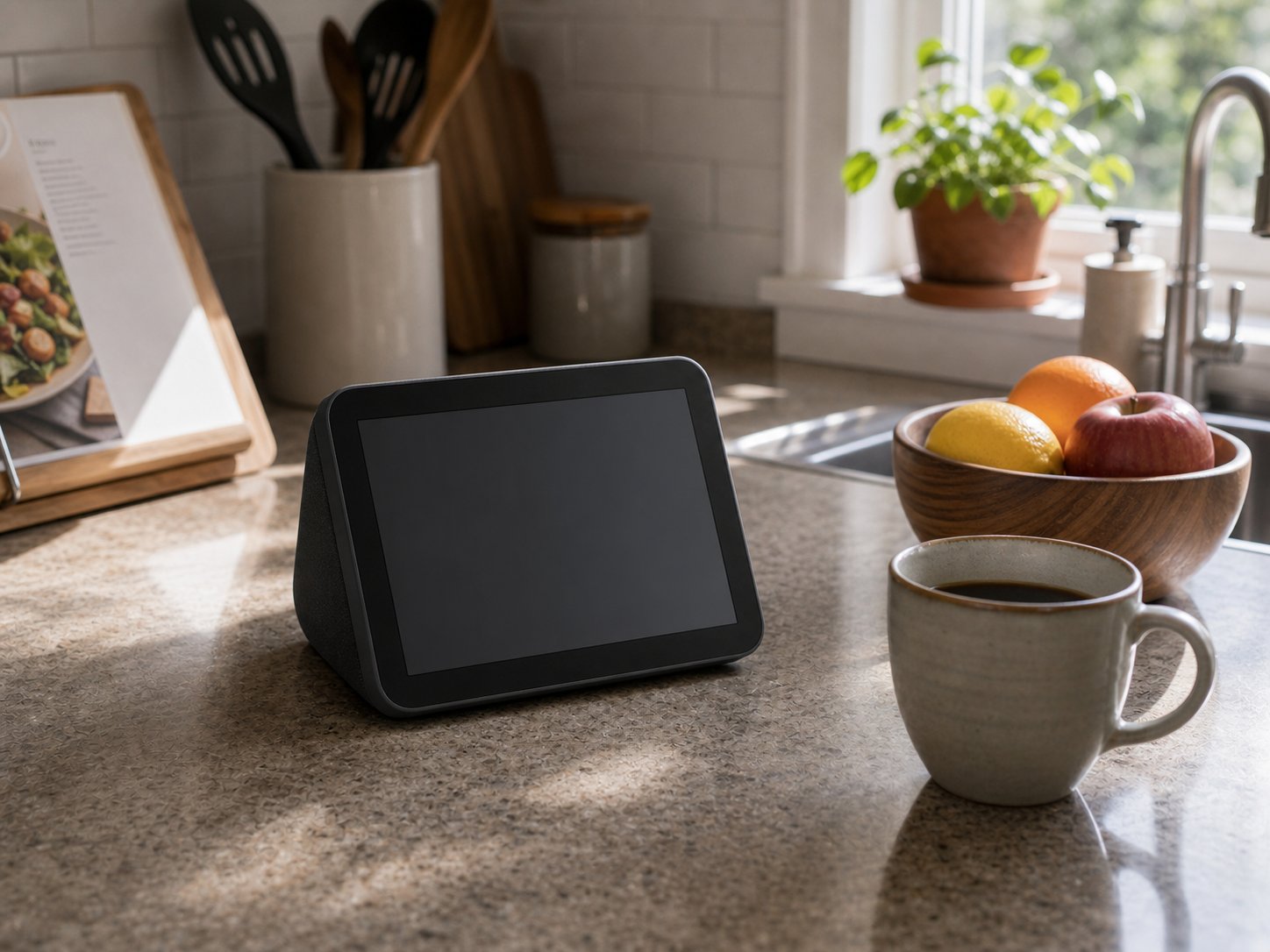
The Amazon Echo Show 15 has an identity problem, and after four months on my kitchen wall, I’m still not sure Amazon has solved it.

2026 update: We tested the original (2021) Echo Show 15. Amazon released a 2nd generation in late 2024 at $299.99: a 13MP auto-framing camera (up from 5MP), dual 2″ woofers plus a 0.6″ tweeter, a faster processor, Fire TV built in from day one, and the Alexa Voice Remote in the box. Our two loudest complaints below — sound and sluggishness — are meaningfully improved on the unit you’d buy today; the kitchen-dashboard experience itself is unchanged.
At a glance – check today’s price
Check Amazon Echo Show 15 on Amazon
As an Amazon Associate, we earn from qualifying purchases.
Is it a smart display? Sure — it shows you widgets, calendars, sticky notes, and weather forecasts in a layout you can customize. Is it a TV? Technically, yes — Fire TV is built in, and you can stream Netflix, Prime Video, and YouTube on a 15.6-inch 1080p screen. Is it a digital photo frame? It defaults to that when you’re not using it, cycling through your Amazon Photos album with a gentle Ken Burns effect. Is it a smart home dashboard? Absolutely — I pull up my Ring doorbell feed, Ecobee thermostat, and Alexa routines without reaching for my phone.
The problem is that the Echo Show 15 tries to be all of these things and, predictably, compromises on each one. The screen is too small to replace a kitchen TV but too large and expensive to justify as just a photo frame. The widgets are useful but limited. The smart home controls are convenient but shallow. Fire TV works but feels cramped on this screen size.
And yet, after 120 days of having this thing mounted next to my refrigerator, I’d genuinely miss it if I took it down. Not because any single feature blows me away, but because the combination of all of them — glanceable information, voice control while my hands are covered in flour, a quick recipe video while I prep dinner, a security camera check when someone rings the doorbell — has become part of how my kitchen works. The Echo Show 15 doesn’t excel at any one job. It’s decent at about eight of them simultaneously, and it turns out that’s a surprisingly useful thing to hang on your wall.
Here’s what four months of daily kitchen use actually looks like.
Echo Show 15 at a Glance
- Display: 15.6″ 1080p IPS
- Speakers: 2× 2″ woofers + 0.6″ tweeter (2nd Gen; the 1st Gen we tested was weaker)
- Camera: 13MP with auto-framing and Visual ID (2nd Gen; 5MP as tested)
- Streaming: Fire TV built-in
- Mount: Wall or stand (sold separately)
- Price: $299.99 (2nd Gen)
Wall Mount Setup
I’ll start with mounting because it’s the first thing you’ll deal with and the Echo Show 15 is clearly designed for the wall, even though Amazon sells a stand accessory separately. The box includes a wall-mount template — a paper sheet you tape to your wall, mark two screw holes, and drill. Amazon also includes the two screws and drywall anchors. If you’ve ever hung a picture frame, you can mount this display. Total installation time from unboxing to powered on: about 25 minutes, including finding a stud (I hit one anchor into a stud and used the included drywall anchor for the second).
The unit weighs roughly 4.9 pounds, which is heavier than a picture frame but lighter than a small TV. Once mounted, it sits almost flush against the wall — about 1.4 inches of depth. The power cord is white and runs down to the nearest outlet. This is the one aesthetic compromise: there’s no battery, no wireless power, so you’ll have a visible cord unless you run it through the wall. I used a flat-panel cord cover painted to match my wall, and it’s barely noticeable now, but I wish Amazon had included a 90-degree low-profile plug or even a cord channel in the box.
Orientation matters. The Echo Show 15 can mount landscape (the default and intended orientation) or portrait. I strongly recommend landscape. The widget layout, Fire TV interface, and video calling experience are all designed around landscape mode. Portrait mode works for displaying a full-length calendar or photo frame, but every other function feels awkward — Fire TV content gets letterboxed, widgets rearrange in ways that waste space, and the camera angle for video calls tilts oddly. I tried portrait for a week and switched back.
One detail I appreciated: the Echo Show 15 uses a standard VESA-compatible mount pattern (100x100mm), so if you don’t trust the included template or want a tilt/swivel mount, any small VESA bracket will work. I eventually switched to a $15 tilting mount from Amazon because the included flush mount didn’t let me angle the screen downward. Since the display is mounted at eye level but I often look at it while seated at the kitchen island, a slight downward tilt improved readability and reduced glare from my overhead lights significantly.
Software setup after mounting was painless — connect to Wi-Fi, sign into your Amazon account, and Alexa walks you through the rest. The entire setup, including linking my Ring, Ecobee, Hue, and Spotify accounts, took about 15 minutes. If you already have Alexa devices in your home, the Echo Show 15 inherits your routines, smart home groups, and preferences automatically.
Smart Home Dashboard
This is where the Echo Show 15 earns its place on my wall, and it’s the feature I use more than anything else — more than streaming, more than recipes, more than Alexa voice commands.
The home screen operates in two modes. When you’re not actively using the device, it shows a customizable widget panel overlaid on your ambient background (photos, art, clock, etc.). When you interact with it — tap, swipe, or use voice — it becomes a full Alexa smart display. The widget panel is where the daily utility lives.
My current widget layout, refined over four months of tweaking:
- Top left: Family calendar (synced from Google Calendar via Alexa). Shows today’s events and tomorrow’s schedule. My wife and I each have color-coded calendars, so I can see at a glance who has what appointment.
- Top right: Weather widget with hourly forecast. One tap expands to a 5-day view.
- Bottom left: Sticky notes / To-Do list. My wife and I add items by voice — “Alexa, add milk to the shopping list” — and they appear on the display within seconds. This has genuinely replaced our paper grocery list on the fridge.
- Bottom right: Ring doorbell live feed (tap to view). When someone rings the bell, the Echo Show 15 automatically shows the camera feed full-screen with two-way talk.
The smart home favorites panel — accessed by swiping down — shows my most-used devices: kitchen lights, thermostat, garage door, front door lock. I can adjust the Ecobee temperature with two taps, toggle lights, and check whether I locked the front door, all without pulling out my phone. This replaces the “Alexa, what’s the temperature set to?” voice exchange that takes 8 seconds with a 1-second glance at the screen.
Where the dashboard falls short: you can’t build truly custom layouts. Amazon gives you a selection of about 20 widgets, and you arrange them in a grid. You can’t resize them freely, overlap them, or add third-party widgets beyond what Alexa skills offer. If you’re imagining a Home Assistant-style dashboard with camera feeds, energy monitors, and custom automations all on one screen — that’s not what this is. The Echo Show 15 dashboard is simple, consumer-friendly, and limited. It works beautifully for families who want a shared glanceable screen. It frustrates power users who want deep customization.
The most surprising use case I discovered: my kids (ages 8 and 11) actually use the sticky note widget for homework reminders. They dictate notes by voice after school, and I see them on the display when I start cooking dinner. It’s become an informal family communication board, which is something I never expected from an Amazon product.
Fire TV Experience
Amazon added Fire TV to the original Echo Show 15 in a 2023 update (the current 2nd Gen ships with it built in), and it’s both the feature that sells this device to many people and the one most likely to disappoint them.
The good news: Fire TV on the Echo Show 15 works. You get the full Fire TV interface, app store, and content library. Netflix, Prime Video, Disney+, YouTube, Hulu, HBO Max, Apple TV+ — all the major streaming apps are available and functional. You can browse, search, and play content using touch, voice, or the remote — sold separately for our 1st-gen unit, included with the 2nd Gen (and worth using: navigating Fire TV by touch alone is clunky).
Video quality on the 15.6-inch 1080p IPS panel is genuinely good. Colors are accurate, viewing angles are wide enough for two or three people in a kitchen, and brightness handles the overhead lighting in my kitchen without washing out. For recipe videos on YouTube, morning news briefings, or a sitcom episode while doing dishes, this screen delivers.
Now the reality check: this is a 15.6-inch screen. That’s the size of a laptop display. At kitchen-counter distance (2-3 feet), it’s perfectly watchable. At dining table distance (6-8 feet), text becomes hard to read and the experience starts to feel like watching TV on a phone propped across the room. If you’re hoping the Echo Show 15 replaces a kitchen TV, it will — but only if your kitchen TV was small to begin with. It does not replace a 24-inch or 32-inch under-cabinet TV.
The small built-in speakers are the bigger limiting factor for the TV experience, but I’ll cover that in the Sound Quality section below.
Fire TV performance is adequate but not snappy. The original Echo Show 15’s processor handles streaming fine but introduces noticeable lag when browsing the Fire TV interface, loading app libraries, or switching between apps. Launching Netflix takes about 4-5 seconds. Scrolling through your watchlist has a slight stutter. Coming from a Fire TV Stick 4K Max (which feels smooth and responsive), the Echo Show 15’s Fire TV experience feels about one generation behind in speed. It’s not unusable — it’s just slow enough that you notice.
One thing that works better than expected: picture-in-picture. You can shrink a video to a corner of the screen while using the rest for widgets. I’ll put a YouTube cooking video in picture-in-picture while checking my calendar and shopping list on the main screen. The small video window is tiny — maybe 4 inches diagonally — but for audio-focused content like podcasts or music videos, it’s a nice multitasking feature.
Content I actually watch on the Echo Show 15: morning news briefings (Flash Briefing works perfectly here), YouTube recipe tutorials while cooking, background music videos during dinner prep, and the occasional sitcom episode while washing dishes. Content I watch on my actual TV instead: movies, sports, anything I’d want to sit down and watch attentively. The Echo Show 15 is a background/glance screen, not a sit-and-watch screen, and once I accepted that distinction, I stopped being frustrated by its size and started appreciating its convenience.
Alexa & Visual ID
Alexa on the Echo Show 15 is Alexa — the same assistant you get on every Echo device, with the added benefit of a screen to show visual results. Ask for a recipe and you get step-by-step instructions with photos. Ask about the weather and you get a graphical forecast. Ask to see your front door camera and you get a live feed. The screen makes Alexa roughly 40% more useful than voice-only, which is enough to justify the price difference over an Echo Dot for the room where you spend the most time.
Visual ID is the Echo Show 15’s headline feature that Amazon pitched hard at launch: the camera (5MP on our unit; 13MP on the 2nd Gen) uses facial recognition to identify household members and personalize the display. When I walk into the kitchen in the morning, the Echo Show 15 is supposed to recognize me and show my calendar, reminders, and personalized greetings. When my wife approaches, it switches to hers.
In practice, Visual ID works about 75% of the time. It correctly identifies me at a distance of 5-8 feet in good lighting. In dim kitchen lighting (early morning, no overhead lights), recognition drops to maybe 50%. It reliably distinguishes between me and my wife but occasionally shows my profile when my 11-year-old son stands in front of it — apparently we look more alike than I thought. It never misidentifies a guest as a household member; unrecognized faces get the default/generic home screen.
The personalization Visual ID enables is modest. Each recognized person sees their calendar events, their reminders, and a personalized greeting (“Good morning, James”). It doesn’t change the widget layout per person, adjust music preferences, or alter the smart home dashboard. For families with very different schedules, the calendar personalization alone is useful. For households where shared information is the norm, Visual ID adds a pleasant touch but isn’t transformative.
Privacy note: Visual ID processing happens on-device. Amazon states that facial recognition data is not sent to the cloud and can be deleted per person at any time through the Alexa app. You can also disable Visual ID entirely if you’re uncomfortable with facial recognition in your home. We kept it on because the personalized calendar view is genuinely useful for a two-career household, but I understand the hesitation.
Voice recognition from across the kitchen is excellent. The Echo Show 15 has the same far-field microphone array as other Echo devices, and it reliably picks up my commands from 15-20 feet away, even with the range hood running on low. On high, the hood noise drowns out everything, but that’s true for any voice assistant. The wake word sensitivity is well-calibrated — I haven’t had phantom activations from TV dialogue, which plagued my older Echo Dot.
The most useful Alexa interactions in the kitchen context: setting multiple named timers (“Alexa, set a pasta timer for 8 minutes” — it displays all active timers on screen), unit conversions while cooking (“How many tablespoons in a third of a cup?”), hands-free calling when my phone is charging in another room, and intercom/Drop In to tell the kids dinner is ready without yelling upstairs.
Sound Quality
The original Echo Show 15 has two small full-range drivers, and they sound exactly like what small drivers squeezed into a flat display would sound like: fine for voice, acceptable for casual background music, and inadequate for anything you’d actually want to sit down and listen to.
For Alexa responses, timers, and voice/video calls, the audio is clear and plenty loud. I can hear Alexa’s recipe instructions clearly from across my kitchen (roughly 12 feet), even with water running. Voice quality on video calls through the built-in 5MP camera is clear on both ends — my parents said I sounded better on the Echo Show 15 than on my phone’s speaker.
For music, the Echo Show 15 is a background player at best. It lacks bass entirely — anything below about 200 Hz is essentially absent. Mid-range is present but thin. Highs are crisp enough but can sound harsh at higher volumes. At 50-60% volume, it’s a perfectly serviceable kitchen speaker for Spotify playlists, podcasts, and radio stations. At 80-100%, it distorts on bass-heavy tracks and sounds strained. It fills my 200-square-foot kitchen adequately but doesn’t fill the adjacent dining area (another 150 square feet) without losing clarity.
For Fire TV content — shows, movies, YouTube — the speakers are the weakest link. Dialogue is clear, but action scenes, music scores, and anything with dynamic range sounds flat and compressed. If you plan to use the Echo Show 15 as a regular streaming screen while cooking, I’d strongly recommend pairing it with an Echo Dot or a Bluetooth speaker. The Echo Show 15 supports Bluetooth audio output, and pairing it with even a $30 Echo Dot in the same room noticeably improves the movie-watching experience by adding bass and spatial dimension.
Comparing to the Echo Show 10 (which I tested for two weeks): the Show 10 sounds noticeably better despite having similar wattage. Its speakers fire forward from a deeper enclosure, giving them more room to resonate. The Show 15, being a flat panel designed for wall mounting, physically can’t accommodate speakers with meaningful depth. It’s a design trade-off — wall-mountable form factor versus audio quality — and Amazon chose form factor.
One positive: the Echo Show 15 works as a multi-room music speaker in an Alexa group. I have it grouped with an Echo Studio in my living room and an Echo Dot in the hallway. When I play music on the group, each speaker handles the audio appropriate to its capabilities, and the Echo Show 15 contributes enough to prevent any “dead zone” in the kitchen. Used this way — as part of a system rather than solo — it’s perfectly adequate.
Widget System
Widgets are the feature that differentiates the Echo Show 15 from every other Echo device, and they’re simultaneously the most useful daily feature and the most frustrating in their limitations.
The concept: when the Echo Show 15 is idle (no active timer, video, or interaction), it displays a customizable home screen with information widgets overlaid on a background. You see your calendar, weather, reminders, shopping list, smart home favorites, and other glanceable info at all times. This turns the Echo Show 15 from an on-demand device (ask Alexa something, get an answer, screen goes idle) into a persistent information display — a digital bulletin board for your household.
Available widgets as of early 2026:
- Calendar — Shows today’s and tomorrow’s events from linked calendars
- Weather — Current conditions and hourly/daily forecast
- Reminders — Active Alexa reminders
- Shopping List — Alexa shopping list items
- To-Do List — Alexa to-do items
- Sticky Notes — Family message board
- Smart Home Favorites — Quick-access device controls
- Music — Recently played and quick-play buttons
- Reorder — Amazon purchase reordering
- Trending — News headlines
- Photos — Amazon Photos album slideshow
- Cooking — Suggested recipes (Alexa skill-based)
- Sports — Scores and schedules for followed teams
- Game — Quick casual games
Third-party skill widgets exist but are limited. A handful of Alexa skills have created widgets — a couple of news services, a tide chart app, and a few others — but the widget ecosystem hasn’t grown nearly as much as Amazon presumably hoped. Most Alexa skills don’t have widget support, so you’re mostly working with Amazon’s first-party options.
What works well: the Calendar + Shopping List + Weather combination is legitimately useful. I glance at the Echo Show 15 while making coffee to see what’s on my schedule, whether I need an umbrella, and what we need from the grocery store. This takes about 3 seconds and replaces checking three different apps on my phone. Multiplied across every morning for four months, the time savings add up. The Sticky Notes widget has become our family’s refrigerator-magnet-note replacement — anyone can dictate a note by voice, and it stays visible until someone removes it.
What doesn’t work: the widget grid system is rigid. You get a fixed number of widget slots in a predetermined layout. You can choose which widgets appear in which slots, and you can have multiple “pages” of widgets to swipe between, but you can’t resize individual widgets, create custom arrangements, or add free-form elements. The Calendar widget always takes the same amount of space regardless of whether you have 1 event or 8. The Shopping List widget shows the same number of items whether your list has 3 or 30. There’s no ability to make the weather widget smaller and the calendar larger if that’s what your day demands.
The ambient photo background behind widgets is a nice touch. I have it cycling through a curated Amazon Photos album of family vacation photos, and the widgets float semi-transparently over the images. It gives the display a personal, lived-in feel rather than a clinical dashboard look. When no widgets are showing (you can hide them all), the Echo Show 15 becomes a beautiful 15.6-inch digital photo frame — one of the best I’ve seen, actually, given the display quality and the automatic photo selection from your library.
The “rotate widget” feature periodically changes which widgets are visible on the home screen based on time of day and usage patterns. In the morning, it surfaces the calendar and weather. In the evening, it shows the shopping list and cooking suggestions. You can override this by pinning specific widgets, which I do for Calendar, Weather, and Shopping List (always visible) while letting the fourth slot rotate.
What Disappoints
Four months is enough time to move past the honeymoon phase, and several aspects of the Echo Show 15 consistently frustrate me.
The speakers are the weakest component. I’ve covered this above, but it bears repeating because it affects the Fire TV experience, the music experience, and video calls. On the original model, the weak speakers felt like a cost-cutting decision that undermined the product. The Echo Show 10 proved Amazon can do better audio in this product category, and to Amazon’s credit, the 2nd Gen answers this directly with dual 2″ woofers and a dedicated tweeter — much closer to what a screen this ambitious needs. As it stands, anyone who uses this for streaming will end up buying a separate speaker, adding to the total cost.
Fire TV performance lags. The processor is a generation behind where it should be. Navigating the Fire TV interface has consistent micro-stutters — not freezes, just a pervasive sluggishness that makes every interaction feel like the device is thinking. Apps take 3-5 seconds to launch. Scrolling through content rows has visible frame drops. The Echo Show 10, which doesn’t have Fire TV built in, feels snappier for basic Alexa tasks. The Fire TV addition seems to have stretched the hardware beyond its comfortable capacity.
The stand is sold separately for $34.99. If you want to use the Echo Show 15 on a counter or desk instead of wall-mounted, you need to buy the stand accessory. For a $300 device, including a basic tilt stand should be standard. The wall-mount hardware is included — why not the stand? This feels like nickel-and-diming.
Widget customization is too limited. I’ve been asking for this since month one: let me resize widgets, add third-party widgets freely, and create conditional layouts (morning dashboard vs. evening dashboard). The current system works, but it feels like Version 1.0 of what should be a much more flexible system by now. Amazon has had years to iterate on this, and the widget experience has barely evolved since launch.
No ambient light sensor auto-brightness. The Echo Show 15 has manual brightness control, and it has a “adaptive brightness” setting that’s supposed to adjust based on room lighting. In my experience, adaptive brightness is too aggressive — it dims too much in moderate lighting and doesn’t brighten enough in direct sunlight from my kitchen window. I ended up setting brightness manually to about 70% and leaving it, which means it’s too bright at night and slightly dim during sunny afternoons. An ambient light sensor that actually works well — like the one on the Nest Hub Max — would meaningfully improve the daily experience.
The camera bump is visible from the side. The 5MP camera sits in a small bump at the top edge of the display. When wall-mounted and viewed straight on, you don’t notice it. From the side — walking past it in the kitchen — the camera bump creates a slight shadow on the display and breaks the otherwise clean flat-panel aesthetic. This is minor but noticeable in a white kitchen where everything else is flush and minimalist.
Echo Show 15 vs Smart TV vs Digital Frame: What Should You Buy?
The Echo Show 15 is easy to misunderstand. It is not simply a tablet, a photo frame, or a small TV. It is most useful when you want a shared kitchen or family dashboard that also handles video, timers, smart-home controls, and Alexa routines.
| Buy this | Best if you want | Skip if |
|---|---|---|
| Echo Show 15 | Alexa dashboard, recipes, widgets, timers, Fire TV | You do not use Alexa or want a pure TV. |
| Small smart TV | Streaming apps and passive viewing | You need shared calendars, timers, and smart-home controls. |
| Digital photo frame | Always-on family photos | You want voice assistant and smart-home features. |
| Tablet | Portable browsing and app flexibility | You want a fixed wall display for the whole household. |
Best for
- Alexa-first kitchens: timers, shopping lists, calendars, recipes, and smart-home controls are the real reason to buy it.
- Families: a shared screen works better than everyone checking separate phones for reminders.
- Wall-mounted command centers: it makes more sense when it has a permanent spot.
Skip it if
- You use Google Home: compare smart displays in our best smart display guide.
- You only need voice control: a smart speaker is cheaper and simpler.
- You are building a full smart-home setup: start with the smart home hub guide and smart home buying guide.
Frequently Asked Questions
Is the Echo Show 15 better than a small smart TV for the kitchen?
It is better if you want Alexa widgets, family organization, recipes, and smart-home controls. A small smart TV is better if your main goal is passive video watching with stronger app flexibility.
Is the Echo Show 15 good as a digital photo frame?
It can work as a photo display, but it is not as elegant as a dedicated frame if photos are the only job. Buy it for the mix of Alexa, widgets, Fire TV, and smart-home dashboard features.
Can Echo Show 15 replace a kitchen tablet?
It can replace some tablet jobs, especially shared calendars, recipes, timers, and quick video. It does not replace a tablet for handheld browsing, typing, or app flexibility.
Who should skip the Echo Show 15?
Skip it if you do not use Alexa, do not want a wall-mounted screen, or mainly want a TV. It is strongest as a kitchen command center, not as a general entertainment screen.
Is the Echo Show 15 worth it in 2026?
It is worth considering for Alexa-first homes that want a central kitchen or family display. It is less compelling for Google or Apple households, or for buyers who only want music and voice control.
Who This Is For
After four months, I have a clear picture of who will love the Echo Show 15 and who will be disappointed by it.
Buy the Echo Show 15 if:
- You want a central family information hub — shared calendar, shopping lists, reminders, and messages — visible in your kitchen or common area without anyone needing to check their phone
- You’re already in the Alexa ecosystem with Ring cameras, smart lights, smart locks, and other Alexa-compatible devices that benefit from a persistent visual dashboard
- You want background streaming (news, recipes, music videos) while cooking or doing kitchen tasks, and you accept the 15.6-inch screen size for what it is
- You value wall-mountable design and a digital photo frame that doubles as a smart display
- You make frequent video calls to family and want a hands-free, always-ready video calling station in your kitchen
Skip the Echo Show 15 if:
- You want a kitchen TV replacement — at 15.6 inches with mediocre speakers, this isn’t it. Get an actual small TV and a Fire TV Stick
- You’re a Google Home household — buying into Alexa just for this display doesn’t make sense. Wait for a large Nest Hub (if Google ever makes one)
- You want a deeply customizable smart home dashboard — Home Assistant on a tablet will give you 10x the flexibility
- You’re audio-focused — the speakers will disappoint you, and spending $300 on a display plus $50-100 on a separate speaker to compensate isn’t great value
- You live alone and don’t need shared family features — a smaller Echo Show 8 at $100 less gives you 90% of the personal functionality
My rating: 7.5/10. The Echo Show 15 is the best product in a category that barely exists — the large wall-mounted smart display. It genuinely improves kitchen life for Alexa-ecosystem families through its dashboard, calendar, and smart home integration. But weak speakers, sluggish Fire TV performance, and rigid widget customization hold it back from the “essential” status it’s clearly aiming for. At $299.99, it’s a considered purchase, not an impulse buy. Make sure your use case aligns with its strengths before committing.
After four months, the Echo Show 15 has earned permanent residency on my kitchen wall — not because it’s great at any one thing, but because it’s good enough at enough things to make my kitchen smarter without adding complexity. That’s a harder trick to pull off than it sounds, and Amazon mostly succeeds. Mostly.
What I Like
- Best-in-class kitchen dashboard — calendar, shopping list, and weather at a glance replace phone checking
- Wall-mount design is clean and genuinely practical in a kitchen
- Ring doorbell and smart home device controls are instantly accessible
- Visual ID personalization works well enough to be useful for multi-person households
- Digital photo frame mode is beautiful on the 15.6″ 1080p display
- Hands-free recipe following and multi-timer management while cooking
What I Don’t Like
- 1st Gen speakers lack bass and can’t support serious streaming or music (largely fixed by the 2nd Gen’s woofer + tweeter setup)
- Fire TV on the 1st Gen stutters and lags — the 2nd Gen’s faster chip reportedly closes most of the gap
- Widget system is rigid with no resizing, limited third-party support, and no conditional layouts
- Stand still sold separately ($34.99) on a $300 device — feels like nickel-and-diming
Get the Echo Show 15
You May Also Like
- Google Nest Hub Max Review 2026
- Amazon Echo vs Google Nest Mini 2026
- Best Smart Display 2026
- Echo Dot vs Echo Pop 2026: Which Smart Speaker Wins?
- How to Set Up Smart Home on a Budget 2026
- Smart Home Buying Guide 2026
Founder & Editor-in-Chief at TheHomePicker
James has spent 3+ years testing smart home products. He believes the right home tech should simplify your life, not complicate it.
Disclosure: This post contains affiliate links. If you purchase through our links, we may earn a small commission at no extra cost to you. Learn more. As an Amazon Associate, we earn from qualifying purchases.