Last summer, my neighbor Dave installed four security cameras around his house. Two weeks later, someone walked right up his side gate, pried open a basement window, and walked out with a laptop, two watches, and a PlayStation. The cameras caught everything — sort of. One pointed at the sky. Another stared directly into a hedge. The remaining two recorded the driveway and the front porch, which the intruder never used. Dave spent $400 on cameras and got exactly zero useful footage.
The problem was never the cameras. It was where he put them. The FBI’s Uniform Crime Report counted an estimated 1,117,696 burglaries in 2019, 62.8 percent of them at residential properties. But the more telling point is this: a burglar picks the house that looks easiest. Yet even homes with cameras get hit when those cameras leave blind spots big enough to drive a truck through — sometimes literally.
This guide is the one Dave wishes he had read before drilling holes in his siding. I am going to walk you through every placement decision — what height, what angle, which direction to face each lens — based on actual burglary data, insurance reports, and five years of testing cameras at my own home and at the houses of friends who were generous (or nervous) enough to let me experiment. No filler. No spec-sheet regurgitation. Just the placement strategy that actually works.
Key Takeaways
- 5 cameras minimum — front door, back door, garage, ground-floor windows, and side gate cover the approaches burglars actually use
- 7-9 feet high, 15-30 degree downward tilt — the sweet spot for face capture without easy tampering
- the front door is the most common way burglars get in — your doorbell camera is the single most important investment
- WiFi range kills more setups than bad cameras — test signal strength at every mount point before drilling
- Check local laws before recording — audio recording without consent is illegal in 12 U.S. states
Quick Answer
Cover the entry points intruders actually use, not just the yard. The five-point minimum is the front door, back door or patio, garage and driveway, first-floor windows, and side gates or alleyways — each mounted about 8–10 feet high and angled down so faces fill the frame instead of the sky or a hedge. Placement matters far more than how many cameras you own.
The 5-Point Rule: Minimum Coverage for Any Home
Forget the 16-camera NVR systems you see on Amazon. For 90% of single-family homes, five well-placed cameras outperform twelve poorly placed ones. The math is simple: burglars use a predictable set of entry points, and the data backs it up.
Here is the hierarchy, and the Bureau of Justice Statistics measures it. Across forcible-entry household burglaries, a door was involved in 73 percent and a window in 49 percent (the two overlap, because a household can report more than one kind of damage). Doors first, then windows:
- Front door — the single most common way in
- Back door or patio — the second door most burglars try
- Garage — less common as a forced entry (plus a major package theft vector)
- First-floor windows — involved in about half of forcible entries, spread across several windows
- Side gate or alleyway — not a common forced-entry point, but it is the route to your backyard, so covering it prevents flanking
Those five locations cover the entry points behind the large majority of residential break-ins. If you cover just these five locations with the right hardware, positioned correctly, you have a surveillance net that most burglars simply will not test. Let me walk through each one.
Priority #1: Front Door — Your Most Critical Camera
One in three burglars walks right through the front door. Sometimes they kick it in. Sometimes they ring the bell first to check if anyone is home. Either way, this is your most important coverage zone by a wide margin.
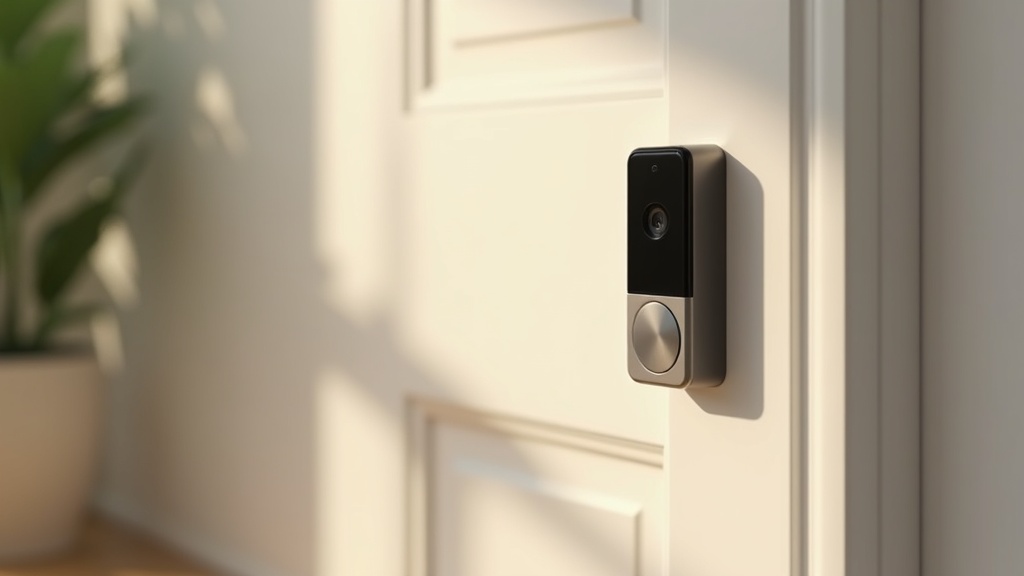
The ideal setup is two devices: a video doorbell mounted at eye level (roughly 48 inches from the ground) for face-to-face identification and two-way communication, plus a secondary camera mounted at 7 to 9 feet to capture the full porch, walkway, and anyone approaching from either side.
Why two? A doorbell camera field of view typically spans 140 to 180 degrees horizontally, but it is mounted low — perfect for catching faces, terrible for tracking someone who ducks below it or approaches from the side. The overhead camera fills the gap. It captures body shape, clothing, gait, and the wider approach path, all at an angle that is nearly impossible for someone to reach without a ladder.
Height matters. Mount the overhead camera at 7 to 9 feet. Below 7 feet, someone with average reach can swat it off the wall. Above 9 feet, facial features become too small to identify reliably on a 1080p sensor. If your camera supports 2K or 4K resolution, you can push to 10 feet, but do not exceed that unless you are covering a very wide driveway where identification at distance is less important than general motion tracking.
Avoid backlighting. If your front door faces west and gets direct afternoon sun, the camera will blow out highlights every evening. Position it under the porch eave or roofline to keep the lens shaded. Better yet, choose a camera with HDR or WDR (wide dynamic range), which balances bright and dark areas in the same frame.
Not sure where to start? Our Best Smart Home Hub in 2026: Alexa vs Google Home vs SmartThings covers everything you need to know.
Priority #2: Back Door and Patio — The Silent Entry Point
Backyards are where burglars feel safe. Fences and landscaping block the view from the street, and neighbors rarely have line of sight to your rear entrance. Twenty-two percent of break-ins happen here, and unlike front-door intrusions, they tend to happen during daylight — the burglar knows nobody can see them.
Mount your back-door camera at 8 feet, pointing outward to cover the full patio or deck area. If you have a sliding glass door, angle the camera to capture both the door itself and the approach path from either side of the yard. Many patio break-ins involve prying the sliding door off its track, which is surprisingly quiet, so motion detection is your early warning system.
Night vision is non-negotiable here. Unlike the front porch, which usually has an overhead light or streetlamp spill, backyards get dark. Look for cameras with infrared (IR) night vision rated to at least 30 feet. If you want color night vision — which makes identifying clothing color and other details much easier — you will need a camera with a built-in spotlight or a separate motion-activated floodlight mounted nearby.
Motion detection zones are critical for back-door cameras. Without zone customization, every squirrel, raccoon, and stray cat will trigger alerts all night. Draw your detection zone to cover the door, the patio, and the fence line, but exclude tree branches and bird feeders. If your camera supports person-only detection (most modern cameras from Ring, Arlo, and Reolink do), enable it. It cuts false alerts by 80% or more.
Priority #3: Garage and Driveway — Protecting Vehicles and Packages
The garage is not just a car shelter. It is a storage room for tools, bikes, sporting equipment, and in many homes, a direct entry into the house through an interior door. Nine percent of break-ins come through the garage itself, but package theft from driveways and porches is the more common everyday loss — Security.org’s 2025 report found that one in four Americans, about 64 million people, has had a package stolen at some point.
A floodlight camera is the best single choice for this location. It combines a wide-angle lens (typically 140-160 degrees), powerful LED floodlights (2,000+ lumens), and a siren — all in one housing that replaces your existing floodlight fixture. No extra wiring required if you already have a wired floodlight.
Mount it at the roofline, 9 to 10 feet up, angled slightly downward to cover the full driveway and the garage door itself. The floodlight illumination range should extend to the curb or street edge. This achieves two things: the camera captures license plates and faces of anyone approaching, and the sudden flood of light is a powerful psychological deterrent. In the University of North Carolina at Charlotte survey of 422 convicted burglars, 60% said they would seek an alternative target if there was an alarm on site, and the researchers found alarms and surveillance equipment had a similar effect on target selection.
Weather resistance matters. Garage-mounted cameras face direct exposure to rain, snow, dust, and temperature extremes. Insist on IP65 rating at minimum — IP66 or IP67 is better if you live in a region with heavy rain or snow. Operating temperature range should cover at least -4 degrees F to 122 degrees F (-20 C to 50 C). I have seen budget cameras fail during a Michigan winter because the battery died at 10 degrees F, even though the listing said outdoor rated.
Want a deeper look? Check our Best Robot Vacuums for Thick Carpet in 2026 (Tested & Ranked) for hands-on picks.
Priority #4: First-Floor Windows — The Overlooked Entry Points
A window is involved in roughly half of all forcible entries, but most homeowners do not put cameras on them. The reason is understandable — covering every window on a house would require a dozen cameras. But you do not need to cover every window. You need to cover the vulnerable ones.
Vulnerable windows share three characteristics: they are on the ground floor, they are not visible from the street, and they are near cover (bushes, fences, or structures that block the neighbor view). Walk around your house and look at it the way a burglar would. Which windows can you approach without being seen from the street or any neighbor window? Those are your priority.
In most homes, this narrows the list to two or three windows — typically a side bathroom window, a basement egress window, or a window behind tall landscaping. Mount a compact outdoor camera 7 to 8 feet above each one, angled downward to capture the window and a few feet of ground in front of it. You do not need a floodlight here; a small bullet or dome camera with IR night vision is sufficient.
Pro tip: if you cannot mount a camera outside every vulnerable window, consider indoor cameras pointed outward through the glass. This only works for daytime monitoring — IR night vision bounces off glass and creates a useless white glare at night. But as a budget supplement, a $30 Blink Mini placed on the windowsill and aimed outward covers the window during daylight hours when most break-ins happen.
Priority #5: Side Gates and Alleyways — Controlling the Choke Point
The side gate is rarely the point of forced entry, but that misses why it matters. The side gate is not a destination — it is a route. Burglars use the side alley to get from the street to your backyard without being seen. If you block the route, you block the back-door break-in too.
Side gates and alleyways are narrow, shaded, and often lack power outlets, which makes them tricky to cover. A battery-powered camera with a solar panel is the practical solution. Mount it 7 feet up on the fence or the side of the house, aimed down the length of the alley. The narrow field of view actually works in your favor here — even a 110-degree lens will cover wall to wall in a 3-foot-wide alley.
Pair the camera with a motion-sensor light. A standalone solar-powered motion light costs $15 to $25 and adds both deterrence and illumination for night footage. Place the light on the opposite side of the alley from the camera to avoid lens glare, and position it slightly higher — 8 to 9 feet — so the light spills downward onto anyone walking through.
Indoor Camera Placement — When and Where It Makes Sense
Indoor cameras are controversial. Some homeowners find them intrusive; others consider them essential. The right answer depends on your household, but there are three locations where indoor cameras consistently prove their value.
The front hallway or foyer is the most useful indoor camera location. If a burglar enters through the front door, this camera captures a clear, well-lit shot from inside — often better quality than the outdoor footage because indoor lighting is more controlled. Mount it on a shelf or high on the wall, 7 feet up, facing the front door.
The main living area — living room or family room — covers the largest open space in the house. Position it in a corner for maximum coverage, high enough to see over furniture. This camera often doubles as a pet monitor or a way to check on kids after school.
The nursery or child room is a personal choice, but for parents of infants or toddlers, it is practically standard. Modern baby monitors are just rebranded indoor cameras with worse software. A Blink Mini or Tapo C200 gives you 1080p video, two-way audio, and motion alerts for under $30.
Privacy ground rules: Never place cameras in bedrooms (other than a nursery), bathrooms, or guest rooms. If you have roommates, housemates, or regular guests, inform them about indoor cameras — in some states, failing to disclose recording is a legal liability. Use cameras with physical privacy shutters or app-based on/off toggles so you can disable indoor recording when you are home.
Height and Angle: The Technical Details That Make or Break Your Footage
I have already mentioned the 7-to-9-foot mounting height several times. Here is why that range is so consistent, and what happens when you deviate from it.
Below 7 feet: A person of average height (5 foot 9) can reach the camera with an outstretched arm. Vandals, spray paint, and simple brute force become realistic threats. Footage quality may be excellent — you are close to the subject — but you risk losing the camera and the footage with it (unless it uploads to the cloud in real time).
Above 9 feet: Facial features shrink. On a 1080p camera at 12 feet high and 15 feet away, a human face occupies roughly 40 pixels across. That is not enough for reliable identification. At 8 feet high and the same 15-foot distance, you get roughly 70 pixels across a face — enough for most police departments to work with.
The downward angle should be between 15 and 30 degrees from horizontal. At 15 degrees, you get a flatter perspective with more background context — good for driveways and wide areas. At 30 degrees, you get more top-down perspective, which is better for narrow areas like porches and hallways. Avoid going steeper than 30 degrees; you will lose facial detail because you are looking at the tops of heads.
Avoid pointing east or west. A camera aimed directly into the sunrise or sunset will be blinded for 30 to 60 minutes twice a day. If you have no choice, use a camera with HDR/WDR, and mount it under an eave deep enough to shade the lens during low-sun hours.
Wired vs Wireless: Which to Install Where
This is not a philosophical debate — it is a practical one. Each location has a clear winner.
Front door: wired (or hardwired doorbell). Your front-door camera runs 24/7 and streams frequently. A battery-powered doorbell needs recharging every 1 to 3 months, and if it dies while you are on vacation, you lose coverage at your most critical point. Hardwired doorbells draw power from your existing doorbell transformer (16-24V AC) and never go offline.
Back door: wired if easy, wireless if not. If you have an outdoor outlet within 15 feet, plug in a wired camera and forget about it. If running a cable is impractical, a solar-powered wireless camera (Ring Stick Up Solar, Reolink Argus 3 Pro) works well — backyards typically get enough sunlight to keep the panel charged year-round.
Garage: wired. Floodlight cameras are inherently wired — they replace an existing light fixture and draw power from the same wiring. This is one of the easiest camera installations in the house, and it gives you unlimited power, continuous recording (if supported), and rock-solid reliability.
Side gate: battery + solar. Side alleys rarely have power. A battery camera with an attached solar panel is the only realistic option for most homes. Choose a panel rated at 4W or higher; lower-wattage panels struggle to keep up during winter months or in northern latitudes.
Indoor: plug-in (wired). Every indoor camera plugs into a standard outlet. No battery concerns, no solar panels. The only thing to manage is the cable — use adhesive cable clips to run it neatly along the wall or baseboard.
Night Vision and Lighting — Seeing in the Dark
Most break-ins happen between 10 AM and 3 PM, when homes are empty. But the ones that happen at night tend to be more dangerous — nighttime intruders are more likely to be armed and more likely to enter while occupants are home (Bureau of Justice Statistics). Your cameras need to see in the dark.
Infrared (IR) night vision is standard on virtually every outdoor camera. It illuminates the scene with invisible IR light and captures a black-and-white image. Range varies from 15 feet on cheap models to 100+ feet on premium ones. For most residential use, 30 feet is the minimum you should accept.
Color night vision uses a large-aperture lens and a sensitive image sensor (often a starlight sensor rated at 0.01 lux or lower) to capture full-color footage in low light. Some cameras add a dim white LED as a supplement. The advantage is obvious: identifying a red jacket versus a blue one, or a white car versus a silver one, is impossible in black-and-white.
Spotlight cameras combine a camera with powerful white LEDs (500 to 2,000 lumens) that activate on motion. They serve double duty — illuminating the scene for color footage and startling intruders. The Ring Floodlight Cam, Arlo Pro 4 Spotlight, and Eufy Floodlight E340 are popular options. The tradeoff is light pollution: if your bedroom window faces the camera location, expect to be woken up every time a raccoon walks through.
My recommendation: Use IR-only cameras in locations where light would be annoying or unnecessary (side gates, bedroom-facing windows). Use spotlight or floodlight cameras at the front door, garage, and backyard — the places where deterrence and identification quality matter most.
WiFi Range: The Forgotten Factor That Kills Camera Systems
Here is a scenario I see constantly: someone buys a great camera, mounts it 80 feet from the router, and then complains about constant buffering, delayed alerts, and camera offline errors. The camera is fine. The WiFi is not.
Test before you mount. Take your phone to the exact spot where you plan to install each camera. Run a speed test. If you are getting below 2 Mbps upload speed, that camera will struggle with a 1080p stream. For 2K or 4K cameras, you need at least 4 Mbps upload at the camera location. If the signal is weak, you have three options:
- Move the router closer. Not always practical, but sometimes the router is in a basement corner when it should be centrally located on the main floor.
- Add a WiFi extender or access point. A plug-in extender near a window can boost signal to outdoor cameras. A dedicated outdoor access point (like the TP-Link EAP225-Outdoor) is even better if you have Ethernet available.
- Switch to a mesh WiFi system. If your house is larger than 2,000 square feet or has thick walls (brick, concrete, plaster over metal lath), a mesh system with three or more nodes provides consistent coverage everywhere. Amazon Eero, Google Nest WiFi, and TP-Link Deco are all reliable options.
2.4 GHz vs 5 GHz: Most outdoor cameras use 2.4 GHz because it penetrates walls and travels farther than 5 GHz. Do not force a camera onto the 5 GHz band unless it is within 30 feet of the router with minimal obstructions. The bandwidth advantage of 5 GHz is meaningless if the signal drops every few minutes.
Legal Considerations — What You Can and Cannot Record
Security cameras are legal on your own property in all 50 U.S. states. But legal does not mean anything goes. There are three areas where homeowners regularly get into trouble.
1. Recording your neighbor property. You can record your own yard, your own driveway, and the public street. You cannot point a camera directly into a neighbor window, backyard, or any area where they have a reasonable expectation of privacy. If your camera field of view incidentally captures part of a neighbor property — like the edge of their driveway — that is generally acceptable. But deliberately surveilling their private spaces is not, and it can lead to civil lawsuits and, in some jurisdictions, criminal charges.
2. Audio recording. This is where people get blindsided. Video recording on your own property is broadly legal, but audio recording is governed by wiretapping and eavesdropping laws that vary by state. In one-party consent states (38 states including New York, Texas, and Florida), you can record conversations as long as one participant consents — and in your own home, you are that participant. In two-party consent states (12 states including California, Illinois, and Massachusetts), all parties must consent to being recorded. If your doorbell camera records audio of a delivery driver conversation, that could technically violate two-party consent laws. The safest approach: disable audio recording on outdoor cameras, or post a visible sign stating Audio and video recording in progress.
3. Signage and notification. While not always legally required, posting a visible sign that the property is under video surveillance is strongly recommended. It deters intruders (alarm signage was one of the security signals burglars in the UNC Charlotte survey said they looked for before choosing a target), and it protects you legally by establishing that anyone entering your property was notified of the recording.
Complete Setup Checklist
Before you drill a single hole, run through this checklist. I have seen every one of these mistakes in real installations, and each one is preventable.
Pre-Installation Checklist
- Walk the full perimeter and identify all ground-floor entry points (doors, windows, gates)
- Test WiFi signal strength at every planned camera location (minimum 2 Mbps upload)
- Check power availability — wired outlet, existing light fixture, or solar-viable spot
- Verify mounting surface material (wood, vinyl, brick, stucco) and get appropriate hardware
- Confirm mounting height is between 7 and 9 feet at each location
- Check for backlighting issues (east/west-facing cameras, direct sunlight at dawn/dusk)
- Map camera fields of view on a sketch of your property — look for overlapping gaps
- Verify cameras do not directly view neighbor private areas (windows, patios, pools)
- Check local laws on audio recording and signage requirements
- Purchase weather-rated cameras for outdoor locations (IP65 minimum)
- Set up cloud storage or local NVR before mounting cameras
- Create a shared household account so all family members can access camera feeds
- Test motion detection zones and alert sensitivity after installation — adjust for false positives
- Place Video Surveillance signs near main entry points
- Schedule a monthly check: clean lenses, verify recordings, test night vision
Camera Type by Location: Quick Reference
| Location | Camera Type | Key Feature | Budget Pick |
|---|---|---|---|
| Front Door | Video Doorbell | Two-way talk, face capture | Ring Video Doorbell |
| Back Door | Outdoor Cam | Night vision, motion zones | Blink Outdoor 4 |
| Garage | Floodlight Cam | Built-in 2000+ lumen light | Ring Floodlight Cam |
| Windows | Compact Indoor/Outdoor | Small form factor, IR night vision | Blink Mini 2 |
| Side Gate | Battery + Solar Cam | No wiring needed, solar panel | Ring Stick Up Solar |
Budget Setup Guide: What to Buy at Every Price Point
| Budget | Setup | What You Get |
|---|---|---|
| $100-$200 | Basic (2 cameras) | Video doorbell + 1 outdoor camera covering the back door. Covers 56% of entry points. |
| $200-$400 | Standard (4 cameras) | Video doorbell + 2 outdoor cameras (back door and garage) + 1 indoor camera. Covers the front door, back door and garage. |
| $400-$700 | Complete (6+ cameras) | Full 5-point perimeter coverage + 1-2 indoor cameras. Covers every approach a burglar is likely to use. Add a floodlight cam at the garage for maximum deterrence. |
A practical note on subscriptions: Ring charges $4.99/month per camera or $9.99/month for unlimited cameras (Ring Multi). Blink offers $3.99/camera or $11.99/month unlimited. Arlo charges $7.99/month for one camera or $12.99 for unlimited. Factor these into your annual cost — a cheap camera with an expensive subscription can cost more over 3 years than a pricier camera with free local storage.
Most Popular Setup
Ring Video Doorbell 4 + Outdoor Camera Bundle
Frequently Asked Questions
Q: How do I choose the right security camera for my home?
Start by measuring your space and identifying your primary use case. For security cameras, the most important specs to match to your needs are resolution and field of view. Use the buying criteria outlined in this guide to narrow your options, then cross-reference current Amazon reviews to verify real-world performance claims.
Q: What are the most important features to look for in a security camera?
The must-have features depend on your situation, but for most buyers the top priorities are resolution, field of view, and warranty coverage. Avoid paying premium prices for features you won’t use regularly — smart connectivity, for example, adds cost but only matters if you actively use app or voice control.
Q: How much maintenance does a security camera require?
Routine maintenance for a security camera typically involves storage options every 1–6 months depending on usage intensity. Set calendar reminders for filter changes and brush replacements — the biggest cause of early failure is skipping scheduled maintenance. Most manufacturers provide a maintenance schedule in the product manual or app.
Q: Are expensive security cameras significantly better than budget options?
In most cases, mid-range models (roughly $150–$300) deliver 85–90% of the performance of premium models at half the price. The biggest differences at the top tier are resolution and advanced smart features. For light to moderate daily use, a well-reviewed mid-range option is the most cost-effective choice for most households.
Q: What warranty should I expect when buying a security camera?
Most reputable security camera brands offer a 1-year manufacturer warranty as standard, with premium models sometimes carrying 2–5 years. Extended warranties through retailers like Amazon or Best Buy add 1–3 years of protection for roughly 10–15% of the purchase price — worth it for appliances used daily. Always register your product within 30 days of purchase to activate full warranty coverage.
As an Amazon Associate, we earn from qualifying purchases.
You May Also Like
- Best Indoor Security Cameras in 2026: Top WiFi Cameras for Home Monitoring
- Best Outdoor Security Cameras 2026
- Ring Video Doorbell 4 Review 2026
- Ring vs Blink Security Camera
- Best Video Doorbell Cameras 2026
- Best Video Doorbell Under $100
- Smart Home Setup Guide 2026
Disclosure: This post contains affiliate links. If you purchase through our links, we may earn a small commission at no extra cost to you. Learn more. As an Amazon Associate, we earn from qualifying purchases.