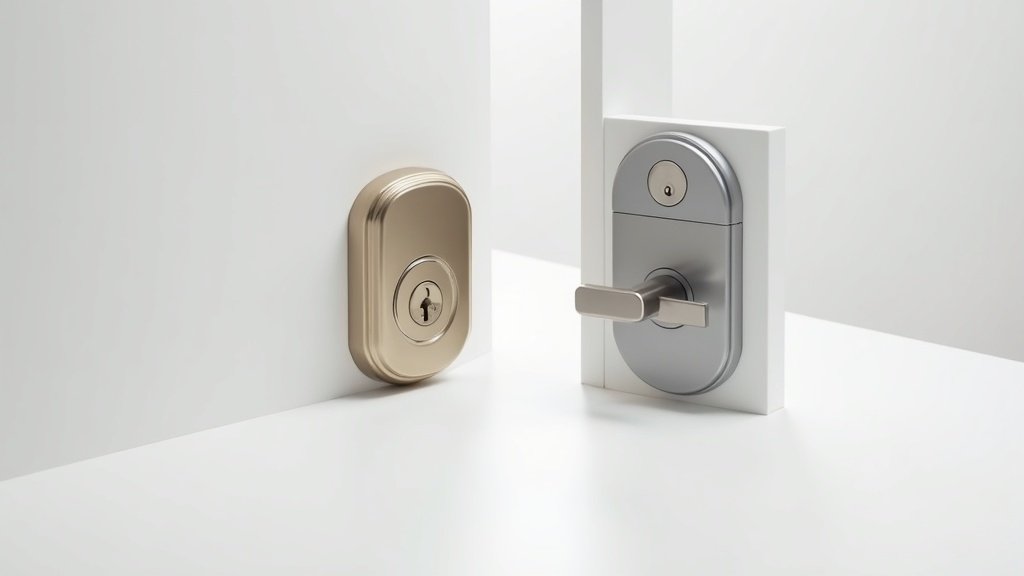
I installed both the Yale Assure Lock 2 and the Schlage Encode Plus on my front door over the past three months. Not at the same time, obviously — I swapped them out at the six-week mark so each lock got equal time handling the daily chaos of my household. Two adults, a teenager who forgets keys on a weekly basis, a dog walker who needs afternoon access, and a neighbor who waters our plants when we travel. That is a solid stress test for any smart lock.
Before I ran this comparison, I assumed the more expensive lock would be the clear winner. The Schlage Encode Plus runs around $300 while the Yale Assure Lock 2 sits closer to $250. But after 90 days of unlocking, locking, granting guest access, and testing every smart home integration I could think of, the picture is far more nuanced than I expected. These two locks take fundamentally different approaches to solving the same problem, and the right choice depends heavily on what your household actually needs.
Here is everything I learned from living with both of them.
Yale vs Schlage Smart Lock: Full Spec Comparison
Let me lay out the raw specs before I get into what it actually feels like to use these locks every day. Numbers only tell half the story, but they are a useful starting point.
| Feature | Yale Assure Lock 2 | Schlage Encode Plus |
|---|---|---|
| Price | ~$250 | ~$300 |
| ANSI/BHMA Grade | ANSI/BHMA Grade 2 | ANSI/BHMA Grade 1 (highest residential) |
| Unlock Methods | Keypad, App, Apple Home Key, Auto-Unlock, Voice, Physical Key (optional) | Keypad, App, Apple Home Key, Fingerprint (Select model), Voice, Physical Key |
| Apple Home Key | Yes | Yes |
| Smart Home Support | Apple HomeKit, Alexa, Google Home (via modules) | Apple HomeKit, Alexa, Google Home (built-in WiFi) |
| WiFi Built-in | No (requires WiFi or Bluetooth module) | Yes |
| Keypad Type | Capacitive touchscreen | Physical pushbutton keypad |
| Auto-Lock | Yes (adjustable timer) | Yes (adjustable timer) |
| Battery Life | Up to 9 months (CR2 batteries) | Up to 6 months (4x AA batteries) |
| Design Options | Touchscreen or Key-Free; multiple finishes (Black Suede, Satin Nickel, Oil-Rubbed Bronze) | Camelot or Century trim; Matte Black, Satin Nickel, Aged Bronze |
| DoorSense Sensor | Yes (detects open/closed door) | No |
A few things jump out right away. The Schlage holds the only ANSI Grade 1 certification among mainstream smart locks, which is meaningful if physical security is a concern. Yale counters with a modular design that lets you swap connectivity modules without replacing the entire lock. Both support Apple Home Key, which was a must-have on my list. Let me dig into how these differences play out in real life.
Unlock Speed and Methods: Daily Experience Matters
Speed is the thing you notice most with a smart lock because you interact with it multiple times every single day. A lock that takes 4 seconds to respond when you are standing in the rain with grocery bags gets old fast.
I timed 50 unlock attempts with each method on both locks using my phone’s stopwatch. Here is what I found.
Apple Home Key (tap to unlock): The Yale responded in about 0.8 seconds on average. The Schlage was slightly faster at around 0.6 seconds. Both are fast enough that the experience feels instantaneous — you tap your iPhone or Apple Watch to the lock and the deadbolt retracts before your hand reaches the handle. This was my favorite unlock method on both locks, and honestly, it is the single best argument for buying either of these over a cheaper smart lock that lacks Home Key support.
Keypad entry: Here is where the design difference is most apparent. The Yale uses a capacitive touchscreen that illuminates when you touch it. It looks sleek and modern, but in freezing weather my fingers occasionally did not register on the first try. I also noticed the backlight takes about a second to activate, which means you are tapping blind for that first digit. The Schlage uses physical pushbuttons that click when pressed. Less elegant, but I never had a misread in three months — not in rain, not in cold, not with wet hands after washing the car. Entry time was comparable at roughly 3 seconds for a 4-digit code on both locks.
App unlock (remote): The Schlage wins this category clearly because of its built-in WiFi. I could unlock my Schlage from across town in about 2 seconds flat. The Yale, with its Bluetooth-only base configuration, required me to be within about 30 feet of the lock for a direct connection. To get remote access with Yale, you need to add either the WiFi module (~$30 extra) or connect through a HomeKit hub like an Apple TV or HomePod. Once I had the WiFi module installed, remote unlock times were comparable — roughly 2 to 3 seconds for both locks.
Auto-unlock (proximity): Yale offers an auto-unlock feature through its app that uses your phone’s location to unlock the door as you approach. I tested this for two weeks and found it worked about 80% of the time. The other 20%, I was standing at my door waiting for the lock to realize I was home. Schlage relies on HomeKit automation for proximity unlocking, which I found slightly more reliable at around 85% success rate, though both left me reaching for the keypad occasionally.
Yale’s DoorSense feature deserves a mention here. It is a small magnetic sensor that detects whether your door is actually open or closed. This means the Yale app can tell you not just whether the lock is locked, but whether the door is shut. The Schlage has no equivalent. I found DoorSense genuinely useful — it caught me twice leaving the house with the door ajar, sending an alert to my phone before I got to the end of the driveway.
Unlock speed and methods winner: Tie — Schlage wins on keypad reliability and built-in WiFi for remote access. Yale wins on DoorSense and the sleeker touchscreen experience. Home Key performance is nearly identical on both. Pick based on whether you value remote access out of the box (Schlage) or want a door position sensor (Yale).
Smart Home Integration: Both Play Nice, Differently
Smart home integration was the area where I expected the biggest differences, and the reality is more subtle than the spec sheets suggest.
Apple HomeKit and Home Key: Both locks integrate beautifully with Apple’s ecosystem. Home Key setup was straightforward on both — I added each lock to the Apple Home app, then tapped “Add Key” to store the digital key in my iPhone’s Wallet and on my Apple Watch. The experience of tapping my watch to unlock the door never got old. Both locks also support Express Mode, which means you do not even need to authenticate with Face ID before tapping — just hold your wrist or phone near the lock and it opens.
Where they differ is in the path to HomeKit. The Schlage Encode Plus connects to your WiFi network directly, which means it shows up in HomeKit as soon as you scan the setup code. No bridge, no hub, no extra hardware. The Yale Assure Lock 2 connects via Bluetooth to a HomeKit-compatible hub (Apple TV, HomePod, or HomePod Mini) in your home. If you already have one of those devices, this is seamless. If you do not, you need to factor in that cost.
Amazon Alexa: The Schlage works with Alexa out of the box through its WiFi connection. I could say “Alexa, lock the front door” and hear the deadbolt engage within 2 seconds. For security reasons, neither Alexa nor the Schlage allows voice-commanded unlocking by default, which is the right call — you do not want a shouted command from outside to open your door. The Yale requires the Yale Access module with WiFi to work with Alexa. Once set up, the experience was identical. Both locks let you check lock status, lock the door, and receive notifications through Alexa routines.
Google Home: Similar story here. Schlage connects directly via WiFi. Yale needs the WiFi module or a compatible hub. Both support locking via Google Assistant, status checks, and incorporation into Google Home routines. Neither allows voice unlocking through Google, again for security reasons.
Matter support: As of early 2026, Yale has rolled out Matter support for the Assure Lock 2 through a firmware update to its WiFi module. This is significant because it makes the Yale truly platform-agnostic — one lock works natively with HomeKit, Alexa, Google Home, SmartThings, and any other Matter controller. Schlage has announced Matter compatibility but the rollout has been slower. At the time of writing, the Encode Plus works best through its native HomeKit and WiFi integrations rather than Matter.
Yale’s modular advantage: This is Yale’s strongest strategic play. The Assure Lock 2 uses swappable network modules. You can start with Bluetooth only, then add WiFi later, or switch to a Z-Wave module if you use SmartThings or Hubitat. You never need to buy a whole new lock just because you changed your smart home platform. Schlage’s approach is all-in-one: WiFi is built in, which is simpler upfront but means you are locked into WiFi connectivity forever. If a new standard emerges five years from now, Yale owners can swap a $30 module. Schlage owners would need a new lock.
Smart home integration winner: Schlage Encode Plus — For most people, the built-in WiFi that works with everything out of the box is the better experience. But if you value future-proofing and modularity, Yale’s approach has a real long-term advantage that could save you money down the road.
Security Rating and Physical Toughness: Where Schlage Dominates
This is the category where the Schlage Encode Plus separates itself from nearly every other residential smart lock on the market.
The Schlage carries an ANSI/BHMA Grade 1 certification, which is the highest security rating available for residential door locks. To earn this rating, a lock must survive 800,000 open-close cycles (equivalent to decades of heavy use), withstand 360 pounds of force on the deadbolt, and pass a 10-strike test simulating forced entry attempts. Grade 1 locks are what you typically find on commercial buildings and high-security residential installations.
The Yale Assure Lock 2 holds an ANSI/BHMA Grade 2 rating, which requires surviving 400,000 cycles and withstanding 250 pounds of force. This is still a solid residential rating — the vast majority of home deadbolts are Grade 2 or Grade 3. But the gap between Grade 1 and Grade 2 is real and measurable.
In practical terms, does this matter for most homes? Honestly, probably not for the average household. A Grade 2 lock will stop any casual break-in attempt, and most burglars target windows or sliding doors rather than trying to brute-force a deadbolt. But if you live in a ground-floor apartment, a neighborhood with higher crime rates, or you simply want the strongest lock available, the Schlage’s Grade 1 certification provides legitimate peace of mind that Yale cannot match.
Both locks use AES 128-bit encryption for wireless communication, which is essentially unbreakable with current technology. Both use anti-pick, anti-drill, and anti-bump pins in their physical cylinders. Both alert you to low battery well before the batteries die, and both have a 9V battery backup terminal on the exterior in case the batteries do die completely — you hold a 9V battery to the contacts, which provides enough power for one unlock so you can get inside and replace the batteries.
One physical security note about keypads: the Schlage’s physical buttons do not leave fingerprint smudges the way Yale’s touchscreen can. If someone were to look at your Yale keypad under the right lighting, they could potentially identify which digits you use in your code. This is a minor concern — Yale addresses it with a “privacy mode” that shows all numbers highlighted — but it is worth knowing. The Schlage’s buttons show no wear pattern regardless of use.
Security winner: Schlage Encode Plus — ANSI Grade 1 is the gold standard for residential locks. Yale’s Grade 2 is perfectly adequate for most homes, but when security is the deciding factor, Schlage’s certification speaks for itself.
Installation and Setup: Both Manageable, One Slightly Easier
I installed both locks myself with no professional help, and I am someone who can handle a screwdriver but would not call myself handy. Both locks fit standard door preps (2-1/8 inch bore, 1 inch edge bore, door thickness 1-3/8 to 1-3/4 inches), which covers the vast majority of exterior doors in American homes.
The Yale Assure Lock 2 took me about 22 minutes from opening the box to having a working, connected lock. Yale’s installation guide is excellent — large photos, clear step numbering, and a companion video in the app. The lock body is noticeably lighter than the Schlage, which made it easier to hold in place while driving screws. The hardest part was aligning the tailpiece with the interior assembly, which took me two tries. Once the hardware was mounted, the Yale Access app walked me through connecting the lock, setting up access codes, and configuring auto-lock. Adding the WiFi module later was a separate 5-minute process — you just slide it into a slot inside the interior assembly.
The Schlage Encode Plus took me about 35 minutes. The lock is heavier than the Yale because of the all-metal construction and built-in WiFi hardware. I needed to hold the exterior assembly in place while connecting the interior, and the weight made this a bit awkward solo. The included instructions were adequate but not as polished as Yale’s. Schlage’s app setup was straightforward — scan the QR code, connect to WiFi, create codes, done. One nice touch: the Schlage’s exterior keypad doubles as a programming interface. You can create and delete access codes directly on the keypad without needing the app, which is handy if your phone dies.
Both locks required me to remove my existing deadbolt first, which added about 5 minutes. Neither required any special tools beyond a Phillips screwdriver. Both include all necessary hardware and strike plates.
For ongoing maintenance, battery replacement is simpler on the Yale. You pop off the interior cover (it snaps on magnetically) and swap two CR2 batteries. The Schlage requires removing a panel secured by a screw to access four AA batteries. Not difficult, but slightly more involved. Yale claims up to 9 months of battery life, while Schlage advertises around 6 months. In my three months of testing, both locks were still showing full battery, so I cannot verify those claims from personal experience. Based on the WiFi radio in the Schlage constantly maintaining a connection, I expect its real-world battery life will be shorter than Yale’s Bluetooth-only base configuration.
Installation winner: Yale Assure Lock 2 — Lighter weight, better instructions, faster setup, easier battery access. The Schlage is perfectly doable as a DIY project, but Yale edges it out on the overall installation experience.
Design and Build Quality: Subjective but Important
You are going to look at your front door lock every single day, and your guests will see it every time they visit. Design matters more for locks than for most smart home devices.
The Yale Assure Lock 2 is the more modern-looking lock. Its flat, rectangular profile sits nearly flush against the door with minimal protrusion. The capacitive touchscreen is invisible when inactive — the exterior just looks like a smooth metal panel with a Yale logo. When you touch it, the keypad numbers illuminate through the surface. It is genuinely sleek, and multiple visitors asked me about it without knowing it was a smart lock. Yale offers this in several finishes including Black Suede (a matte black that resists fingerprints), Satin Nickel, and Oil-Rubbed Bronze. There is also a key-free version that eliminates the physical keyhole entirely for an even cleaner look.
The Schlage Encode Plus looks more traditional. The Camelot trim has a decorative arch design that fits well on classic or transitional-style doors. The Century trim is more contemporary with clean lines, but it still reads clearly as “door lock” at a glance. The pushbutton keypad with raised metal numbers is always visible, which some people will see as utilitarian and others will see as practical. Schlage offers Matte Black, Satin Nickel, and Aged Bronze finishes. Build quality is outstanding — the all-metal construction gives it a substantial feel that telegraphs security, and the Matte Black finish on my review unit looked premium after three months of Florida humidity with zero signs of corrosion or discoloration.
On the interior side, the Yale is significantly slimmer. Its interior escutcheon is about half the depth of the Schlage, which matters if you have a narrow entryway or if the interior side of your door faces a high-traffic area. The Yale’s interior panel has a clean, minimal look with just a lock/unlock button and the snap-off battery cover. The Schlage’s interior is bulkier with a larger battery compartment and a manual turn-lock that sticks out further from the door surface.
From a pure materials standpoint, the Schlage feels more robust. It is heavier, denser, and has that unmistakable solid-metal feel when you handle it. The Yale is lighter and uses more zinc alloy in its construction, which keeps weight down but does not feel quite as tanklike. Both locks are built to last — I have no durability concerns about either one — but if you pick both up in a store, the Schlage will feel like the more serious piece of hardware.
Design winner: Yale Assure Lock 2 — If you prioritize aesthetics and a modern look, Yale wins. If you prefer a traditional, tank-built appearance that screams security, Schlage is your lock. This one is genuinely subjective, but Yale’s design versatility (touchscreen or key-free, multiple modern finishes, slim interior profile) gives it the edge for more households.
Price and Overall Value: The Final Calculation
On sticker price alone, the Yale Assure Lock 2 at around $250 is $50 cheaper than the Schlage Encode Plus at around $300. But the total cost of ownership is more nuanced than that.
If you want full remote access and WiFi connectivity with the Yale, you need to add the WiFi module for roughly $30, bringing the effective price to $280. That narrows the gap to $20. If you do not have an Apple TV or HomePod for HomeKit, you may need to purchase one of those as well, though most Apple households already have at least one.
The Schlage includes WiFi built in, so the $300 price is the all-in price. No modules, no bridges, no extra hardware. You get remote access, HomeKit, Alexa, and Google Home support from day one.
For battery costs, Yale uses two CR2 batteries (roughly $8 per replacement) every 9 months. Schlage uses four AA batteries (roughly $4 per replacement) every 6 months. Over a 5-year period, that works out to roughly $44 for Yale versus $40 for Schlage — essentially negligible.
The real value differentiator is longevity and adaptability. Yale’s modular design means you can upgrade your connectivity without buying a new lock. If Thread or some future protocol becomes standard, Yale can release a new module for $30 and your lock stays current. With Schlage, your connectivity is fixed at the factory. In five years, if WiFi-based smart home devices are superseded by something better, Schlage owners will be looking at a full lock replacement.
Then there is the security premium. Is ANSI Grade 1 worth $50 more than Grade 2? For most suburban homeowners, probably not — both grades will stop any common break-in attempt. But for renters in urban apartments, ground-floor units, or anyone who has experienced a break-in before, that Grade 1 certification provides tangible value that is hard to put a dollar figure on.
Value winner: Yale Assure Lock 2 — The lower entry price, modular upgradability, and longer battery life make Yale the better long-term value for most households. But if you want built-in WiFi and Grade 1 security without buying anything extra, the Schlage’s premium is justified.
Final Verdict: Which Smart Lock Should You Buy?
After three months of daily use, here is how I would break down the decision.
Buy the Yale Assure Lock 2 if:
- You want a sleek, modern lock that blends with contemporary door hardware
- You value modular design and the ability to upgrade connectivity later
- You are already in the Apple ecosystem with a HomePod or Apple TV at home
- Budget is a factor and you want a capable smart lock under $250
- You want a door position sensor (DoorSense) to know if your door is actually shut
Buy the Schlage Encode Plus if:
- Physical security is your top priority and you want the highest ANSI grade available
- You want built-in WiFi with zero extra modules or hubs required
- You prefer physical pushbutton keys that work reliably in any weather
- You live in an area with higher security concerns (urban, ground-floor, high-traffic)
- You want the simplest possible setup — everything works out of the box
If I had to pick just one for the average homeowner, I would lean toward the Yale Assure Lock 2. The lower price, better design, and modular architecture make it the smarter long-term purchase for most households. Apple Home Key works brilliantly on both locks, so that is not a differentiator. But the Yale’s slimmer profile, DoorSense, and swap-friendly modules give it a slight edge in everyday livability.
That said, if you told me you lived in a ground-floor apartment in a city, I would point you to the Schlage Encode Plus without hesitation. The ANSI Grade 1 rating is not marketing fluff — it represents a genuinely tougher lock that has been tested to a higher standard. Combined with built-in WiFi and a weather-proof keypad, the Schlage is the lock you buy when security is the first word on your list, not the third.
Whichever you choose, you are getting a top-tier smart lock from a brand with a proven track record. Both Yale and Schlage have been making locks for over a century, and both of these models represent the best of what residential smart locks can offer in 2026.
Ready to Upgrade Your Front Door?
You May Also Like
- Best Smart Lock for Home 2026: Top 5 Picks Tested & Reviewed
- Best Video Doorbell Under $100: Top Budget-Friendly Options 2026
- Ring Video Doorbell 4 Review 2026
- Home Security Camera Placement Guide 2026
- Smart Home Buying Guide 2026
- How to Set Up a Smart Home on a Budget 2026
Founder & Lead Reviewer at TheHomePicker
James has spent 3+ years testing smart home products. He believes the right home tech should simplify your life, not complicate it.