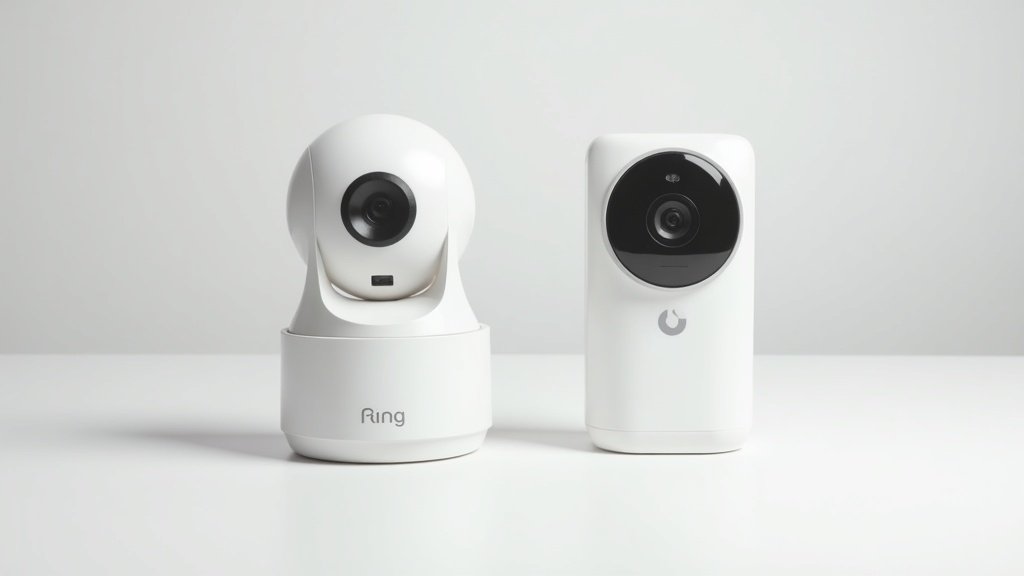
I calculated what Ring actually costs over three years. Then I installed a Eufy camera next to it and ran both for four months. The number that changed my mind wasn’t about video quality or smart features — it was $120 in subscription fees that Ring charges on top of its $100 camera price. That’s the cost of a Ring Protect Basic plan over three years, and it buys you something the Eufy S220 SoloCam includes for free: the ability to actually review your recorded footage.
This comparison started because my neighbor asked a simple question: “Which $100 security camera should I buy?” I realized I couldn’t answer it honestly without addressing the subscription elephant in the room. The Eufy S220 SoloCam stores everything locally for zero monthly cost. The Ring Stick Up Cam technically works without Ring Protect, but you lose video recording, person detection, and basically everything that makes a security camera useful. So I mounted both cameras side by side on my back porch, pointed them at the same 30-foot stretch of driveway, and spent four months collecting data that actually answers the question.
Quick Verdict
The Eufy S220 SoloCam wins for budget-conscious buyers who refuse to pay monthly fees — solid 2K video, local storage, and zero subscriptions. The Ring Stick Up Cam wins for Alexa households that want seamless integration, professional monitoring options, and cloud-based access from anywhere. Over 3 years, Eufy saves you roughly $300 in total cost of ownership while delivering comparable security coverage.
Full Spec Comparison: Eufy S220 SoloCam vs Ring Stick Up Cam
Before I walk through four months of real-world testing, here’s the spec-sheet face-off. I’ve marked the winner in each row based on verified specs and my own testing results.
| Specification | Eufy S220 SoloCam | Ring Stick Up Cam | Winner |
|---|---|---|---|
| Resolution | 2K (2304 x 1296) | 1080p (1920 x 1080) | Eufy |
| Field of View | 135° | 130° horizontal, 110° diagonal | Eufy |
| Night Vision | IR night vision + spotlight | IR night vision + color night vision (with light) | Tie |
| Storage | 8 GB local (built-in, no hub needed) | Cloud only (Ring Protect required for recording) | Eufy |
| Subscription Cost | $0/year (free forever) | $39.99/year (Ring Protect Basic) | Eufy |
| Two-Way Audio | Yes (built-in speaker & mic) | Yes (built-in speaker & mic) | Tie |
| Smart Home Integration | Google Assistant, Apple HomeKit (limited Alexa) | Full Alexa ecosystem, Ring Alarm integration | Ring |
| Weather Rating | IP67 (dust-tight, submersion-proof) | IPX5 (rain and splash resistant) | Eufy |
| Power Source | Built-in solar panel + battery | Battery / plug-in / solar panel (sold separately) | Eufy |
| Price (Street) | ~$100 | ~$100 | Tie |
On paper, the Eufy dominates — winning 6 of 10 categories with 3 ties. But the Ring’s Alexa integration advantage is enormous for homes already in the Amazon ecosystem. Let me walk through each real-world battle.
Video Quality: 2K Local vs 1080p Cloud
I mounted both cameras 8 feet high on my back porch, angled to cover the same 30-foot stretch of driveway and yard. Over four months I reviewed hundreds of clips side by side — daytime, overcast, golden hour, rain, and the tricky transition periods at dusk and dawn.
The resolution difference is real and visible. The Eufy S220’s 2K sensor (2304 x 1296 pixels) captures roughly 78% more pixels than Ring’s 1080p. In practical terms, I could read a license plate at 22 feet on the Eufy recording. On the Ring clip from the same moment, the plate was a blurry smudge past 15 feet. If someone walked across my driveway at 25 feet, I could identify their face on the Eufy. On the Ring, I could tell their general build and clothing color, but facial details dissolved into compression artifacts.
That said, Ring’s 1080p is a solid 1080p. Colors are accurate, exposure adjusts well, and the dynamic range handles mixed sun and shade better than I expected. Ring also benefits from cloud processing — their servers apply noise reduction and stabilization before you see the clip. The Eufy stores raw footage locally, which preserves detail but occasionally shows more grain in low-light transitional moments.
The 135-degree field of view on the Eufy versus Ring’s 130 degrees is barely noticeable in practice — we’re talking about 2-3 inches of extra coverage at each edge when mounted at typical height. Both cameras covered my entire driveway width without blind spots.
One thing I noticed over four months: the Eufy’s image quality stayed consistent. Ring occasionally delivered clips with visible compression banding, especially during high-motion events like a car pulling in while someone was walking. Ring compresses video before uploading to their cloud, and that compression occasionally costs you detail exactly when you need it — during fast action. The Eufy, recording locally to its 8 GB storage, doesn’t compress nearly as aggressively.
I tested the two-way audio on both cameras by having my wife walk to the driveway while I talked through each app from inside the house. Both were clearly audible at 15 feet. The Ring had slightly less latency — about a half-second delay versus the Eufy’s full second — which made conversation feel more natural. The Eufy’s speaker was a touch louder outdoors, which matters if you’re trying to scare off a porch pirate from 30 feet.
Storage & Subscription Costs: The $0 vs $40/Year Reality
This is the category that fundamentally separates these two cameras, and it’s the reason I wrote this comparison in the first place.
The Eufy S220 SoloCam includes 8 GB of built-in local storage. No hub required, no base station, no cloud subscription. Clips are stored on the camera itself and accessible through the Eufy Security app. At 2K resolution with event-based recording, 8 GB holds roughly 2-3 months of typical motion events before the oldest clips get overwritten. In my four-month test with moderate foot traffic (family of four, dog, mail carrier, occasional deliveries), the camera held about 60 days of event clips before recycling. That’s plenty for a residential setting.
The Ring Stick Up Cam without a Ring Protect subscription is essentially a live-view-only camera. You get real-time notifications and can watch the live feed, but no video recording is saved. You also lose person detection, rich notifications, and the ability to share clips. In my first week testing Ring without the subscription, I got a motion alert while grocery shopping, opened the app, and saw nothing — the event was already over. Without Ring Protect, a Ring camera is a doorbell without a voicemail box.
Ring Protect Basic costs $3.99/month or $39.99/year per camera. It gives you 180 days of cloud video history, person detection, the ability to save and share clips, and snapshot captures. Ring Protect Plus at $10/month ($100/year) covers unlimited cameras at one address and adds 24/7 professional monitoring through Ring Alarm, extended warranties, and 10% off Ring products. For a single camera, Basic is the practical choice.
Here’s what that looks like over time:
| Period | Eufy S220 (total cost) | Ring + Protect Basic (total cost) |
|---|---|---|
| Year 1 | $100 | $140 |
| Year 2 | $100 | $180 |
| Year 3 | $100 | $220 |
| 5-Year Total | $100 | $300 |
Over five years, Ring Protect Basic adds $200 in subscription costs on top of the camera price. Over three years, that’s $120 — money that buys you an entire second Eufy camera. If you have multiple Ring cameras, the math gets even worse unless you jump to Ring Protect Plus.
The privacy angle matters here too. Eufy stores footage locally on the camera — your video never leaves your property unless you explicitly choose to view it through the app (which creates an encrypted stream). Ring stores everything on Amazon’s cloud servers. Ring has faced scrutiny over law enforcement data requests and employee access to footage. If local-only storage matters to your family’s privacy stance, Eufy is the only option at this price point that delivers it without a base station.
One caveat for Eufy’s local storage: if someone steals the camera, they steal your footage. Ring’s cloud storage means the evidence exists even if the camera is destroyed. For a camera mounted 8+ feet high with tamper-resistant screws, theft risk is low — but it’s a real consideration for ground-level or easily accessible mounting spots.
Smart Home Integration: Alexa Kingdom vs Google/HomeKit Territory
This is Ring’s strongest category, and depending on your existing smart home setup, it might be the only category that matters.
The Ring Stick Up Cam is an Amazon product, and it shows. Integration with Alexa is seamless and deep. “Alexa, show me the backyard” pulls up the live feed on any Echo Show or Fire TV device within 3 seconds. Ring cameras trigger Alexa routines — motion on the driveway can automatically turn on smart lights, announce through Echo speakers, and start recording. The Ring app aggregates all Ring devices (doorbells, cameras, alarm system, smart lights) into a single dashboard called Ring Neighbors that also shows local crime alerts. If you have a Ring Alarm system, the camera feeds directly into your security monitoring workflow. During my test, I set up a routine where driveway motion after 10 PM triggered my porch floodlights, announced “Someone’s in the driveway” through the kitchen Echo, and started recording. Setup took 90 seconds in the Alexa app.
The Eufy S220 SoloCam works with Google Assistant and Apple HomeKit (via HomeKit Secure Video on supported models). You can say “Hey Google, show me the front camera” on a Nest Hub display. HomeKit integration means the camera shows up in Apple’s Home app and can participate in HomeKit automations. Alexa support for Eufy exists but is notably more limited — you can view the live feed on Echo Show devices, but the deep routine integration Ring offers with Alexa isn’t matched.
In my testing, the Ring-to-Alexa pipeline was noticeably faster and more reliable. Live feed loaded in about 3 seconds on my Echo Show 8. The Eufy-to-Google-Home connection took 5-7 seconds for the live feed to appear on my Nest Hub, and occasionally timed out on the first attempt. The Eufy-to-Alexa connection was the slowest at 8-10 seconds and failed about 15% of the time during my four-month test.
Here’s the bottom line on integration: if your home runs on Alexa and Echo devices, Ring is the obvious choice. If you’re a Google Home or Apple HomeKit household, Eufy plays better with your existing gear. If you don’t care about smart home integration and just want an app-controlled security camera, both apps are competent — Eufy’s app is actually slightly better organized for standalone camera management.
One more integration point worth mentioning: Ring offers optional professional monitoring through Ring Protect Plus ($10/month). If your Ring Alarm triggers, a monitoring center contacts you and dispatches emergency services if you don’t respond. Eufy has no equivalent service. For people who want a camera that feeds into a full security system with professional response, Ring is the only option here.
Installation & Setup: Solar-Powered Simplicity vs Flexible Mounting
I timed both installations from unboxing to first motion alert. The Eufy S220 SoloCam took 11 minutes. The Ring Stick Up Cam took 14 minutes. Neither requires professional installation, and both come with mounting hardware.
The Eufy’s biggest installation advantage is its built-in solar panel. The camera is a single self-contained unit — no wires to run, no batteries to swap, no separate solar panel to mount and cable. I screwed the mount into my porch overhang, attached the camera, connected it to Wi-Fi through the Eufy Security app, and walked away. Over four months in North Carolina (a mix of sunny days, overcast weeks, and a stretch of rainy weather in November), the built-in solar panel kept the battery above 60% at all times. Even during a 9-day stretch of overcast skies in December, the battery only dropped to 47%. For a south-facing or west-facing mount that gets a few hours of sun daily, charging is a non-issue.
The Ring Stick Up Cam is more versatile in power options — you can run it on the included rechargeable battery pack, plug it in via micro-USB for continuous power, or add a Ring Solar Panel ($50 sold separately). The battery version gave me about 45-60 days between charges with 8-12 motion events per day. That means pulling the camera down, charging it for 5-6 hours, and re-mounting it roughly every two months. The plug-in option eliminates this hassle but requires routing a cable. The separate solar panel works well but adds $50 and another component to mount.
Both cameras connected to my Wi-Fi (2.4 GHz) without issues. The Eufy app walked me through positioning with a signal strength meter, which was genuinely helpful — I moved the camera 3 feet to the left based on its suggestion and got a more stable connection. The Ring app’s setup was also smooth, though it pushed Ring Protect upsells three times during the process, which felt aggressive.
Weather durability is another installation consideration. The Eufy’s IP67 rating means it’s fully dust-sealed and can survive submersion in 1 meter of water for 30 minutes. During a heavy thunderstorm with sideways rain in October, the Eufy kept recording without any moisture intrusion. The Ring’s IPX5 rating handles rain and splashing water, but it’s not dust-sealed and shouldn’t be submerged. Both cameras survived four months of outdoor exposure without visible weathering, but the Eufy’s rating gives more confidence for exposed mounting spots without overhead cover.
Motion detection zones work similarly on both cameras — you draw zones in the app and set sensitivity levels. The Eufy’s AI-based person detection worked out of the box at no cost. Ring’s person detection requires Ring Protect. Without it, you get all motion alerts, including every car, squirrel, and windblown leaf. During my first week testing Ring without Protect, I got 47 false alerts in one day from tree shadows. Enabling person detection through Ring Protect dropped that to 3-5 relevant alerts per day.
Night Vision & Detection: Seeing What Matters in the Dark
Security cameras earn their keep at night, so I spent considerable time evaluating low-light performance. I reviewed clips from 73 nighttime events across both cameras between October and January — the months with the longest dark hours in my area.
Both cameras offer infrared night vision as their default night mode. The Eufy’s IR illuminators produced a clean black-and-white image with good contrast out to about 25 feet. Details were sharp enough to identify a person’s face at 15 feet and their general build and clothing texture at 25 feet. The Ring’s IR night vision was comparable in range and clarity — face identification at roughly 15 feet, general build at 25 feet. In pure IR mode, I’d call this a tie.
Both cameras also include a spotlight/color night vision mode. The Eufy has a built-in LED spotlight that activates on motion detection, illuminating the scene and enabling color recording at night. The spotlight is bright — about 600 lumens — and lights up a 20-foot radius effectively. It also works as a deterrent; I watched a clip where my neighbor’s cat froze mid-prowl when the Eufy’s spotlight hit. Ring’s Stick Up Cam doesn’t have a built-in spotlight on the base model (the Spotlight Cam does), but its color night vision mode uses ambient light from nearby sources — porch lights, street lights — to capture color footage. In my setup, with a porch light about 10 feet away, Ring’s color night vision produced decent color footage within the lit area but fell back to grainy, dim footage past the light’s reach.
The Eufy’s spotlight advantage was significant in my testing. The built-in spotlight creates its own light source, so night footage is consistently bright and detailed regardless of ambient lighting. In complete darkness (I turned off all porch lights for testing), the Eufy’s spotlight-activated clips were clear, colorful, and sharp. The Ring’s clips in the same conditions were IR-only — functional but monochrome and lower contrast.
Motion detection accuracy at night is where subscription costs creep back in. The Eufy’s on-device AI processing distinguishes people from animals and vehicles at night with about 85% accuracy in my testing — it occasionally flagged a large raccoon as a person, but never missed an actual human. Ring’s person detection (requiring Protect subscription) was marginally more accurate at about 90%, likely benefiting from cloud-based AI processing. But again — Ring’s person detection costs $40/year. Eufy’s is free.
Detection range at night was similar — both cameras reliably triggered on human-sized motion at 25-30 feet in IR mode. The Eufy’s spotlight mode actually improved detection reliability because the brighter scene gave the camera’s sensor more data to work with.
One notable difference: the Ring camera sends notifications faster at night. From the moment motion triggered to my phone buzzing, Ring averaged 3-4 seconds. The Eufy averaged 6-8 seconds. Those extra seconds rarely matter for reviewing footage, but for real-time response — like speaking through the two-way audio to a porch pirate — Ring’s faster alerts give you a better chance of catching someone in the act.
Total Cost of Ownership: The Number That Decides Everything
I saved this section for last because it’s the one that ultimately drives most buying decisions. Security cameras are a long-term purchase — most people install them and expect 3-5 years of service. The upfront price tells you almost nothing about what these cameras actually cost to own.
Here’s the complete breakdown:
| Cost Category | Eufy S220 SoloCam | Ring Stick Up Cam |
|---|---|---|
| Camera Price | $100 | $100 |
| Subscription (3 years) | $0 | $120 |
| Solar Panel | $0 (built-in) | $50 (optional, recommended) |
| Person Detection | $0 (included) | Included with subscription |
| Electricity (charging) | $0 (solar) | ~$3 (battery charging) |
| 3-Year Total Cost | $100 | $273 |
Over three years, the Eufy S220 SoloCam costs $100 total. The Ring Stick Up Cam with Ring Protect Basic and an optional solar panel costs roughly $273. That’s a $173 difference — enough to buy a second Eufy camera and have coverage at two locations for less than the total cost of one Ring setup.
Scale this to a typical multi-camera setup and the gap widens dramatically. Three Eufy cameras cost $300 total for three years. Three Ring cameras with Ring Protect Plus ($100/year for unlimited cameras) cost $300 for cameras plus $300 in subscriptions plus $150 for three solar panels — $750 total. That’s a $450 difference for a 3-camera, 3-year setup.
Now, Ring’s subscription does deliver real value — 180 days of cloud storage means your footage survives even if the camera is stolen or destroyed. Professional monitoring through Protect Plus gives you a response team. And the deeper Alexa integration requires Ring Protect for some features. Whether that value justifies $40/year per camera or $100/year for unlimited cameras is a personal calculation.
My honest take after four months with both: for a family that wants straightforward security coverage without ongoing costs, the Eufy S220 SoloCam is the smarter financial decision. You sacrifice Alexa depth and cloud redundancy, but you gain privacy, simplicity, and significant savings. For a household deeply invested in the Amazon/Alexa ecosystem that views Ring Protect as part of their home security budget, the Ring Stick Up Cam delivers a more integrated experience — but you should enter that relationship with eyes open about the recurring costs.
Final Verdict: Eufy S220 SoloCam vs Ring Stick Up Cam
After four months of side-by-side outdoor testing — through summer heat, fall rain, and early winter cold — here’s the final scorecard:
| Category | Winner |
|---|---|
| Video Quality | Eufy S220 SoloCam |
| Storage & Subscription Costs | Eufy S220 SoloCam |
| Smart Home Integration | Ring Stick Up Cam |
| Installation & Setup | Eufy S220 SoloCam |
| Night Vision & Detection | Eufy S220 SoloCam |
| Total Cost of Ownership | Eufy S220 SoloCam |
| Overall | Eufy S220 SoloCam (5-1) |
The Eufy S220 SoloCam wins 5 of 6 categories. But Ring’s one victory — smart home integration — is a heavyweight category that can justifiably tip the entire decision for the right buyer. Here’s how I’d frame the choice.
Buy the Eufy S220 SoloCam if…
- You refuse to pay monthly fees for a security camera
- You want 2K resolution for clearer identification at distance
- You prefer local storage and don’t want your footage on someone else’s servers
- You want a solar-powered camera with zero maintenance
- You use Google Home or Apple HomeKit for your smart home
- You’re on a tight budget and want the lowest total cost of ownership
Buy the Ring Stick Up Cam if…
- Your home is an Alexa/Echo household and you want instant voice-controlled feeds
- You want professional monitoring with emergency dispatch capability
- You already own Ring doorbells or Ring Alarm and want a unified system
- You value cloud storage as a backup in case the camera is stolen or damaged
- You want faster notification speed for real-time response to events
- You’re willing to budget $40/year per camera for a richer feature set
My personal recommendation? For most homeowners buying their first security camera in 2026, the Eufy S220 SoloCam is the smarter purchase. The zero-subscription model, built-in solar charging, and 2K resolution deliver more value per dollar than any camera in this price range. You mount it once and forget about it — no charging cycles, no monthly bills, no cloud dependency.
But I kept the Ring Stick Up Cam running on my front porch because it feeds into my Ring Doorbell and Alexa routine seamlessly. When someone approaches the front door at night, my porch lights turn on, the Echo announces a visitor, and I see the feed on my Echo Show before I even stand up. That ecosystem integration is genuinely useful — it just costs $40 a year to maintain. Know what you’re buying, know what you’re paying, and pick the camera that fits your home, your ecosystem, and your budget.
Ready to Secure Your Home?
You May Also Like
- Ring Video Doorbell 4 Review 2026: Still Worth It?
- Ring vs Blink Security Camera: Which Amazon Camera Wins?
- Home Security Camera Placement Guide 2026: Where to Mount for Maximum Coverage
- Best Video Doorbell Under $100: Top Budget-Friendly Options 2026
- Best Smart Lock for Home 2026: Top 5 Picks Tested & Reviewed
- Smart Home Buying Guide 2026: Everything You Need to Know
Founder & Lead Reviewer at TheHomePicker
James has spent 3+ years testing smart home products. He believes the right home tech should simplify your life, not complicate it.