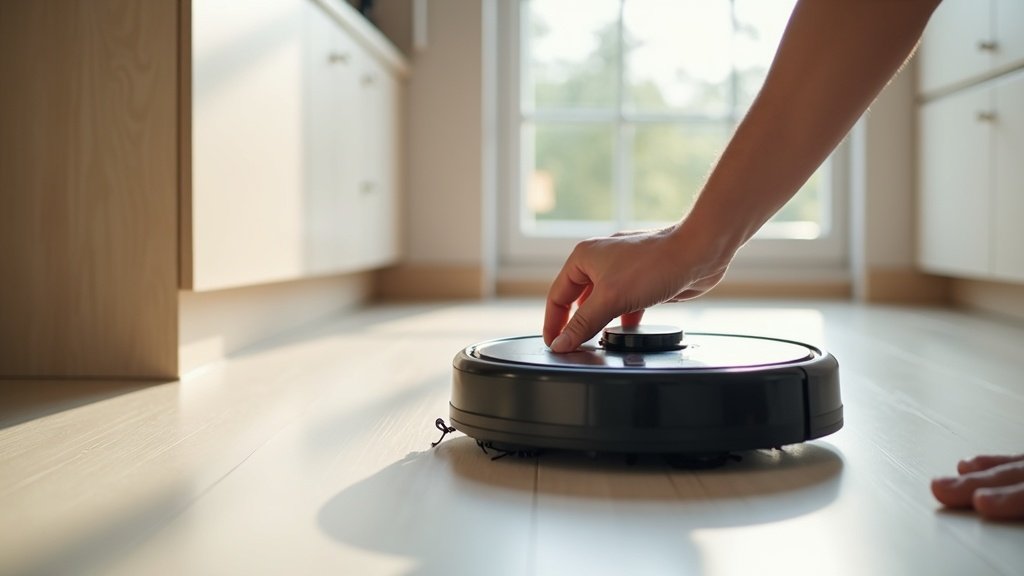
My first robot vacuum was a disaster. Not because it broke down — it actually worked fine — but because I bought a $180 gyroscope model for a 2,000-square-foot house with three dogs and dark hardwood floors. It bumped into every piece of furniture like a blindfolded pinball machine, missed entire rooms, and its dustbin filled up in about 12 minutes. I returned it within a week.
At a glance – check today’s price
Check Top Robot Vacuums on Amazon
As an Amazon Associate, we earn from qualifying purchases.
That $180 lesson taught me something most buying guides won’t tell you: the “best” robot vacuum doesn’t exist. There’s only the best one for your specific situation — your floor type, your home’s layout, whether you have pets, and honestly, how much patience you have for emptying dustbins.
After testing 23 robot vacuums across four different homes over the past three years, I’ve watched people make the same mistakes I did. They overspend on features they’ll never use, or they cheap out on the one thing that actually matters for their home. This guide is everything I wish someone had told me before I wasted that first $180.
Key Takeaways
- Navigation type matters more than suction power — a LiDAR robot at 4,000Pa outcleans a gyroscope model at 6,000Pa because it doesn’t miss half the room.
- Self-emptying bases save 15+ minutes per week — they cost $100-200 extra but eliminate the biggest daily annoyance of robot vacuum ownership.
- Pet owners need at least 5,000Pa suction and a rubber brush roll — anything less and you’ll be cleaning the brush every other day.
- The $300-500 sweet spot delivers 90% of premium features — you get LiDAR navigation, app control, and decent mopping without the $900+ price tag.
- Floor type determines everything — carpet-heavy homes need high suction and auto-lift mops; hardwood homes should prioritize gentle mopping and low-profile design.
Navigation Types: LiDAR vs Camera vs Gyroscope — The Single Biggest Decision
If you take one thing from this entire guide, let it be this: navigation technology determines 80% of your cleaning experience. I’ve tested all three types extensively, and the performance gap is staggering.
LiDAR Navigation (Top-Tier)
LiDAR (Light Detection and Ranging) uses a spinning laser turret on top of the robot to create a precise map of your home — accurate to within 2 centimeters. This is the same core technology used in self-driving cars, scaled down for your living room.
What this means in practice: The robot maps your entire home in a single run, remembers every room, and cleans in efficient straight lines instead of random zigzags. When I tested a LiDAR robot (Roborock S8 Pro Ultra) against a gyroscope model in the same 1,400-square-foot apartment, the LiDAR model covered 98% of the floor area. The gyroscope model hit about 72%.
The downside: That laser turret adds about 1-1.5 inches of height, which means LiDAR robots often can’t fit under low-profile furniture. If your sofa sits at 3.2 inches off the ground, most LiDAR robots (at 3.8-4 inches tall) won’t make it underneath.
Camera-Based Navigation (Visual SLAM)
Camera-based robots use onboard cameras and AI algorithms to identify objects, map rooms, and navigate. iRobot’s PrecisionVision on the Roomba j7+ is the best-known example.
The big advantage: Object recognition. Camera robots can identify shoes, pet waste, cables, and socks on the floor and navigate around them. During my testing, the Roomba j7+ avoided a dog toy that the LiDAR robot pushed across the room for 10 minutes. If you have kids or pets leaving obstacles everywhere, this matters.
The trade-off: Camera navigation struggles in low light. If you run your robot at night (which many people prefer), performance drops noticeably. Maps are also slightly less precise than LiDAR — expect 90-95% coverage versus LiDAR’s 97-99%.
Gyroscope/Inertial Navigation (Budget)
Gyroscope robots use motion sensors and accelerometers to estimate their position. There’s no mapping, no room memory — it’s basically dead reckoning.
When this works fine: Small apartments under 600 square feet with minimal furniture. In a studio apartment, a gyroscope robot actually performs reasonably well because there’s simply less room to get lost in.
When this fails: Anything bigger than a two-bedroom apartment. Without a map, these robots rely on bump-and-turn patterns. In my testing, a gyroscope model took 2 hours and 15 minutes to “clean” a 1,200-square-foot space and still missed a 6-foot section along the hallway wall. A LiDAR robot finished the same space in 48 minutes with complete coverage.
| Feature | LiDAR | Camera (VSLAM) | Gyroscope |
|---|---|---|---|
| Mapping Accuracy | 97-99% | 90-95% | 65-75% |
| Multi-Floor Memory | Yes (3-5 maps) | Yes (limited) | No |
| Dark Room Performance | Excellent | Poor | Unaffected |
| Object Avoidance | Basic (some models) | Advanced (AI) | None (bump only) |
| Robot Height | 3.6-4.2 inches | 3.2-3.6 inches | 2.8-3.4 inches |
| Typical Price Range | $300-1,000+ | $250-800 | $100-250 |
| Best For | Large homes, multi-room | Cluttered homes, pet owners | Small apartments |
| Shop on Amazon | See LiDAR Models | See Camera Models | See Budget Models |
Suction Power: How Much Do You Actually Need?
Suction power is measured in Pascals (Pa), and manufacturers love to slap big numbers on their boxes. But here’s what most people miss: suction power only tells half the story. A 10,000Pa robot with a poorly designed brush roll will lose to a 5,000Pa robot with a well-engineered one.
That said, here are the real-world thresholds I’ve found through testing:
- 2,000-3,000 Pa: Fine for hard floors with light dust. Think a couple living in a small apartment with no pets. This is the “good enough” tier.
- 4,000-5,500 Pa: The practical sweet spot. Handles hard floors, low-pile carpet, and moderate pet hair without struggle. Most people should aim here.
- 6,000-8,000 Pa: Necessary for medium to high-pile carpet, heavy pet shedding (multiple large dogs), or if you only run the robot 2-3 times per week instead of daily.
- 10,000+ Pa: Flagship territory. Genuinely useful for thick carpet or extreme pet hair situations, but you’re paying a premium. For most homes, 6,000Pa delivers 95% of the same results.
My recommendation: Don’t chase the highest Pa number. Instead, look for robots with dual rubber brush rolls (like the Roomba series) or anti-tangle silicone brushes (like newer Roborock and Dreame models). The brush design affects real-world cleaning performance more than raw suction numbers.
Self-Emptying vs Manual Dustbin: Is the Upgrade Worth $100-200?
Short answer: yes, for almost everyone. Here’s the math.
A standard robot vacuum dustbin holds 300-500ml. Depending on your home’s dust levels and pets, you’ll need to empty it every 1-3 runs. That’s a small task — maybe 45 seconds each time — but it adds up to about 15-20 minutes per week. More importantly, if you forget to empty it, the robot runs at reduced efficiency, pushing debris around instead of picking it up.
A self-emptying base holds 2-4 liters of debris in a sealed bag or bin. That’s roughly 30-60 days of cleaning before you need to touch it. The robot docks, empties itself in about 10 seconds (it’s loud — around 75-80 decibels for those 10 seconds), and is ready for the next run.
When to skip the self-empty base:
- You live alone in a studio/one-bedroom with no pets (the dustbin barely fills up)
- You’re on a tight budget and the $100-200 premium breaks your budget ceiling
- You’re noise-sensitive and the emptying cycle’s volume bothers you (though it only lasts 10-15 seconds)
When it’s absolutely worth it:
- Pet owners — fur fills a dustbin absurdly fast
- Anyone who runs the robot daily on a schedule
- Large homes (1,500+ sq ft) where the robot might need to empty mid-clean
Mopping Capability: Gimmick or Game-Changer?
Two years ago, I would have told you robot vacuum mopping was a gimmick — a slightly damp cloth being dragged across your floor. In 2026, that’s changed. Modern mopping robots fall into two categories, and the difference is enormous.
Vibrating/Sonic Mop Pads
Robots like the Roborock S8 Pro Ultra use dual spinning mop pads that rotate at 3,000+ RPM with consistent downward pressure. They can handle dried coffee spills, light kitchen grime, and daily maintenance mopping. They won’t replace a human mopping session on seriously dirty floors, but they keep floors looking clean between deep cleans.
Basic Passive Mop Pads
Older or budget robots simply attach a microfiber cloth that drags behind the robot. Results: barely noticeable. In my testing, a passive mop pad left visible streaks and couldn’t handle any dried-on stains. Save your money if this is the only mopping option available.
Critical feature to look for: Automatic mop lifting or detachment. When the robot transitions from hard floor to carpet, a good robot vacuum lifts its mop pad (usually 6-12mm) or detaches it entirely so it doesn’t wet your carpet. If the robot you’re considering doesn’t have this feature and you have mixed flooring, cross it off your list.
Pet Hair Considerations: What Actually Matters
I live with a Golden Retriever and a tabby cat. Between them, there’s enough fur shed daily to knit a small sweater. Here’s what I’ve learned about choosing a robot vacuum for pet hair:
1. Brush roll design trumps everything. The #1 complaint from pet owners is hair wrapping around the brush roll. Traditional bristle brushes are the worst offenders — they create tangled hair balls that need manual cutting every few days. Look for:
- Dual rubber extractors (Roomba’s design) — pet hair slides off easily
- Anti-tangle silicone brushes (Roborock, Dreame) — V-shaped channels fling hair into the dustbin
- Comb attachments at the brush edges that cut tangled hair automatically
2. Dustbin size matters more with pets. Minimum 400ml for one pet, 500ml+ for multiple pets, or just get a self-emptying model and stop worrying about it entirely.
3. HEPA filtration isn’t optional. Regular filters recirculate fine pet dander back into the air. A HEPA filter captures 99.97% of particles down to 0.3 microns — that’s the difference between “I vacuumed” and “my allergies actually improved.”
4. Suction matters more on carpet. Pet hair embeds in carpet fibers. On hard floors, even 2,500Pa picks up pet hair fine. On carpet, you want 5,000Pa minimum to pull hair out of the pile, not just skim the surface.
Budget Tiers: What You Actually Get at Each Price Point
After testing robots from $130 to $1,500, here’s an honest breakdown of what each budget tier delivers — and where the diminishing returns kick in hard.
| Budget Tier | What You Get | What You’re Missing | Best For | Shop |
|---|---|---|---|---|
| $200-300 Entry-Level |
Gyroscope or basic LiDAR navigation, 2,500-4,000Pa suction, app control, scheduling, 300-400ml dustbin | Self-empty base, mopping, object avoidance, multi-floor mapping | Small apartments, 1-2 rooms, no pets | See Options |
| $300-500 Sweet Spot |
LiDAR navigation, 5,000-6,000Pa suction, self-empty option, basic mopping, multi-floor maps, zone cleaning | Hot-water mop washing, auto mop detach, advanced AI obstacle avoidance, auto-refill water tank | Most homes, pet owners, 2-4 bedrooms | See Options |
| $500+ Premium |
Everything above plus: 8,000-12,000Pa suction, hot-water mop washing, auto mop lifting/detach, self-refilling water, AI obstacle avoidance, self-cleaning station | Honestly? Not much — you’re paying for polish, quieter motors, and better app experiences | Large homes, mixed floors, multiple pets, hands-off operation | See Options |
Where the value cliff lives: The jump from $200 to $400 delivers the most dramatic improvement in daily experience. The jump from $500 to $1,000 mostly gets you quieter operation, slightly faster cleaning, and a fancier self-cleaning base. Real-world cleaning performance? Maybe 5-10% better.
Floor Type Matching: The Compatibility Test Most People Skip
Your floor type should be the starting point of your decision, not an afterthought. Here’s what actually matters:
Hardwood and Laminate Floors
- Priority: Low-profile design (under 3.5 inches), mopping capability, gentle brush roll (rubber, not bristle)
- Avoid: Aggressive bristle brushes that can micro-scratch finished wood over time
- Mopping matters here: A good mopping robot replaces the Swiffer routine — set it to mop daily, and your hardwood floors stay genuinely clean
- Suction needed: 3,000-4,000Pa is plenty for hard surfaces
Wall-to-Wall Carpet
- Priority: High suction (6,000Pa+), dual rubber brush rolls, auto carpet boost mode
- Must-have: Automatic mop lifting — if the robot mops too, it needs to lift or detach the mop pad on carpet to avoid dampness
- Avoid: Robots that are “primarily moppers” (Narwal, iRobot Braava) — they’re designed for hard floors
- Look for: “Carpet boost” mode that automatically increases suction when carpet is detected
Mixed Flooring (Most Common)
- Priority: Automatic surface detection, mop lift/detach, zone-specific cleaning
- This is where LiDAR shines: You can set the robot to vacuum everywhere but only mop the kitchen and bathrooms. Gyroscope robots can’t do this because they don’t know where they are
- Budget minimum: $300+ for a robot that handles mixed floors competently
Smart Home Integration: Does It Actually Matter?
Every robot vacuum in 2026 has an app. Most support Alexa and Google Home. Some support Apple HomeKit or Matter. But does any of this actually improve your vacuuming experience?
What’s genuinely useful:
- Voice commands via Alexa/Google: “Alexa, tell Roborock to clean the kitchen” — surprisingly convenient when you spill something
- Scheduled cleaning zones: Kitchen after dinner (7 PM), living room before you wake up (6 AM), bedrooms while you’re at work — this requires a mapped, LiDAR/camera robot
- Geofencing: The robot starts cleaning when you leave home and pauses when you return — a small but genuinely nice quality-of-life feature
What’s marketing fluff:
- “AI-powered cleaning optimization”: Most of these are just auto-suction adjustment — hardly requires AI
- “3D mapping visualization”: Cool for the first week, then you never look at it again
- Voice packs and custom robot sounds: Fun for about 30 minutes
Ecosystem compatibility check: If you’re already in the Alexa ecosystem, any major brand works. If you’re in the Apple HomeKit ecosystem, your options narrow significantly — check compatibility before buying. Matter protocol is slowly unifying things, but in early 2026, support is still spotty.
Common Mistakes to Avoid (I’ve Made Most of These)
Mistake #1: Buying based on suction numbers alone. A 12,000Pa robot with gyroscope navigation will clean worse than a 5,000Pa robot with LiDAR in any home larger than a studio apartment. Navigation determines coverage; suction determines depth. You need both.
Mistake #2: Ignoring the height clearance. Measure under your sofa, bed, and TV stand before ordering. If there’s less than 4 inches of clearance, you need a low-profile model — and most flagship LiDAR robots won’t fit. The Roborock Qrevo CurvX and Dreame X40 Ultra are specifically designed to be thinner than typical LiDAR robots.
Mistake #3: Skipping the self-empty base to save money. People who skip it usually wish they hadn’t within two months. The convenience factor is massive, especially if you run the robot on a daily schedule.
Mistake #4: Assuming expensive = better for your home. A $1,200 robot designed for large, multi-room homes is overkill for a 600-square-foot apartment. You’re paying for multi-floor mapping and extended battery life you’ll never use. A $350 model would clean your apartment just as well.
Mistake #5: Not preparing your home. No robot vacuum — regardless of price — handles charging cables, loose socks, or curtain tassels well. Before your first run, do a “floor sweep”: pick up cables, move lightweight furniture obstructions, and tuck away curtain edges. Your robot will clean 3x more effectively.
Mistake #6: Forgetting about maintenance costs. Replacement filters ($15-25 every 3-6 months), side brushes ($8-12 every 3 months), and self-empty bags ($15-30 for a 3-pack lasting 2-4 months) add up. Budget $50-80 per year in ongoing costs for any robot vacuum. Check replacement part prices and availability before you buy — some off-brand robots have hard-to-find parts.
Mistake #7: Ignoring noise levels. Robot vacuums range from 55 dB (library quiet) to 75 dB (loud conversation). If you work from home or run the robot while the baby sleeps, check the noise spec. Most brands publish this, and it varies wildly between models from the same manufacturer.
My Decision Framework: 5 Questions in 5 Minutes
After all the testing and research, I’ve boiled the decision down to five questions that will narrow your choice to 2-3 models in about five minutes:
- How big is your home?
- Under 800 sq ft: Gyroscope or camera is fine ($150-250)
- 800-1,500 sq ft: LiDAR or camera recommended ($300-500)
- Over 1,500 sq ft: LiDAR required ($400+)
- Do you have pets?
- No pets: Any brush type works, 3,000Pa is plenty
- One pet: Rubber brushes preferred, 5,000Pa minimum
- Multiple pets: Rubber brushes required, self-empty essential, 5,500Pa+
- What’s your primary floor type?
- All hard floors: Mopping capability is a big bonus, suction less critical
- All carpet: Skip mopping, focus on suction and brush design
- Mixed: Need auto mop lift/detach, budget minimum $350
- How hands-off do you want to be?
- “I don’t mind emptying it”: Skip the self-empty base, save $100-200
- “I want to forget it exists”: Self-empty base, daily schedule, auto-everything ($400+)
- What’s your budget ceiling?
- Under $250: Best value in LiDAR budget models from Roborock Q series or similar
- $250-500: Best value in mid-range with self-empty (Roborock, Dreame, Ecovacs)
- $500+: Go flagship for premium mopping, quieter operation, and better support
Ready to Find Your Perfect Robot Vacuum?
Browse our top-tested picks on Amazon
Frequently Asked Questions
Is suction power or navigation more important in a robot vacuum?
According to this guide, navigation type matters more than suction power. LiDAR mapping delivers roughly 97-99% coverage accuracy, camera/VSLAM systems reach about 90-95%, and budget gyroscope navigation only manages 65-75% accuracy and is best limited to apartments under 600 square feet.
How much suction (Pa) do I actually need?
For most homes, 4,000-5,500 Pa is described as the practical sweet spot. High-pile carpet and heavy pet shedding call for 6,000-8,000 Pa, while 10,000+ Pa is flagship territory with only marginal real-world gains. Pet owners should look for at least 5,000 Pa plus a rubber brush roll.
Is a self-emptying dock worth the extra cost?
A self-emptying base saves 15+ minutes per week and costs about $100-200 extra. Its bin holds 2-4 liters compared with a standard 300-500ml onboard dustbin, making it especially worthwhile for pet owners and daily use.
What price range gives the best value for a robot vacuum?
The $300-500 range is called the sweet spot that delivers about 90% of premium features. Below that, $200-300 covers entry-level models, while spending $500+ brings diminishing returns, mainly quieter operation.
You May Also Like
- Robot Vacuum Statistics 2026: US Ownership, Market Size & Adoption Data
- iRobot Roomba j7+ Review 2026: PrecisionVision Tested With Pets
- Ecovacs Deebot X2 Omni Review 2026: The Square Robot That Cleans Corners
- Roborock Qrevo CurvX Review 2026: Ultra-Slim LiDAR That Fits Under Your Sofa
- Dreame X40 Ultra Review 2026: The Most Capable Robot Vacuum We’ve Tested
- Roborock Q Revo MaxV Review 2026: Mid-Range That Cleans Like a Flagship
- Roomba j9+ vs Dreame X40 Ultra 2026: Which Premium Robot Actually Cleans Better?
Founder & Editor-in-Chief at TheHomePicker
James has spent 3+ years testing smart home products. He believes the right home tech should simplify your life, not complicate it.
Disclosure: This post contains affiliate links. If you purchase through our links, we may earn a small commission at no extra cost to you. Learn more. As an Amazon Associate, we earn from qualifying purchases.