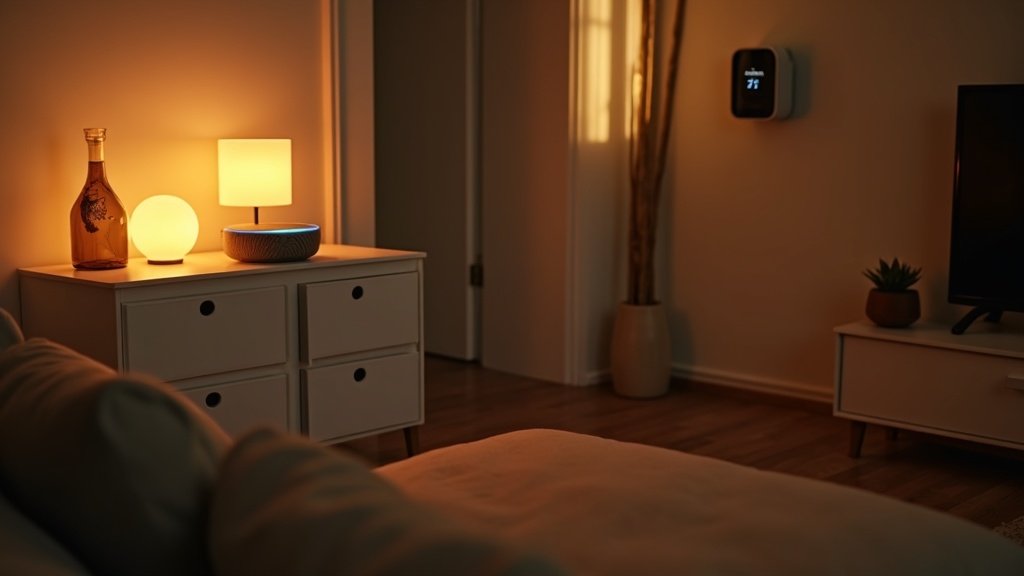
The pitch for a smart home sounds incredible: lights that turn on when you walk in the door, a thermostat that learns your schedule and cuts your energy bill, locks you can control from anywhere, and cameras that alert you the moment someone approaches your porch. The reality is often different. Devices that refuse to talk to each other. Apps that require separate accounts for every brand. A “smart” light bulb that stops responding at 11 PM and requires a router reboot to fix. We have been through all of it.

At a glance – check today’s price
Check Top Smart Home Devices on Amazon
As an Amazon Associate, we earn from qualifying purchases.
After building out three test homes with smart devices from every major ecosystem over the past two years, we have learned what actually works, what is more trouble than it is worth, and where to start if you want reliability over novelty. This guide covers the decisions in the order you should make them, starting with the most important one: choosing your ecosystem.
Smart-home shortcuts worth comparing next: If you are building a smart home from scratch, these are the device decisions that usually matter after the basic setup.
- Best smart home hub – for making Alexa, Google, Apple, Matter, and Thread devices work together
- Yale Assure Lock 2 vs Schlage Encode Plus – for choosing a front-door lock before you buy
- Ring vs Blink security camera – for comparing Amazon camera ecosystems and subscription costs
- Best smart plug with energy monitoring – for the cheapest useful smart-home upgrade
- Best smart home devices for renters – for no-drill, no-damage setups
Choosing Your Ecosystem First
This is the single most important decision you will make, and it needs to happen before you buy a single device. Your ecosystem determines which voice assistant controls your home, which app you will use daily, and which devices work together seamlessly versus which ones need workarounds. Switching ecosystems later means replacing hardware, so get this right the first time.
Amazon Alexa
Alexa has the largest device compatibility library of any ecosystem. Virtually every smart home brand supports Alexa, and Amazon’s Echo speakers are the most affordable entry point (an Echo Dot starts at $30-$50). Alexa excels at voice control, routines (multi-step automations triggered by a single command), and shopping integration. It is also the best ecosystem for smart displays, with the Echo Show line offering kitchen timers, video calls, recipe guidance, and security camera feeds on a single screen.
Weaknesses: Alexa’s privacy track record has drawn criticism. Voice recordings are stored in the cloud by default (you can delete them and limit storage in settings). The app redesign in 2025 improved usability but is still cluttered compared to Apple Home and Google Home. Our smart speaker comparison breaks down the Echo lineup against competitors.
Google Home
Google Home’s strength is natural language processing. “Hey Google, turn off all the lights except the bedroom” just works, while the same command in Alexa often requires precise phrasing. Google Home also integrates tightly with other Google services: Calendar, Maps, YouTube, and Chromecast. If your household already lives in the Google ecosystem, Home is a natural fit.
Device compatibility is slightly behind Alexa but covers all major brands. Nest speakers and displays (Nest Hub, Nest Hub Max) are well-built with excellent sound quality relative to price. The redesigned Google Home app (launched late 2024) finally brought feature parity with Alexa routines, and the automation scripting is now arguably more powerful.
Weaknesses: Fewer third-party skills/actions than Alexa. Some niche smart home brands support Alexa but not Google. Speaker selection is more limited (fewer price points and form factors).
Apple HomeKit
HomeKit is the most privacy-focused ecosystem. All device communication is end-to-end encrypted, processing happens locally on your Apple TV or HomePod hub, and Apple does not mine your usage data. Setup is dead simple with a scan of a HomeKit code. The Home app is clean and intuitive.
The tradeoff: HomeKit has the smallest device compatibility list. Apple’s certification requirements are strict, and many budget brands do not bother with HomeKit support. You will pay more for HomeKit-compatible devices (often $10-$30 more than Alexa-only equivalents). Siri is also behind Alexa and Google in smart home voice control capabilities — it handles basics well but struggles with complex multi-step commands.
Best for: Apple-heavy households (iPhones, iPads, Apple TV, Mac) that prioritize privacy and simplicity over breadth of compatible devices.
Matter Protocol (The 2026 Game-Changer)
Matter is an industry-wide connectivity standard backed by Apple, Google, Amazon, Samsung, and hundreds of other companies. A Matter-certified device works with any Matter-compatible hub or app, regardless of brand. Buy a Matter smart plug, and it works with Alexa, Google Home, Apple HomeKit, and Samsung SmartThings without needing separate apps or setup processes.
In practice, Matter adoption in 2026 is real but still uneven. Most new smart plugs, lights, and locks support Matter. Cameras and complex devices are slower to adopt. If you are starting from scratch, prioritizing Matter-compatible devices gives you the most flexibility to switch ecosystems later without replacing hardware. It also means fewer apps on your phone — everything consolidates into your platform’s native Home app.
| Feature | Alexa | Google Home | Apple HomeKit | Matter |
|---|---|---|---|---|
| Device compatibility | Largest (100,000+) | Large (80,000+) | Smallest (2,000+) | Growing (1,000+) |
| Voice control quality | Very good | Best | Good | Depends on platform |
| Privacy | Moderate | Moderate | Strongest | Varies |
| Entry cost (hub/speaker) | $25-$50 | $30-$50 | $100-$200 | N/A (uses existing) |
| Automations/Routines | Powerful | Very powerful | Basic (improving) | Platform-dependent |
| Best display | Echo Show 15 | Nest Hub Max | iPad (not dedicated) | N/A |
Where to Start — The Smart Home Starter Kit
Do not try to automate your entire home in one weekend. We have watched people buy 15 devices at once, spend a frustrating Saturday setting them up, and give up when three of them do not connect properly. Build your smart home in layers, starting with the devices that deliver the most daily value:
Step 1: Smart speaker or display ($30-$130)
This is your control hub. An Echo Dot, Nest Mini, or HomePod Mini gives you voice control and serves as the brain for future devices. A smart display (Echo Show 8, Nest Hub) adds visual feedback, camera feeds, and video calling. Pick one, set it up, and get comfortable with voice commands before adding anything else. See our smart home hub comparison for recommendations.
Step 2: Smart plugs ($10-$25 each)
Smart plugs are the lowest-risk, highest-reward entry point. Plug a lamp, fan, or coffee maker into a smart plug and suddenly you can control it by voice, on a schedule, or from your phone. Start with 2-3 plugs for things you turn on and off daily. A smart plug with energy monitoring also shows you exactly how much electricity each device uses, which can reveal surprising waste.
Step 3: Smart lights ($15-$60 per bulb or switch)
Smart bulbs (Philips Hue, Wyze, LIFX) or smart switches (Lutron Caseta, TP-Link Kasa) let you control lighting by voice, schedule, and automation. The choice between bulbs and switches depends on your setup: bulbs are easier to install (screw in and connect), while switches control all bulbs on a circuit and do not stop working when someone flips the physical switch. Our best smart light bulbs guide covers both approaches.
Step 4: Smart thermostat ($120-$250)
A smart thermostat is the one device that genuinely pays for itself. The average household saves $50-$140 per year on heating and cooling costs with a learning thermostat like the Nest Learning Thermostat or Ecobee Smart Thermostat Premium. At $130-$250, the device pays for itself in 1-2 years and keeps saving after that. Our WiFi thermostat roundup covers models across every budget.
Category Deep Dives
Smart Speakers & Displays
Smart speakers serve as both a voice assistant interface and a music player. Sound quality varies dramatically by price: a $30 Echo Dot sounds acceptable for voice responses and podcasts but thin for music. A $100 Nest Audio or $200 Sonos Era 100 delivers room-filling sound that rivals standalone speakers costing twice as much. For detailed sound quality tests and recommendations, see our smart speaker comparison.
Smart displays add a touchscreen for visual information: weather, calendar, recipe videos, security camera feeds, and video calls. The Echo Show 8 ($130) and Nest Hub ($100) are the sweet spots for kitchen or nightstand use. The larger Echo Show 15 ($250) and Nest Hub Max ($230) work better as wall-mounted family dashboards. See our best smart displays picks for the latest models.
Smart Locks
Smart locks replace or augment your existing deadbolt with keypad, fingerprint, or app-based entry. Never searching for keys again is the immediate benefit. Remote locking, guest access codes, and auto-lock after 30 seconds are the long-term convenience wins.
Three entry methods to consider: keypad (most popular — enter a 4-8 digit code, easy to give temporary codes to guests), fingerprint (fastest entry at under 1 second, but some models struggle with wet or dirty fingers), and app-only (inconvenient if your phone is dead or in your pocket). The best smart locks offer all three plus a physical key backup. Our best smart lock guide ranks the top options.
Battery life is the hidden spec. Most smart locks run on 4 AA batteries and last 6-12 months with moderate use. WiFi-connected locks drain batteries faster than Bluetooth or Zigbee models. Some locks (like the Yale Assure Lock 2) support both Bluetooth and WiFi via an optional module, letting you choose battery life versus remote access.
Video Doorbells
Video doorbells let you see, hear, and speak to anyone at your front door from your phone. They are effective deterrents against porch theft and provide a video record of deliveries and visitors. The hardware ranges from $50 to $250, but the real cost is the subscription.
Subscription costs are the catch. Ring charges $4.99/month (Basic) or $9.99/month (Plus) for video history. Google charges $10/month (Home Premium Standard) or $20/month (Advanced). Without a subscription, most video doorbells only show live feeds — no recorded clips, no event history. Over two years, a $60 Ring doorbell with a $4.99/month plan costs about $180. A $180 Nest doorbell with a $10/month plan costs $420. Factor this in when comparing. Our video doorbell comparison includes total cost of ownership calculations.
Notable exception: Eufy doorbells store video locally (no subscription) and still provide event-based alerts. The tradeoff is no cloud backup and limited remote video history. For budget-conscious buyers who prioritize privacy, Eufy is worth a serious look.
Smart Thermostats
We mentioned thermostats in the starter kit section, but the energy savings deserve more detail. According to ENERGY STAR, smart thermostats save the average household about 8% on heating and cooling costs, or roughly $50 a year; savings run higher in harsh climates, with high utility rates, or with older HVAC equipment.
The savings come from three features: scheduling (temperature automatically drops when you leave and rises before you return), occupancy sensing (detects when nobody is home and adjusts), and learning (algorithms optimize your schedule over time based on weather data and your preferences). A $130 Nest Thermostat handles the first two. A $250 Ecobee Premium adds room sensors, built-in air quality monitoring, and a better occupancy detection algorithm. Our WiFi thermostat roundup covers every price point.
Installation note: most smart thermostats require a C-wire (common wire) for power. Older homes with only 2-wire systems may need an adapter ($15-$30) or an electrician visit ($75-$150). Check compatibility before purchasing.
Smart Plugs
Smart plugs are deceptively powerful. Beyond simple on/off control, plugs with energy monitoring reveal exactly how much electricity each device draws. We discovered that a “turned off” gaming console was drawing 12 watts continuously, adding $15/year in phantom energy costs. Multiply that across a home full of devices (TV, cable box, monitors, printers) and you can find $50-$100/year in waste.
The best smart plugs cost $10-$15 each and last indefinitely. Look for compact designs that do not block adjacent outlets, reliable WiFi connectivity (TP-Link Kasa and Amazon Basics are consistently stable), and Matter support for future ecosystem flexibility.
Smart Garage Door Openers
“Did I close the garage?” is a question every homeowner asks at least once a week. A smart garage door opener answers it with a phone notification and lets you close it remotely. Setup is usually straightforward: a sensor mounts on the door, a hub connects to your WiFi, and you get open/close status plus remote control in an app.
Chamberlain/MyQ is the dominant brand. Their hub costs $30-$50 and works with most existing garage door openers manufactured after 1993. The app is reliable but charges $1/month for Google Home and Alexa voice integration (a controversial fee that competitors do not charge). Alternatives like Meross and Tailwind offer similar functionality with free voice assistant support.
WiFi, Zigbee, Z-Wave, Thread — Network Protocols Explained
Smart devices communicate using different wireless protocols. Understanding these helps you avoid the “why is not my device connecting?” frustration.
| Protocol | Range | Hub Required? | Power Usage | Best For |
|---|---|---|---|---|
| WiFi | 50-150 ft | No (uses router) | High | Cameras, speakers, plugs |
| Zigbee | 30-60 ft (mesh) | Yes | Very low | Sensors, lights, buttons |
| Z-Wave | 30-100 ft (mesh) | Yes | Very low | Locks, sensors, switches |
| Thread | 30-60 ft (mesh) | Border router (built into many hubs) | Very low | Next-gen devices, Matter backbone |
| Bluetooth | 15-30 ft | No | Lowest | Locks, trackers, short-range control |
WiFi devices are the easiest to set up (they connect directly to your router) but add load to your network. A house with 30+ WiFi smart devices can overwhelm a basic router. If you plan a large deployment, consider a mesh WiFi system or a dedicated IoT network on your router.
Zigbee and Z-Wave use mesh networking: each device acts as a relay for others, extending range throughout your home. They require a hub (Samsung SmartThings, Hubitat, or built-in Alexa/Echo 4th gen) but use minimal power and do not congest your WiFi. Zigbee is more common in consumer products; Z-Wave has stronger security encryption.
Thread is the newest protocol and the backbone of Matter. It creates a mesh network like Zigbee but with better power management and no single point of failure (if one device goes offline, the mesh reroutes automatically). Apple HomePod Mini, Echo 4th gen, and Nest Hub Max all include Thread border routers. If you are building a new smart home in 2026, Thread/Matter devices are the most future-proof option.
Privacy & Security Considerations
Smart home devices see and hear things inside your home. Taking privacy seriously is not paranoia; it is basic security hygiene.
Local vs cloud processing: Cloud-based devices (most Ring cameras, Alexa, Google) send data to remote servers for processing. This means faster feature updates and cross-device intelligence, but your data lives on someone else’s servers. Local processing (Apple HomeKit, some Eufy cameras, Home Assistant) keeps data on your local network. The tradeoff is slower feature development but complete data ownership.
Two-factor authentication (2FA): Enable it on every smart home account. Ring, Nest, and TP-Link accounts have all been targets of credential stuffing attacks. 2FA with an authenticator app (not SMS) prevents unauthorized access even if your password leaks.
Camera placement: Exterior cameras and doorbell cameras are straightforward. Interior cameras raise legitimate privacy concerns, especially in shared households. If you use indoor cameras, place them in common areas only (living room, kitchen), enable activity-based recording (not continuous), and inform everyone in the household. Never place cameras in bedrooms or bathrooms.
Network segmentation: Many modern routers support guest networks or IoT VLANs. Placing smart home devices on a separate network from your computers and phones limits the damage if a device is compromised. This is a 15-minute setup that significantly improves your security posture.
Common Smart Home Mistakes
- Mixing ecosystems without a plan. Buying an Alexa speaker, Google Nest thermostat, and HomeKit lights because each was on sale creates a fragmented experience. Pick one primary ecosystem and stick with it, or use Matter-compatible devices that work across all platforms.
- Overloading your WiFi. Every WiFi smart device consumes router bandwidth and a DHCP slot. A basic router handles 15-20 connected devices. Beyond that, you need a mesh system or WiFi 6 router, or you should shift to Zigbee/Thread devices that use a separate radio.
- Ignoring WAF (Wife/Partner Acceptance Factor). If your smart home setup breaks the normal way of doing things (flipping a switch, adjusting a thermostat), your household will resent the technology. Smart switches that still work manually, voice control that anyone can use, and reliable automations that do not fail are essential for household buy-in.
- Forgetting battery maintenance. Smart locks, sensors, and battery-powered cameras all need battery changes or recharging. A dead smart lock at midnight is worse than a dumb deadbolt. Set calendar reminders for battery checks every 6 months.
- Buying subscriptions you do not need. Ring Protect, Nest Aware, Arlo Smart — monthly fees add up fast. A household with a doorbell ($6/mo), two cameras ($6/mo each), and a security system ($10/mo) pays about $336/year in subscriptions. Evaluate whether local storage alternatives (Eufy, Reolink) meet your needs before committing to monthly costs.
- Skipping firmware updates. Smart devices receive security patches and feature updates regularly. Delaying updates leaves your devices vulnerable to known exploits. Enable automatic updates where possible and check for updates monthly on devices that require manual installation.
Our Testing Methodology for Smart Devices
Every smart home product we recommend goes through real-world testing in furnished homes, not sterile lab conditions:
- Setup time: Measured from unboxing to fully operational, including app download, account creation, and WiFi pairing. Scored on a 1-10 scale, with penalties for confusing instructions or failed initial pairing.
- Reliability over 30 days: We track disconnections, failed commands, and app crashes over a minimum 30-day period. A device that drops offline twice a week is not “smart” — it is a frustration source.
- Voice control accuracy: 50 standardized voice commands tested across Alexa, Google, and Siri (where applicable). Scored on success rate and response time.
- Automation performance: Scheduled and sensor-triggered automations tested for reliability and latency. A motion-triggered light should activate in under 2 seconds. A scheduled routine should fire within 60 seconds of the set time.
- App quality: Evaluated on ease of navigation, load time, feature completeness, and notification management. We also check for dark patterns and unnecessary data collection.
- Interoperability: Tested across ecosystems where supported. A device that works with Alexa and Google should function identically on both platforms.
Full details are on our How We Test page.
Ready to Build Your Smart Home?
Browse top-rated smart home devices with verified reviews and free Prime shipping.
A smart home is supposed to make daily life simpler, not more complicated. Start with your ecosystem choice, add one device at a time, and only move to the next one after the current setup is stable and everyone in the household is comfortable using it. A three-device smart home that works flawlessly beats a twenty-device setup that requires constant troubleshooting. Focus on the categories that save you time or money every day — a thermostat that cuts your energy bill, a lock that eliminates key fumbling, plugs that kill phantom power — and leave the novelty gadgets for later. The technology improves every year, but the fundamentals of a reliable connected home have not changed: pick one ecosystem, buy quality devices, secure your network, and build gradually.
You May Also Like
Skip This Guide If…
This guide is built for homeowners and renters choosing a reliable smart home setup from scratch. It may not be the right page if you already have a mature Home Assistant, Hubitat, or professional Control4-style installation and only need advanced automation scripting.
- Skip it if you want a single product review. Use our individual smart lock, smart speaker, doorbell, and plug reviews instead.
- Skip it if you are already locked into one ecosystem. Go straight to the Alexa, Google Home, or Apple HomeKit section and compare upgrade paths.
- Use it if you are still deciding what to buy first. The main value is avoiding incompatible devices, unnecessary hubs, and subscriptions you do not need.
Smart Home Buying FAQ
What is the best smart home ecosystem to start with in 2026?
Alexa is the easiest starting point for most budget-focused homes because device support is broad and entry-level speakers are inexpensive. Google Home is stronger if you already use Android, Nest cameras, or Google services. Apple HomeKit is best for privacy-focused households already using iPhone, Apple TV, or HomePod.
Should I buy a smart home hub first?
Most beginners should not buy a dedicated hub first. Start with one ecosystem, one speaker or display, and two or three devices you will use daily. Add a Matter, Thread, Zigbee, or Z-Wave hub only when a specific device requires it or your setup becomes unreliable.
What smart home devices are worth buying first?
The highest-impact first purchases are usually smart plugs, a smart speaker or display, a video doorbell, and one or two lights in rooms you use every day. Smart locks and thermostats can be worth it too, but they require more setup and should be chosen after you know which ecosystem you prefer.
How much should a beginner spend on a smart home setup?
A useful starter setup can cost $100 to $250 if you begin with a speaker, two smart plugs, and a few lights or sensors. Spending more than that before choosing an ecosystem often leads to duplicate apps, incompatible devices, and gear you stop using.
Is Matter important for smart home devices?
Matter matters most if you want devices that can work across Alexa, Google Home, Apple Home, and SmartThings. It is not a magic fix for every compatibility issue, but in 2026 it is one of the safest labels to look for when buying new smart plugs, bulbs, sensors, and locks.
What is the biggest mistake beginners make with smart home devices?
The biggest mistake is buying random devices because they are discounted. A reliable smart home starts with one ecosystem, stable Wi-Fi, and a small number of automations that solve real problems. Add devices slowly after the first setup works consistently.
Disclosure: This post contains affiliate links. If you purchase through our links, we may earn a small commission at no extra cost to you. Learn more. As an Amazon Associate, we earn from qualifying purchases.
Just getting started? If you want the step-by-step version rather than a device list, read our complete beginner’s guide to setting up a smart home in 2026 first, then come back here to pick hardware.