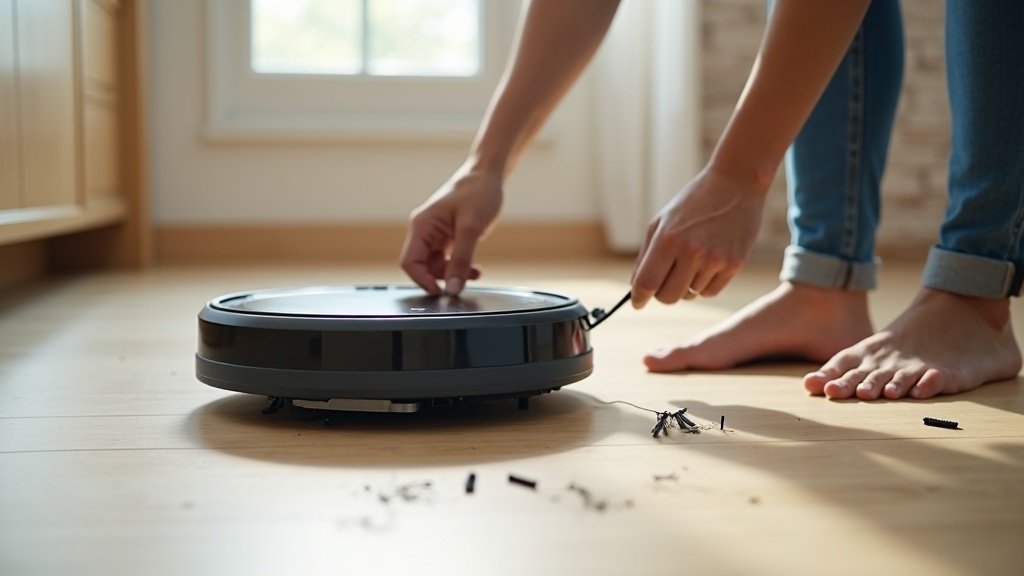
Robot vacuums have changed dramatically in the past two years. Models that once bumped into walls randomly now map your home with millimeter precision, empty their own dustbins, and mop hard floors in the same pass. The problem is that there are now hundreds of options across every price point, and manufacturers love to bury the specs that actually matter behind marketing jargon.
At a glance – check today’s price
Check Top Robot Vacuums on Amazon
As an Amazon Associate, we earn from qualifying purchases.
This guide exists because we got tired of seeing people overspend on features they will never use, or worse, buy a budget model that cannot handle their specific floor layout. After running more than 40 robot vacuums through standardized tests on hardwood, carpet, tile, and mixed surfaces, we have a clear picture of what separates a solid performer from an expensive disappointment. Everything below comes from hands-on time with real machines in real homes.
Key Features to Consider
Not every specification on a product page deserves equal weight. These are the ones that actually change how well a robot vacuum performs in daily use.
Suction Power (Pa Ratings Explained)
Suction is measured in pascals (Pa), and this number tells you how strongly the vacuum pulls debris from surfaces. Here is how the ranges break down in practice:
- 1,000-2,000 Pa — Entry level. Handles dust and crumbs on hard floors. Struggles with embedded dirt in medium-pile carpet.
- 2,000-4,000 Pa — Mid-range. Picks up pet hair from low-pile carpet reliably. Good for homes with mostly hard floors and area rugs.
- 4,000-6,000 Pa — High performance. Pulls sand and fine debris from carpet fibers. This is where most premium models sit in 2026.
- 6,000-11,000 Pa — Flagship territory. The Roborock S8 MaxV Ultra hits 10,000 Pa, and the difference on thick carpet is real. Overkill for all-hardwood homes, but necessary if you have wall-to-wall carpeting or multiple pets.
A common trap: some brands advertise “max suction” that the robot only uses in boost mode for short bursts. Check the sustained suction figure, which is typically 40-60% of the max number. A robot rated at 6,000 Pa max might only deliver 3,000 Pa in normal cleaning mode.
Navigation Technology (LiDAR vs Camera vs Gyroscope)
Navigation determines whether your robot cleans efficiently in neat rows or bumps around randomly like a pinball.
LiDAR (laser-based mapping) is the gold standard. A spinning laser sensor on top of the robot creates a precise floor plan, usually within the first run. LiDAR robots clean in straight, parallel lines and rarely miss spots. They work in complete darkness, which matters for overnight cleaning. Models from Roborock, Dreame, and Ecovacs use this technology across their mid-range and premium lines. The downside: LiDAR adds a raised turret on top that can prevent the robot from fitting under some low furniture.
Camera-based navigation (vSLAM) uses an upward-facing camera to track ceiling features and build a map. iRobot uses this in most Roomba models. It works well in lit rooms but struggles in low light. Camera navigation is typically a step behind LiDAR in accuracy, though iRobot has closed the gap significantly with their latest software updates.
Gyroscope/accelerometer is the budget approach. The robot estimates its position based on wheel rotation and movement sensors. It works, but maps are imprecise, and the robot may miss patches or double-clean areas. Fine for a 500 sq ft apartment, frustrating in a larger home with multiple rooms.
Our recommendation: if your home is over 800 sq ft or has more than three rooms, LiDAR is worth the extra cost. For studio apartments and small spaces, gyroscope models get the job done at a fraction of the price.
Battery Life & Runtime
Battery capacity matters more than you might think. Most robot vacuums quote 120-180 minutes of runtime, but that is on hard floors at the lowest power setting. Switch to carpet boost mode and actual runtime drops to 60-90 minutes. Here is what to look for:
- Homes under 1,000 sq ft: 90+ minutes is plenty. Most mid-range models handle this in a single charge.
- 1,000-2,000 sq ft: Look for 150+ minutes or a “recharge and resume” feature where the robot returns to dock, charges enough to finish, then picks up where it left off.
- Over 2,000 sq ft: Recharge-and-resume is mandatory. Some premium models like the self-emptying robot vacuums can handle multi-level homes by remembering maps for each floor.
Dustbin Capacity
Standard dustbins range from 250ml to 500ml. If you have pets or a larger home, a small bin means the robot stops mid-clean waiting to be emptied. A self-emptying robot vacuum solves this entirely: the robot empties into a base station that holds 30-60 days of debris. It is one of the single biggest quality-of-life upgrades over a basic model.
Mopping Capability
Nearly every premium robot vacuum in 2026 includes a mopping function. The technology ranges from simple to sophisticated:
- Passive drip pads: A damp cloth dragged behind the robot. Barely counts as mopping. You will still need to mop by hand for any real mess.
- Vibrating mop pads: The pad oscillates at high frequency (often 3,000+ vibrations per minute) to scrub the floor. This is effective for light to moderate dried spills. Models like the best robot vacuum mop combos use this approach.
- Rotating dual mops: Two spinning pads apply downward pressure. The Ecovacs X2 Omni and Dreame L40 Ultra use this method, and it comes closest to hand-mopping results.
- Auto mop lifting: The robot lifts its mop pads when transitioning to carpet. Without this feature, you either get wet carpets or have to manually attach and remove the mop pad each time.
If you have a mix of hard floors and carpets, auto mop lifting is non-negotiable. If your home is entirely hard floors, a good vibrating mop pad will handle daily maintenance cleaning.
Types of Robot Vacuums by Budget
Budget (Under $200)
What you get: gyroscope or basic camera navigation, 2,000-3,000 Pa suction, 90-120 minute battery, basic app with scheduling. What you give up: multi-room mapping, no-go zones, reliable obstacle avoidance, mopping, and self-emptying.
Best for: small apartments (under 700 sq ft) with hard floors, minimal furniture, and no pets. Brands to look at: Eufy, iLife, Lefant. A solid budget pick can keep hard floors clean between deeper weekly cleanings.
Check out our best robot vacuum under $200 roundup for tested recommendations in this range.
Mid-Range ($200-$500)
This is where robot vacuums start earning their keep. Expect LiDAR or advanced camera navigation, 4,000-6,000 Pa suction, multi-floor mapping, no-go zones, and often a basic mopping attachment. Some models in this range include self-emptying docks, though you may sacrifice suction power or build quality compared to flagships.
Best for: two to four bedroom homes with a mix of hard floors and carpet, pet owners who want reliable daily cleaning. Roborock Q series, Ecovacs N series, and Shark are strong in this bracket.
Premium ($500+)
The full package: 8,000-11,000 Pa suction, LiDAR + camera obstacle avoidance, auto mop lifting, self-emptying and self-washing dock, heated drying, and voice assistant integration. The Roborock S8 Pro Ultra and Dreame X40 Ultra represent the peak of what is available today.
Best for: large homes (1,500+ sq ft), households with multiple pets, anyone who wants truly hands-off cleaning for weeks at a time. The price is justified if you factor in the time saved and the replacement of a standalone mop or stick vacuum. If you are choosing between flagships, our Ecovacs vs Roborock comparison breaks down the key differences.
Smart Home Integration
Nearly every robot vacuum with Wi-Fi supports Amazon Alexa and Google Assistant voice control at minimum. The real differences lie in how deep the app integration goes:
- Alexa/Google commands: “Start cleaning,” “Clean the kitchen,” “Go home.” Almost universal in 2026 models. Useful for quick voice commands without opening an app.
- App-based room control: The ability to select individual rooms on a map, set cleaning schedules per room, and adjust suction levels for different floor types. LiDAR models typically offer the most detailed room control.
- Shortcuts and routines: Some robots integrate with Apple Shortcuts or Google Routines so you can chain cleaning with other smart home actions. Example: when your smart lock detects you leaving, it triggers a full-house clean.
- Matter support: A growing number of 2026 models support the Matter protocol, which allows cross-platform automation between Apple Home, Google Home, and Amazon Alexa ecosystems without brand-specific hubs.
If smart home integration is a priority, Roborock and Ecovacs currently offer the broadest compatibility. iRobot excels with Alexa (it is an Amazon company) but has limited Google Home features.
Maintenance & Long-Term Costs
The purchase price is only part of the story. Every robot vacuum has recurring costs that add up over two to three years of ownership:
| Replacement Part | Frequency | Typical Cost |
|---|---|---|
| HEPA filter | Every 2-3 months | $10-$20 |
| Side brushes | Every 3-6 months | $8-$15 (pair) |
| Main roller brush | Every 6-12 months | $15-$30 |
| Mop pads | Every 1-2 months | $10-$20 (pair) |
| Self-empty bags | Every 1-2 months | $15-$25 (3-pack) |
| Battery replacement | Every 2-3 years | $30-$60 |
Annual maintenance costs typically run $60-$120 for a mid-range robot and $80-$160 for a premium model with self-empty bags and mop pads. Some brands (Dreame, Roborock) use washable HEPA filters that reduce ongoing costs, while iRobot requires proprietary bags for its Clean Base stations.
Pro tip: third-party replacement parts on Amazon are typically 40-60% cheaper than OEM parts and work fine for filters and side brushes. Be more careful with main roller brushes and batteries, where quality matters more.
Room-by-Room Recommendations
Hardwood & Tile Floors
Good news: almost any robot vacuum works well on hard floors. Even budget models with 2,000 Pa suction pick up dust, crumbs, and pet hair effectively. Prioritize a robot with rubber extractors (not bristle brushes) to avoid scratching delicate hardwood finishes. If you want mopping too, any vibrating mop pad will handle daily maintenance. For specific picks, see our best robot vacuum for hardwood floors guide.
Carpet (Low to High Pile)
Carpet changes everything. For low-pile carpet and area rugs, 3,000+ Pa suction works fine. Medium-pile carpet needs 4,000+ Pa, and if you have thick, plush carpet, you want 6,000+ Pa and a rubber dual-roller extractor that can dig into fibers. Carpet boost mode (automatic suction increase on carpet) is essential. Without it, you are running the robot at a power level designed for hard floors.
Pet Hair
Pets require two things from a robot vacuum: strong suction and a tangle-free roller design. Long pet hair wraps around bristle brushes constantly, requiring manual cleanup every few runs. Rubber extractors, like those on iRobot Roomba j7+ and Roborock S8 series, resist tangling and are much easier to clean. Anti-tangle technology has improved significantly; the latest models detect hair wrapping and reverse the brush automatically. For households with multiple pets, see our best robot vacuum for pet hair picks.
Multi-Level Homes
If your home has two or more floors, you need a robot that stores multiple maps. Most LiDAR models support 3-4 saved maps, allowing you to carry the robot to a different floor and have it recognize where it is automatically. Consider a model with a compact dock if you plan to keep separate charging stations on each level, or just move the single dock between floors as needed.
Common Mistakes to Avoid
- Buying based on suction alone. A 10,000 Pa robot with terrible navigation will clean worse than a 5,000 Pa robot that covers every inch of your floor systematically.
- Ignoring obstacle avoidance. Cheaper robots push around pet bowls, tangle in cables, and eat socks. Robots with front-facing cameras or 3D sensors detect and avoid these objects, saving you from late-night crashes and tangled brushes.
- Skipping the mop lift check. If you buy a robot-mop combo and have any carpeted areas, confirm it has automatic mop lifting. Otherwise, you will either hand-remove the mop before every carpet run or risk soggy carpet edges.
- Overlooking noise levels. Some robots hit 70+ dB in max mode, loud enough to interrupt conversations. If you plan to run the vacuum while home, check noise ratings and look for a quiet or eco mode that stays under 60 dB.
- Forgetting about dock size. Self-emptying, self-washing docks are large. The Roborock S8 Pro Ultra dock is roughly the size of a small trash can. Measure the space where you plan to put the dock before purchasing.
Our Testing Methodology
Every robot vacuum we recommend goes through a multi-week testing process in real home environments, not a lab. Here is what we evaluate:
- Hard floor pickup: Measured amounts of flour, rice, and coffee grounds spread across 200 sq ft of hardwood. Weigh collected debris to calculate pickup percentage.
- Carpet deep clean: Standard amount of fine sand worked into carpet fibers. Vacuum twice and measure extraction weight versus control.
- Edge cleaning: Debris placed within 2 inches of baseboards and furniture legs. Score based on how much the robot collects versus leaves behind.
- Navigation efficiency: Map the cleaning path over a full-home run. Calculate coverage percentage and number of missed spots.
- Noise levels: dB readings taken at 3 feet in all power modes.
- Mopping: Dried coffee stains on tile. Score based on removal after a single pass.
- Battery accuracy: Compare actual runtime to advertised runtime in normal and max modes.
We also factor in long-term reliability by tracking performance over 60+ days of regular use. Read more about our full process at How We Test.
Ready to Find Your Perfect Robot Vacuum?
Browse top-rated robot vacuums with verified reviews and fast Prime shipping.
Choosing a robot vacuum comes down to three honest questions: What are your floors made of? How large is your space? How much time do you want to spend maintaining the robot itself? A $200 model with gyroscope navigation handles a small hardwood apartment perfectly. A $1,000 flagship with LiDAR, self-emptying, and mopping transforms daily cleaning in a large family home. Match the machine to your actual needs, not to the highest spec sheet, and you will end up with a robot that earns its spot in your home.
You May Also Like
Disclosure: This post contains affiliate links. If you purchase through our links, we may earn a small commission at no extra cost to you. Learn more. As an Amazon Associate, we earn from qualifying purchases.
Frequently Asked Questions
How do I choose a robot vacuum?
Start with your floors and home layout: suction and brush type for carpet vs hard floors, real navigation and mapping for larger or multi-room homes, and convenience features like a self-empty dock based on how hands-off you want to be.
How much should I spend on a robot vacuum?
Budget models handle basic maintenance cleaning, mid-range adds smart mapping and stronger suction, and premium adds self-emptying and mopping. Match the tier to your home size and how much manual upkeep you’re willing to do rather than buying the most expensive option by default.
What robot vacuum features actually matter?
Real navigation and mapping, suction that suits your floor types, and enough dust-bin or self-empty capacity matter most. Many advertised extras make little difference in day-to-day cleaning.
What are the long-term costs of a robot vacuum?
Beyond the purchase price, budget for replacement brushes, filters, and — on self-empty models — dust bags. These recurring parts are the ownership costs buyers most often overlook.
What are common robot vacuum mistakes to avoid?
Buying more or less vacuum than your home actually needs, not clearing floors of cords and clutter before it runs, and skipping routine maintenance. Dirty brushes and filters are the top reason performance drops off over time.