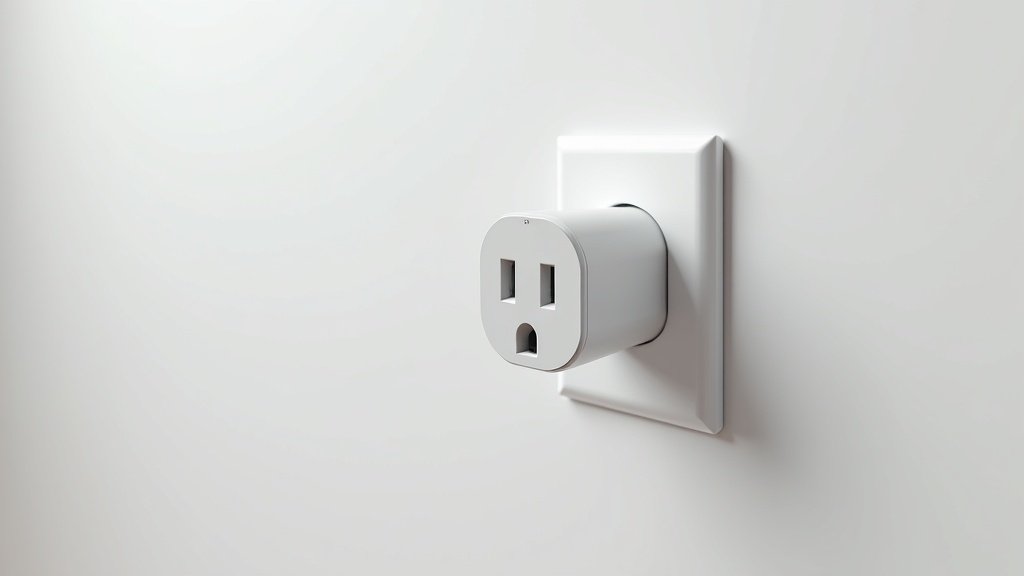
Why Energy Monitoring Smart Plugs Are Worth Every Penny
The average American household spends over $1,500 a year on electricity, and a surprising amount of that cost comes from phantom loads and inefficient appliances running longer than necessary. A standard smart plug lets you turn things on and off remotely, but an energy monitoring smart plug does something far more valuable: it shows you exactly how much electricity every plugged-in device consumes, in real time, down to the watt.

Once you can see the data, you can act on it. That old chest freezer in the garage drawing 200 watts around the clock? Now you know it is costing you $20 a month and can decide whether to replace it. The space heater you assumed was cheap to run? The energy log reveals it consumed $45 in electricity last month alone. These insights are invisible without monitoring, and they add up to hundreds of dollars in potential savings every year.
Energy monitoring smart plugs also enable automation that saves money passively. Set schedules to cut power to entertainment centers during sleeping hours, create routines that turn off energy-hungry devices when you leave home, and receive alerts when consumption spikes unexpectedly (which can indicate a malfunctioning appliance). The best models integrate with Alexa, Google Home, Apple HomeKit, or Matter, making them a cornerstone of any energy-conscious smart home.
We tested and compared six of the best energy monitoring smart plugs available in 2026, evaluating them on measurement accuracy, app experience, smart home compatibility, build quality, and overall value. Here are our picks.
Top 6 Smart Plugs With Energy Monitoring Compared
| Product | Protocol | Max Load | Energy Data | Best For |
|---|---|---|---|---|
|
#1. Kasa Smart Plug KP125M As an Amazon Associate, we earn from qualifying purchases. |
Matter + WiFi | 15A / 1800W | Real-time watts, daily/monthly kWh, cost estimate | Best Overall |
| Matter + WiFi | 15A / 1800W | Real-time watts, 30-day history, cost estimate | Best Value | |
| Matter + Thread | 15A / 1800W | Real-time watts, projected cost, historical chart | Best for Apple / Thread | |
| WiFi 2.4GHz | 15A / 1800W | Real-time watts, 1-second updates, kWh history | Best Data Granularity | |
| WiFi + MQTT | 15A / 1800W | Real-time watts, voltage, current, kWh counter | Best for Advanced Users | |
|
#6. Meross Smart Plug MSS310 As an Amazon Associate, we earn from qualifying purchases. |
WiFi 2.4GHz | 15A / 1800W | Real-time watts, daily/monthly kWh | Best Budget |
Detailed Reviews: Best Smart Plugs With Energy Monitoring
1. Kasa Smart Plug KP125M — Best Overall
#1. Kasa Smart Plug KP125M
As an Amazon Associate, we earn from qualifying purchases.
The Kasa KP125M earns our top spot by combining accurate energy monitoring, Matter compatibility, a polished app experience, and TP-Link’s proven reliability into one compact, affordable package. If you are buying your first energy monitoring smart plug or outfitting an entire home, this is the one to get.
The energy monitoring is precise and comprehensive. The Kasa app shows real-time wattage, daily and monthly kilowatt-hour totals, and an estimated electricity cost based on your local utility rate (which you enter during setup). The data logs are clean and easy to read, with bar charts that let you compare usage day by day or month by month. You can quickly identify which appliances are the biggest energy consumers and spot any unusual spikes.
Matter support is the KP125M’s biggest differentiator over older Kasa models. Matter is the universal smart home standard that works across Apple HomeKit, Google Home, Amazon Alexa, and Samsung SmartThings without needing separate bridges or manufacturer-specific hubs. This means the KP125M integrates seamlessly into any smart home ecosystem, and it will continue working even if TP-Link changes their cloud services in the future.
The compact form factor is another win. The KP125M occupies only one outlet on a duplex, leaving the adjacent outlet free. This sounds minor until you try to fit two smart plugs on a standard wall plate and realize most designs block both sockets.
Setup takes about two minutes through the Kasa app. Scheduling, timers, away mode, and sunrise/sunset automation are all built in. You can create routines that turn off energy-hungry devices during peak electricity pricing hours, which is increasingly important as more utilities adopt time-of-use billing.
Pros:
- Accurate real-time wattage and detailed kWh logging with cost estimates
- Matter certified — works with HomeKit, Google Home, Alexa, and SmartThings
- Compact design does not block the adjacent outlet
- Polished Kasa app with intuitive energy dashboard and scheduling
- 15A / 1800W capacity handles high-draw appliances
- No hub required — connects directly to WiFi
Cons:
- 2.4GHz WiFi only — will not connect to 5GHz networks
- Energy data export requires manual effort (no direct CSV export)
- Slight premium over the Tapo P110M for the Kasa branding and app
2. TP-Link Tapo P110M — Best Value
The Tapo P110M is essentially the Kasa KP125M’s sibling — same parent company, same Matter support, same hardware specs — but sold under TP-Link’s Tapo brand at a lower price point. If you want the same energy monitoring performance and Matter compatibility for a few dollars less per plug, and you do not mind using the Tapo app instead of Kasa, this is the smart value play.
The Tapo app provides real-time wattage readings, a 30-day usage history, and electricity cost estimates. The interface is clean and functional, though slightly less polished than the Kasa app in terms of data visualization. You get the same scheduling capabilities, away mode, timer functions, and sunrise/sunset automation.
Matter certification means the P110M works with Apple HomeKit, Google Home, Alexa, and Samsung SmartThings out of the box. The compact form factor is identical to the KP125M, keeping the adjacent outlet free. Build quality is solid with a UL-listed design and a physical button for manual on/off control.
Where the Tapo P110M really shines is in multi-pack pricing. TP-Link often sells two-packs and four-packs at significant discounts, making it the most cost-effective way to add energy monitoring across your entire home. When you are tracking energy on 8-10 devices (which is what it takes to get a comprehensive picture of your home’s electricity usage), per-unit cost matters.
Pros:
- Lower price than the Kasa KP125M with nearly identical specs
- Matter certified for cross-platform smart home compatibility
- Real-time wattage, 30-day kWh history, and cost estimates
- Compact design leaves adjacent outlet free
- Excellent multi-pack value for whole-home monitoring
- UL listed with ETL safety certification
Cons:
- Tapo app is functional but less refined than the Kasa app
- Energy history limited to 30 days in the app
- 2.4GHz WiFi only
3. Eve Energy Matter — Best for Apple and Thread Networks
The Eve Energy is the premium choice for Apple households and anyone building a Thread-based smart home mesh network. Unlike WiFi-based smart plugs that rely on your router and cloud servers, the Eve Energy communicates over Thread — a low-power mesh protocol that runs locally, responds faster, and becomes more reliable as you add more Thread devices to your home.
Energy monitoring on the Eve Energy is beautifully implemented through the Eve app. You get real-time wattage, projected daily and monthly costs based on your electricity rate, and a historical chart that shows consumption patterns over time. The data presentation is the cleanest of any plug on this list, with intuitive graphs that make it easy to understand how much each device costs to run.
With the latest Matter firmware, the Eve Energy now works beyond the Apple ecosystem. You can pair it with Google Home, Alexa, or SmartThings through Matter, though the Eve app (which provides the detailed energy data) remains iOS-only. If you are an iPhone and HomePod household, this limitation is irrelevant. If you use Android, you will get basic on/off control through other platforms but lose the granular energy dashboard.
Eve has built its reputation on privacy, and the Eve Energy reflects that philosophy. All data processing happens locally — no cloud account required, no data sent to external servers, no third-party tracking. For users who want energy monitoring without sending their usage data to the cloud, Eve is the only real option on this list.
Pros:
- Thread protocol for local, fast, reliable communication without cloud dependency
- Best-in-class energy data visualization in the Eve app
- Privacy-focused — all data processed locally, no cloud required
- Matter certified for cross-platform compatibility
- Mesh networking — each Eve Energy strengthens your Thread network
- Premium build quality and design
Cons:
- Detailed energy data only available through the Eve app (iOS only)
- Higher price than WiFi alternatives
- Requires a Thread border router (HomePod Mini, Apple TV 4K, or similar)
- Slightly larger form factor than the Kasa or Tapo plugs
4. Emporia Smart Plug — Best Data Granularity
Emporia made its name with whole-home energy monitors, and that data-first DNA shows in their smart plug. The Emporia Smart Plug delivers energy readings every single second — far more granular than the 5-15 second update intervals on competing plugs. For users who want detailed consumption profiles, power-on surge measurements, or the ability to identify exactly when a compressor cycles or a heating element kicks in, Emporia provides unmatched visibility.
The Emporia app is designed for energy nerds (in the best sense). It shows real-time watts, amps, and voltage. The usage history breaks down by hour, day, week, month, and year, with clear cost calculations based on your utility rate. If you have an Emporia Vue whole-home energy monitor, the smart plug data integrates into the same dashboard, giving you a unified view of your entire home’s electricity consumption down to individual circuits and devices.
This integration is the Emporia Smart Plug’s killer feature. While other plugs show you what one device draws, the Emporia ecosystem shows you how that device’s consumption fits into your total home energy picture. You can see that your gaming PC accounts for 12 percent of your monthly bill, your dehumidifier takes 8 percent, and your always-on entertainment center wastes 5 percent in standby mode — all in one dashboard.
Pros:
- 1-second energy reading updates — most granular data on this list
- Integrates with Emporia Vue whole-home energy monitoring system
- Shows watts, amps, and voltage in real time
- Comprehensive historical data: hourly, daily, weekly, monthly, yearly
- Affordable pricing with multi-pack discounts
- Works with Alexa and Google Assistant
Cons:
- No Matter, HomeKit, or Thread support
- Cloud-dependent — energy data requires Emporia servers
- App can feel overwhelming for casual users
- 2.4GHz WiFi only with occasional connectivity reports
5. Shelly Plus Plug US — Best for Advanced and DIY Users
The Shelly Plus Plug US is the smart plug for people who want full control over their devices and data. It runs on an open architecture that supports local API access, MQTT, and direct integration with Home Assistant, Node-RED, and other open-source home automation platforms. If you are running a self-hosted smart home and refuse to depend on cloud services, the Shelly Plus Plug is built for you.
Energy monitoring includes real-time watts, voltage, current (amps), and a cumulative kWh counter. The Shelly app provides a clean interface for basic users, but the real power is in the local API and MQTT support. You can pull energy data directly into Home Assistant, create custom dashboards in Grafana, set up alerts through Node-RED, and build automations that no consumer app can match. Want to automatically turn off a device when its wattage drops below a threshold indicating it has finished its cycle (like a dryer or dishwasher)? Shelly makes that trivial.
The device runs a local web server accessible from your browser, so you can configure and control it without any app or cloud service. Firmware updates are available over-the-air, and the Shelly community regularly develops custom firmware options for advanced use cases. The Plus Plug US uses the ESP32 chip, which provides reliable WiFi connectivity and enough processing power for complex local automations through Shelly scripting.
Pros:
- Local API, MQTT, and Home Assistant integration — no cloud required
- Real-time watts, voltage, current, and cumulative kWh monitoring
- Local web server interface — control from any browser on your network
- Shelly scripting enables on-device automations without a hub
- Active open-source community and regular firmware updates
- Works with Alexa, Google Home, and Home Assistant
Cons:
- Setup is more involved than plug-and-play consumer options
- No Matter or HomeKit support (yet)
- The Shelly app is functional but not as polished as Kasa or Tapo
- Energy history in the native app is basic — best paired with Home Assistant
6. Meross Smart Plug MSS310 — Best Budget
#6. Meross Smart Plug MSS310
As an Amazon Associate, we earn from qualifying purchases.
The Meross MSS310 proves you do not need to spend a lot to get reliable energy monitoring. At the lowest price point on our list, it delivers real-time wattage readings, daily and monthly kWh tracking, and compatibility with Alexa, Google Home, and SmartThings. For budget-conscious shoppers who want to start tracking appliance energy use without a significant investment, the MSS310 is the entry point.
The Meross app shows real-time power consumption in watts and logs daily and monthly kilowatt-hour totals. While the data presentation is not as detailed as the Emporia or as elegant as the Eve, it gives you everything you need to identify energy hogs and track consumption trends. You can set your electricity rate to see estimated costs, though the calculation is basic compared to apps that support time-of-use rate structures.
Build quality is decent for the price. The MSS310 has a physical on/off button, an LED status indicator, and UL listing for safety. The form factor is slightly larger than the Kasa or Tapo plugs, so it may block the adjacent outlet on some wall plates depending on the orientation. Check your outlet configuration before buying in bulk.
the MSS310 covers Alexa, Google Home, and SmartThings; for Apple Home you need the Matter-certified MSS315 instead. For Alexa and Google Home users, integration is straightforward and includes voice control for on/off, scheduling, and timer functions.
Pros:
- Lowest price on this list with genuine energy monitoring capabilities
- Real-time watts and daily/monthly kWh tracking in the Meross app
- Works with Alexa, Google Home, and SmartThings (no HomeKit — that needs the MSS315)
- Physical button for manual control
- UL listed for safety
- Frequent sales and multi-pack deals bring per-unit cost even lower
Cons:
- Slightly larger form factor may block adjacent outlet
- Energy data less detailed than Emporia or Kasa
- No Matter or Thread support
- App occasionally has connectivity delays
- No voltage or current readings — watts and kWh only
Smart Plug Energy Monitoring Buying Guide
What Energy Data Should a Smart Plug Track?
At minimum, an energy monitoring smart plug should show real-time wattage and log cumulative kilowatt-hour (kWh) usage. Real-time watts tell you what a device is drawing right now. Cumulative kWh tells you total energy consumed over a day, week, or month, which is what your utility bill is based on. Better plugs also show voltage, current (amps), estimated electricity cost, and historical usage charts. The more data you have, the better you can optimize your consumption.
Understanding Your Electric Bill Through Smart Plugs
Your electricity is billed per kilowatt-hour (kWh). One kWh equals running a 1,000-watt device for one hour, or a 100-watt device for 10 hours. The national average electricity rate is about $0.16 per kWh, though rates vary widely by state (from $0.10 in Louisiana to $0.35+ in Hawaii and California). Enter your local rate in the smart plug app to see accurate cost estimates for each monitored device.
WiFi vs. Thread vs. Matter: Which Protocol Matters?
WiFi smart plugs connect directly to your router and work immediately. They are the simplest option but add devices to your WiFi network, which can strain older routers if you have many smart devices. Thread is a low-power mesh protocol that communicates locally, reduces router load, and becomes more reliable as you add devices, but it requires a Thread border router. Matter is a universal compatibility standard that works across all major platforms. For future-proofing, choose a plug that supports Matter.
Identifying Energy Vampires in Your Home
Energy vampires (phantom loads) are devices that consume electricity even when turned off or in standby mode. Common culprits include cable boxes (20-30W standby), gaming consoles (10-15W standby), older TVs (5-15W standby), desktop computers (5-10W standby), and chargers left plugged in (1-5W each). Individually these seem small, but across 10-20 devices running 24/7, phantom loads can add $100-200 to your annual electricity bill. Energy monitoring smart plugs make these invisible costs visible.
Automation Strategies That Save Money
The real savings from energy monitoring smart plugs come from automation. Schedule entertainment centers to cut power at midnight and restore at 6 AM to eliminate 6 hours of standby draw. Create a “leaving home” routine that turns off non-essential plugs when you leave. Set up alerts when a device exceeds expected wattage, which can indicate a malfunction. If your utility has time-of-use pricing, schedule high-draw devices (dishwashers, laundry) to run during off-peak hours for the lowest rates.
Safety Considerations
All smart plugs on this list are rated for 15 amps / 1,800 watts, which covers the vast majority of household devices. Never use a smart plug with space heaters, high-wattage hair dryers, or any device that draws close to 1,800W for extended periods. Check the wattage rating of your appliance before plugging it in. Use only UL-listed or ETL-certified smart plugs, and avoid no-name imports that lack safety certifications. If a smart plug ever feels excessively hot during use, unplug it immediately.
Frequently Asked Questions
Q: How much money can energy monitoring smart plugs actually save?
A: Most households discover $10-30 per month in wasted electricity once they start monitoring. The biggest savings come from identifying phantom loads (devices drawing power in standby), finding malfunctioning appliances that consume more than they should, and automating schedules to cut power during non-use hours. A household with 8-10 monitored devices typically finds enough waste in the first month to pay for all the smart plugs within 2-3 months.
Q: Can I use energy monitoring smart plugs with high-wattage appliances?
A: All plugs on this list support up to 15 amps / 1,800 watts, which covers most household appliances including refrigerators, window AC units, TVs, gaming consoles, computers, lamps, and small kitchen appliances. Do not use them with space heaters, large portable ACs, or any device that draws close to or above 1,800 watts. For very high-draw appliances, consider a dedicated whole-home energy monitor like the Emporia Vue that clamps onto your breaker panel.
Q: Do energy monitoring smart plugs work without WiFi?
A: Most WiFi-based smart plugs require an active internet connection for the app, energy logging, and cloud-based automations. The Shelly Plus Plug is a notable exception — it runs a local web server and can operate entirely on your local network without internet. The Eve Energy uses Thread, which communicates locally through your Thread border router and does not depend on cloud servers. If internet reliability is a concern, choose Shelly or Eve.
Q: How accurate are smart plug energy readings?
A: The plugs on this list are generally accurate within 1-5 percent for wattage readings, which is more than sufficient for household energy tracking and cost estimation. The Emporia and Shelly plugs tend to be the most precise, with readings consistently within 1-2 percent of dedicated power meters in our testing. For reference, your utility meter itself has a tolerance of about 2 percent, so smart plug readings are comparable in accuracy.
Q: Should I get WiFi or Thread smart plugs?
A: For most people, WiFi smart plugs are the simplest choice — they connect directly to your existing router with no additional hardware. Choose Thread (Eve Energy) if you already have an Apple-centric smart home with a HomePod Mini or Apple TV 4K as a Thread border router, and you value privacy and local processing. If you have more than 20 smart devices on your WiFi network and experience connectivity issues, Thread’s mesh architecture can improve reliability.
Q: Can I monitor my whole home’s energy usage with smart plugs?
A: Smart plugs monitor individual devices, not whole-home consumption. For a complete picture, you would need a plug on every significant appliance, which is impractical and does not cover hardwired devices like your HVAC, water heater, or oven. For whole-home monitoring, consider a panel-level energy monitor (Emporia Vue, Sense) that clamps onto your electrical panel’s main feeds. Use smart plugs to drill down into specific devices of interest after identifying the biggest consumers at the panel level.
The Bottom Line
For most households, the Kasa Smart Plug KP125M is the best energy monitoring smart plug in 2026. It delivers accurate energy data, a polished app experience, Matter compatibility across all major platforms, and a compact design that does not block adjacent outlets. If budget is the priority and you want to monitor many devices, the TP-Link Tapo P110M offers nearly identical performance at a lower per-unit cost, especially in multi-packs. Apple and privacy-focused users should choose the Eve Energy Matter for its local Thread processing and zero-cloud-data approach. And data enthusiasts who want second-by-second granularity and whole-home integration should look at the Emporia Smart Plug paired with their Vue monitor.
#1. Kasa Smart Plug KP125M
As an Amazon Associate, we earn from qualifying purchases.
The electricity you cannot see is the electricity you cannot save. An energy monitoring smart plug makes your consumption visible, actionable, and ultimately lower. At $10-25 per plug, it is the fastest-payback smart home investment you can make.
Disclosure: This post contains affiliate links. If you purchase through our links, we may earn a small commission at no extra cost to you. Learn more.