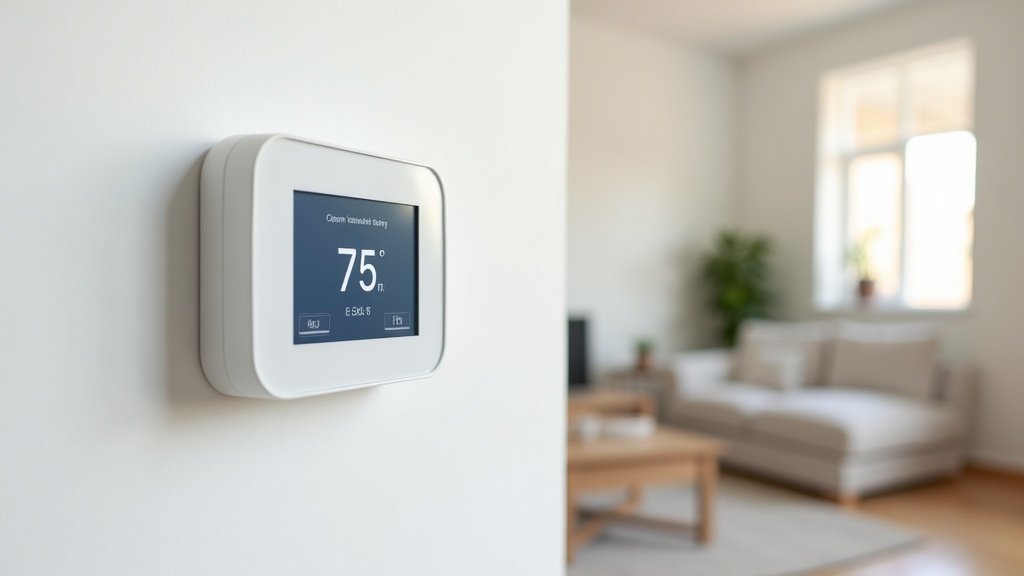
The Best Wi-Fi Thermostats Under $100: Save Money Without Spending a Fortune
A smart thermostat is one of the best investments you can make for your home. It pays for itself through energy savings, often within the first few months. But you do not need to spend $200 or more on a Nest or Ecobee to get great results.

In this guide, we tested and reviewed the best Wi-Fi thermostats under $100. These affordable options still offer app control, voice assistant compatibility, energy-saving scheduling, and easy DIY installation. Here are our top picks for 2026.
Top 5 Wi-Fi Thermostats Under $100: Comparison
| Rank | Product | Best For | Voice Assistants | C-Wire Required | Approx. Price |
|---|---|---|---|---|---|
| 1 | Wyze Thermostat | Best overall value | Alexa, Google | No (adapter included) | ~$50 |
| 2 | Amazon Smart Thermostat | Alexa users | Alexa | No (C-wire adapter included) | ~$60 |
| 3 | Honeywell Home T5 (RTH8560D) | Reliability | Alexa, Google, HomeKit | Yes | ~$85 |
| 4 | Emerson Sensi Lite ST25 | Easy install | Alexa, Google, HomeKit | No | ~$70 |
| 5 | Google Nest Thermostat (2024) | Google Home users | Google, Alexa | No (connector included) | ~$100 |
1. Wyze Thermostat — Best Overall Under $100
The Wyze Thermostat delivers an astonishing amount of value for around $50. It features a clean, modern design with a simple LED display, app-based smart scheduling, and compatibility with both Alexa and Google Assistant. Wyze even includes a C-wire adapter in the box, solving the most common installation headache with budget thermostats.
Key Features
- App-controlled scheduling with temperature presets for home, away, and sleep
- Compatible with most HVAC systems (1-stage and 2-stage heating/cooling, heat pump)
- C-wire adapter included — no extra purchase needed
- Energy usage history tracking in the Wyze app
- Works with Alexa and Google Assistant for voice control
Pros & Cons
Pros: Unbeatable price, clean design, C-wire adapter included, effective scheduling, easy app setup.
Cons: No Apple HomeKit support, no built-in learning algorithm, display is basic compared to Nest.
The Wyze Thermostat proves you do not need to spend $200+ to get reliable smart temperature control. For most homes, it covers everything you need.
2. Amazon Smart Thermostat — Best for Alexa Homes
Made in partnership with Honeywell Home, the Amazon Smart Thermostat is built for Alexa-centric smart homes and typically sells for around $60. It supports Alexa Hunches, so Alexa can adjust the temperature automatically based on your routines and Echo presence detection. It is Energy Star certified, which the EPA associates with roughly $50 a year in heating and cooling savings.
Key Features
- Alexa Hunches for automatic temperature adjustments based on your patterns
- Energy Star certified for meaningful annual energy savings
- Compatible with most 24V HVAC systems
- Sold in a version bundled with a C-wire power adapter for older wiring
- Simple design with an LED display and touch bar
Pros & Cons
Pros: Deep Alexa integration, Hunches-based automation, Energy Star certified, frequently drops below $60 on sale.
Cons: No Google Assistant or HomeKit support, leans heavily on the Alexa ecosystem, basic display.
For an Alexa-first household, it is the most seamless budget option on this list. Check the latest price on Amazon
3. Honeywell Home T5 Wi-Fi Thermostat — Most Reliable
Honeywell is the legacy name in home climate control, and the T5 Wi-Fi Thermostat brings that reliability into the smart home era. It supports flexible scheduling (7-day or geofencing-based), works with all three major voice assistants, and features Honeywell’s proven HVAC compatibility.
Key Features
- 7-day flexible scheduling with location-based temperature control (geofencing)
- Works with Alexa, Google Assistant, and Apple HomeKit
- Auto changeover between heating and cooling
- Backlit touchscreen display
- Honeywell Home app with energy reports
Pros & Cons
Pros: Proven Honeywell reliability, supports all major voice assistants including HomeKit, geofencing, touchscreen.
Cons: Requires a C-wire (no adapter included), slightly more expensive than Wyze or Amazon, design is more utilitarian.
4. Emerson Sensi Lite ST25 — Easiest Installation
The Emerson Sensi Lite ST25 is engineered for painless DIY installation and usually costs around $70. It does not require a C-wire on most systems, the Sensi app walks you through setup step by step, and it works with a wide range of HVAC equipment. It also supports Apple HomeKit, making it a rare budget option for Apple users.
Key Features
- No C-wire needed on most systems
- Step-by-step guided installation in the Sensi app
- Works with Alexa, Google Assistant, Apple HomeKit, and SmartThings
- 7-day programmable scheduling
- Remote access from anywhere via the Sensi app
Pros & Cons
Pros: No C-wire required, HomeKit support, excellent guided install, wide HVAC compatibility.
Cons: Button-based rather than touchscreen, no learning capability, design looks dated next to the Wyze or Nest.
For renters and Apple households on a budget, it is the easiest install here. Check the latest price on Amazon
5. Google Nest Thermostat (2024 Model) — Best at $100
Right at the $100 mark, the Google Nest Thermostat brings the Nest brand’s iconic design and smart features into the affordable range. It features a sidelit mirrored display, energy-saving suggestions based on your usage patterns, and tight integration with the Google Home app.
Key Features
- Sidelit mirrored display that blends into your wall
- Savings Finder: suggests schedule tweaks to save energy
- Quick Schedule setup during installation
- Trim kit included for C-wire connector compatibility
- Works with Google Assistant and Alexa
Pros & Cons
Pros: Beautiful design, Savings Finder feature, Google Home integration, C-wire connector included.
Cons: Right at the $100 limit, no Apple HomeKit, lacks the full learning features of the Nest Learning Thermostat.
Check the latest price on Amazon
Buying Guide: What to Look for in a Budget Smart Thermostat
HVAC Compatibility
Before buying any thermostat, check that it supports your heating and cooling system. Most budget thermostats work with standard 24V forced-air systems, but if you have a heat pump, multi-stage system, or radiant floor heating, verify compatibility on the manufacturer’s website.
C-Wire Consideration
The C-wire (common wire) provides constant power to the thermostat. Many older homes do not have one. Budget thermostats like the Wyze and Amazon Smart Thermostat include a C-wire adapter, which is a major convenience. If your home lacks a C-wire and the thermostat does not include an adapter, you may need to hire an electrician.
Voice Assistant Compatibility
If you are locked into a specific ecosystem, make sure your thermostat works with it. Alexa-only households will love the Amazon Smart Thermostat. Apple HomeKit users should look at the Honeywell T5 or Sensi Lite. Google Home users will benefit most from the Nest Thermostat.
Energy Savings Potential
According to ENERGY STAR, an ENERGY STAR certified smart thermostat saves about 8% of heating and cooling costs, or approximately $50 per year. Features like geofencing (auto-away when you leave), smart scheduling, and energy usage reports help maximize savings. A $50–$100 thermostat can pay for itself in the first year.
Frequently Asked Questions
Q: Can I install a Wi-Fi thermostat myself?
A: Yes, most Wi-Fi thermostats are designed for DIY installation. You will need to turn off power to your HVAC system, remove the old thermostat, label the wires, and connect them to the new unit. The process takes 15–30 minutes. Most brands include step-by-step guides and video tutorials.
Q: Do cheap smart thermostats actually save money?
A: Absolutely. Even basic smart scheduling and auto-away features can reduce energy consumption significantly. The EPA estimates average annual savings of $50 with an Energy Star certified thermostat. The key is actually using the scheduling and away features rather than just manually adjusting the temperature.
Q: What happens to my smart thermostat if Wi-Fi goes down?
A: Your thermostat will continue to heat and cool according to its last scheduled program. You just will not be able to control it remotely or via voice commands until Wi-Fi is restored. The thermostat never fully stops working due to a Wi-Fi outage.
Q: Is the Google Nest Thermostat worth the extra money over the Wyze?
A: If you are a Google Home user and value the premium mirrored display and Savings Finder feature, the Nest is worth the upgrade. If you just want reliable smart scheduling and voice control at the lowest price, the Wyze Thermostat gets the job done at half the cost.
<section id=” which-thermostat-fits-your-home”=””>
Which Wi-Fi Thermostat Actually Fits Your Situation?
Most budget thermostat guides lead with specs. This section starts with the question that actually matters: what is your situation? The right thermostat at $35 beats the wrong one at $90 every time, and the decision hinges on two things before you look at any feature list.
First, does your HVAC system have a C-wire? It is the common wire that delivers continuous low-voltage power to a smart thermostat. If your current unit has five or more labeled wires, you likely have one. Without it, some models need an adapter, and a few will not run reliably at all. Second, are you renting or owning? Renters should prioritize models that install and uninstall cleanly without leaving a large wall patch or requiring licensed rewiring.
If your needs go beyond this price range — occupancy sensing, detailed usage reports, HomeKit compatibility — the ecobee is the benchmark to compare against. Our ecobee SmartThermostat Premium review covers whether that premium is justified for your setup.
Best for / Skip if: Quick Buyer-Fit Guide
Wyze Thermostat
Best for: Homeowners already using Wyze cameras or plugs who want a single app for everything. The step-by-step installation guide is clearer than most competitors, which helps first-timers avoid wiring mistakes.
Skip if: Your system runs a heat pump with auxiliary heat stages. Wyze’s HVAC compatibility list is narrower than rivals, and auxiliary heat configurations can cause erratic behavior.
Amazon Smart Thermostat
Best for: Alexa-first households. If you already run lights, locks, and routines through Alexa, this slots in seamlessly and frequently drops below $60 during promotions. The built-in Alexa sensor adds a second voice-control point in the hallway.
Skip if: You do not use Alexa at all. The thermostat functions independently, but the app experience is minimal compared to competitors, and you lose the features that justify the purchase.
Honeywell Home T5+
Best for: Anyone who wants set-it-and-forget-it reliability with professional HVAC installer support. Honeywell’s contractor network is unmatched, which matters when something fails at midnight in February.
Skip if: You need geofencing or detailed energy usage data. The T5+ covers the basics of scheduling and remote access without advanced automation features. If you want the thermostat to adapt on its own, look elsewhere.
Emerson Sensi Lite
Best for: Renters and first-time buyers with older HVAC systems. The Sensi Lite is specifically engineered for two-wire setups common in older apartments and does not need a C-wire. The app is genuinely beginner-friendly.
Skip if: You want geofencing or a richer automation workflow. The Lite version strips those to hit its price point. The full Sensi Touch adds them, but costs more and partially changes the value calculation.
Google Nest Thermostat
Best for: Google Home users and anyone who cares how a thermostat looks on the wall. The mirror finish display stands out compared to every competitor in this range, and Google Home integration is tight and reliable.
Skip if: You are on Apple HomeKit. Native HomeKit support does not exist; workarounds exist but limit functionality. Also skip if you are price-sensitive — the Nest frequently sits at the top of this bracket and occasionally exceeds it.
At-a-Glance Comparison
| Model | C-Wire Needed | Voice Assistant | Geofencing | Best Use Case |
|---|---|---|---|---|
| Wyze Thermostat | Yes (adapter included) | Alexa, Google | Yes | Wyze ecosystem households |
| Amazon Smart Thermostat | No (Power Adapter Kit) | Alexa Built-in | Yes (via Alexa) | Alexa-first homes |
| Honeywell Home T5+ | Yes | Alexa, Google | No | Reliable basic scheduling |
| Emerson Sensi Lite | No | Alexa, Google | No | Renters, older HVAC systems |
| Google Nest Thermostat | No (Trim Kit included) | Google Assistant | Yes (Home/Away Assist) | Google Home households |
One Step Most Buyers Skip Before Ordering
Before clicking Add to Cart, photograph your current thermostat’s wiring. Count the wires, match each label to its terminal, then run the manufacturer’s online compatibility checker — every brand on this list has one. A missing C-wire is solvable for most of these models, but it adds time to the install and one more potential failure point. Knowing upfront costs you five minutes; finding out after opening the box costs you a return shipping label.
A weak Wi-Fi signal near your thermostat causes the most common complaints about smart thermostats — dropouts, delayed app response, and routines that fire late. If your router is two floors away, a Wi-Fi extender is worth adding to the project. We compared the top options in our best Wi-Fi extender guide — signal quality advice applies whether you are reducing gaming lag or keeping your thermostat online.
Current Price Checks
Smart thermostat prices move often, especially around seasonal home-improvement sales. Use these links to compare current availability after deciding which model fits your wiring and smart-home setup.
- Wyze Thermostat: Check current options on Amazon
- Amazon Smart Thermostat: Check current options on Amazon
- Honeywell Home T5: Check current options on Amazon
- Emerson Sensi Lite: Check current options on Amazon
- Google Nest Thermostat: Check current options on Amazon
Frequently Asked Questions
- Do I need a C-wire to install a Wi-Fi thermostat?
- Not always. The Amazon Smart Thermostat and Emerson Sensi Lite are both designed to work without one, drawing power through existing wiring or an included adapter. C-wire setups are more stable and recommended when available. Use the manufacturer’s compatibility checker with your specific HVAC model — it takes two minutes and prevents most installation headaches.
- Will a Wi-Fi thermostat work if my internet goes down?
- Basic heating and cooling will continue based on whatever schedule was last saved. Remote access and voice commands will not work until connectivity is restored. Most models resume their normal schedule automatically once your network comes back online, so a short outage will not leave you without heat or air conditioning.
- Can I use any of these thermostats with a heat pump?
- Several models support heat pumps, but compatibility with auxiliary heat stages varies. Heat pump systems use an O/B reversing valve terminal that not every budget thermostat handles correctly. The Google Nest Thermostat and Emerson Sensi Lite both have broad documented heat pump support in this price range. Always verify your specific system model against the product’s compatibility page before purchasing.
- Is the Google Nest Thermostat compatible with Apple HomeKit?
- No natively. Google Nest products run through Google Home and do not support HomeKit without third-party bridge software. If HomeKit integration is a requirement, the ecobee line is the most widely supported option, though most HomeKit-certified thermostats sit above the $100 mark. See our ecobee SmartThermostat Premium review for a full breakdown of what you gain by spending more.
- How do smart thermostats actually reduce energy use?
- Primarily by stopping the waste that comes from conditioning an empty home. Scheduling and geofencing let the thermostat set back temperature when you leave and restore comfort before you return. More advanced models layer in occupancy sensing or usage learning on top of that. Actual savings depend on your climate, insulation, and how the thermostat was configured before. Treat any specific percentage figure from a manufacturer as a ceiling under ideal conditions, not a promise.
Planning Your Next Smart Home Upgrade
A Wi-Fi thermostat delivers the highest-impact upgrade per dollar for most homes, but it works best when the rest of your network is solid. If you are building out additional smart devices — video doorbells, indoor cameras, motion sensors — the ecosystem decisions start to interact. We worked through one of the most common camera debates in our Ring vs. Blink comparison, including which system makes more sense depending on whether you are already committed to Alexa or prefer a standalone setup.
Final Verdict
The Wyze Thermostat is our top pick for the best Wi-Fi thermostat under $100. At roughly $50, it offers smart scheduling, voice control, and a C-wire adapter — everything most homeowners need. For Alexa-heavy homes, the Amazon Smart Thermostat is a fantastic alternative with Hunches-based automation. And if you want the sleekest design and are willing to spend the full $100, the Google Nest Thermostat is a beautiful and capable choice.
Whichever you choose, upgrading from a basic thermostat to a smart Wi-Fi thermostat is one of the simplest ways to lower your energy bills and increase your home’s comfort.
Disclosure: This post contains affiliate links. If you purchase through our links, we may earn a small commission at no extra cost to you. Learn more.
As an Amazon Associate, we earn from qualifying purchases.
Related: See our Best Smart Thermostat 2026: Top WiFi Models to Save Energy.
Related: See our Best Smart Thermostat for Energy Savings 2026: 5 Models With Real Savi.
You May Also Like
- Best Smart Thermostat for Energy Savings 2026: 5 Models With Real Savings Data
- Best Smart Thermostat 2026: Top WiFi Models to Save Energy
- Ecobee SmartThermostat Premium Review 2026: Smart Home Comfort Tested
- Ecobee vs Nest vs Honeywell: Smart Thermostat Comparison
- Best Smart Home Hub in 2026: Alexa vs Google Home vs SmartThings