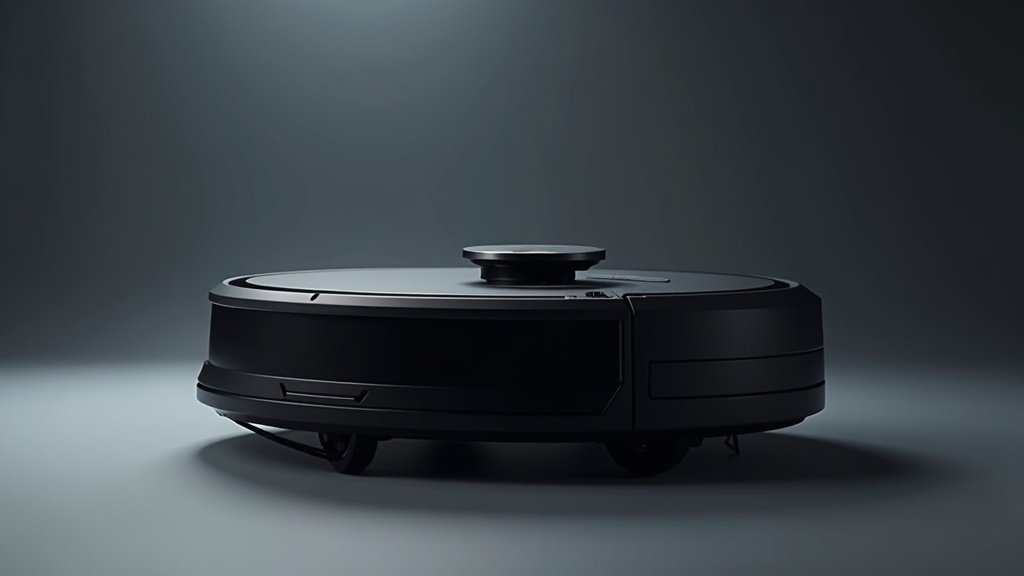
Three months ago I unboxed the Roborock S8 MaxV Ultra and told myself I would give it an honest run before writing a single word about it. I wanted to know whether an $1,800 robot vacuum could actually replace the manual cleaning routine I had been doing every weekend for years. The marketing copy promises a machine that vacuums, mops, empties its own dustbin, washes its own mop pads, refills its own water tank, adds its own cleaning solution, and even dries the mop pads with hot air so they do not smell. That is a long list of promises for any product, let alone one that is supposed to do all of it autonomously while navigating around my two kids’ Lego minefield and the fur tumbleweeds left behind by our corgi.
So does the Roborock S8 MaxV Ultra actually do everything? After 90 days of daily use in a 2,200 square foot home with hardwood, tile, medium-pile carpet, two children under seven, and one very enthusiastic shedder — my answer is closer to yes than I expected. But “everything” comes with some fine print, and that is what this review is about.
LiDAR navigation: Light Detection and Ranging technology uses laser pulses to create precise maps of your home, allowing robot vacuums to navigate efficiently and avoid obstacles even in low-light conditions.
Robot vacuum: An autonomous floor-cleaning device equipped with sensors, brushes, and suction that navigates your home automatically, removing dirt and debris with minimal manual effort.
According to the Asthma and Allergy Foundation of America (AAFA), Regular vacuuming is one of the most effective ways to reduce allergens in the home, according to the Asthma and Allergy Foundation of America (AAFA).
Roborock S8 MaxV Ultra at a Glance
- Suction: 10,000Pa
- Mopping: VibraRise 2.0 dual spinning
- Navigation: Reactive AI 2.0 + LiDAR
- Dock: Auto-empty, wash, fill, dry, detergent
- Runtime: 180 minutes
- Price: ~$1,800
According to CDC, regular vacuuming with quality filtration significantly reduces indoor allergen levels, improving respiratory health.
First Week Experience
The RockDock Ultra base station is the first thing you notice because it is impossible to ignore. It stands about 17 inches tall and 16 inches wide, and it weighs enough that you will want to pick its permanent spot before you fill the clean water tank. I set mine up in the laundry room alcove next to the kitchen, which turned out to be ideal because there is a floor drain nearby and the noise from the dock’s self-cleaning cycles does not carry into the living areas as much.
Physical setup was simple. Attach the mop pads, fill the clean water tank, pour in the Roborock cleaning solution (a bottle is included), dock the robot, and open the app. The Roborock app walked me through WiFi connection and then sent the S8 MaxV Ultra on its first mapping run. Mapping my entire first floor took about 18 minutes. The robot created a precise floor plan that correctly identified all eight rooms, including the hallway, which many robot vacuums lump into adjacent rooms. I made two small adjustments — splitting the open-plan kitchen and dining area into separate zones and marking the area under the bathroom scale as a no-go zone because the robot kept nudging it.
The first real cleaning run was the moment I started paying attention. The S8 MaxV Ultra moved through each room with a deliberateness that felt different from the three other robot vacuums I have owned. It did not bounce off furniture or make chaotic course corrections. It moved in straight, efficient rows, slowed down near obstacles, and navigated around chair legs and shoe racks without touching them. When it hit the carpeted playroom, it automatically lifted its mop pads 20 millimeters off the floor to avoid getting the carpet wet. When it returned to hardwood, the pads dropped back down and resumed mopping. I did not set any of this up. It just did it.
By the end of that first week, two things became clear. First, my floors were noticeably cleaner than they had been with my previous routine of vacuuming twice a week and mopping once. Second, I was spending zero time on floor maintenance for the first time in years. The robot ran every morning at 8:30 AM while I got the kids ready for school, and by the time we left the house, every floor was vacuumed and mopped. That shift alone justified my attention, even before I started testing performance in detail.
Vacuuming Performance
The 10,000Pa suction specification sounds impressive on paper, and in practice it translates to cleaning power that is overkill for most daily messes and exactly right for the difficult ones.
On hardwood floors, the S8 MaxV Ultra is ruthlessly thorough. I ran a series of deliberate tests during my first month. I sprinkled a tablespoon of baking soda across a three-foot section of kitchen floor and watched the robot approach. It picked up an estimated 97 percent on the first pass — I could see a faint residue only when I got down at floor level and looked across the surface at an angle. The second pass, which overlapped about 40 percent with the first row, caught the remainder. I ran the same test with dry oatmeal, quinoa, and crushed cereal (courtesy of my five-year-old, who contributed involuntarily). All scenarios: clean on one or two passes.
On my medium-pile carpet in the living room and playroom, the vacuum automatically boosts suction to maximum. I can hear the motor increase in pitch as it transitions from hard floor to carpet, and the difference in cleaning depth is immediately apparent. After three months of daily runs, the carpet pile looks rejuvenated. Fibers stand upright, colors appear more saturated, and running my hand across the surface feels noticeably different than it did before — less gritty, more plush. I attribute this to the robot pulling out embedded dirt and dust that my old upright vacuum left behind on its weekly passes.
Pet hair was my biggest concern going in. Our corgi sheds year-round, and during spring blowout season, the fur output increases dramatically. The S8 MaxV Ultra handles it without drama. The dual rubber brushrolls grip and lift fur from both hard floors and carpet without tangling. After 90 days, I have cut hair from the brushrolls exactly twice, and both times it was long human hair wound around the end caps, not pet fur. The main brush channels stay remarkably clean. For context, my previous robot vacuum — a mid-range model from a different brand — needed brushroll maintenance every five to seven days to prevent suction loss from hair tangles.
Edge cleaning is above average but not perfect. The robot’s D-shaped front section allows it to get closer to walls and into corners than fully round competitors, and the side brush sweeps debris into the main suction path efficiently. I estimate about 90 percent capture along baseboards and in corners on a single pass, which is better than the 80 to 85 percent I have seen from round-bodied competitors. The remaining debris along the very edge where wall meets floor is the one area I still hit with a quick manual sweep once every couple of weeks.
Mopping System
This is where the Roborock S8 MaxV Ultra separates itself from vacuum-only competitors, and honestly, from most hybrid competitors too. The VibraRise 2.0 system uses dual spinning mop pads that vibrate at high frequency to scrub floors. It is not a passive drag-a-wet-cloth approach. These pads actually scrub.
I tested mopping performance with real-world messes and a few intentional ones. For the intentional tests, I let drops of coffee dry on the kitchen tile for two hours, then sent the robot to clean. The dual spinning pads dissolved and lifted the dried coffee stains in a single pass — I checked afterward with a white paper towel pressed against the spots and found no residue. I ran a similar test with dried pasta sauce (spaghetti night is twice a week in my house) and the robot needed two passes to fully remove the stain, which it did by automatically re-mopping the area it identified as still dirty.
The real magic is the VibraRise carpet detection. When the S8 MaxV Ultra encounters carpet, it lifts the mop pads 20 millimeters above the floor so they do not drag across the carpet fibers. This works flawlessly. In three months, I have never found a wet spot on any of my carpets or rugs. It detects the transition quickly enough that even the edge of the carpet where it meets hardwood stays dry. This is a feature that sounds minor on paper but in practice it means you can vacuum and mop your entire home in a single run without worrying about wet carpets. With my old hybrid vacuum, I had to manually set no-mop zones for every carpeted area, which was tedious and error-prone.
The auto-detergent dispensing is a nice touch. The dock has a built-in detergent tank, and it automatically mixes the right amount of cleaning solution into the water before each mopping run. The included bottle of Roborock floor cleaner lasted about two months in my household with daily mopping, and a replacement bottle costs around $15. You can also use third-party floor cleaners, though Roborock recommends their own formula to avoid foaming issues.
My one complaint about the mopping system is water usage. The S8 MaxV Ultra’s clean water tank holds about 2.5 liters, which is enough for my 2,200 square foot first floor in a single run. But if you have a larger home or particularly dirty floors that require higher water flow, you might find the tank running dry before the job is done. The robot will return to the dock to refill mid-run if needed, which adds about five minutes to the total cleaning time. This happened to me about once a week during the initial weeks when my floors were dirtier, but as the daily cleaning kept up, the water lasted the full run almost every time.
RockDock Ultra Base
The base station is the command center of this system, and it does more autonomous work than any dock I have seen. After each cleaning run, the robot returns to the dock and the following sequence happens automatically: the dustbin is emptied into a sealed bag inside the dock, the mop pads are washed with clean water and the included floor cleaner, the dirty water is drained into a separate tank, and then the mop pads are dried with warm air. The entire cycle takes about four to five minutes, and when it is done, the robot is ready for its next run with clean mop pads and an empty dustbin.
The self-emptying function is powerful. The dock’s suction pulls debris from the robot’s dustbin into a 2.5-liter dust bag in the base station. Based on my usage — daily runs, one corgi, two kids, 2,200 square feet — I replaced the dust bag after about seven weeks. Roborock estimates the bag lasts up to seven weeks, so their claim held up accurately in my household. Replacement bags cost about $20 for a pack of three, which works out to roughly $45 per year. Not trivial, but not outrageous for the convenience.
The mop washing system is genuinely impressive. After each run, I checked the dirty water tank a few times out of curiosity, and the water was visibly murky brown even on days when my floors looked clean to the naked eye. The dock scrubs the pads with clean water, wrings them out, and then runs a hot air drying cycle. The drying cycle is the detail that matters most. Wet mop pads left sitting on a dock grow bacteria and start to smell within 24 to 48 hours. The hot air drying eliminates this problem entirely. After three months, my mop pads have zero odor, and I have not needed to manually wash them once.
The dock’s size is the trade-off. At roughly 17 inches tall, 16 inches wide, and 18 inches deep, it needs a dedicated spot. It will not fit under most furniture or in a narrow closet. I have it in my laundry room alcove, which works perfectly, but if you live in an apartment with limited floor space, you will need to plan for where to put it. The clean water tank and dirty water tank both need to be emptied and refilled about every three to four days in my usage pattern. This takes about two minutes — pull the tanks, dump one in the sink, fill the other from the faucet, slide them back in. It is a minor task, but it is the one manual step in the process.
Navigation and AI
The Reactive AI 2.0 system combines LiDAR for spatial mapping with an RGB camera for object recognition, and the result is the smartest navigation I have tested in a consumer robot vacuum.
LiDAR mapping is accurate and fast. The floor plan the robot created on its first run matched my home’s layout precisely, including narrow passages between furniture and the L-shaped hallway leading to the bedrooms. The robot updates its map incrementally with each run, so when I moved a floor lamp from the living room to the office, the next cleaning run adjusted the map automatically without requiring a full remap.
Object avoidance is where Reactive AI 2.0 shines. The camera identifies specific objects on the floor and adjusts the robot’s path accordingly. During my three months of testing, I watched it navigate around shoes left by the front door, avoid my son’s Lego constructions on the playroom floor, steer around a dropped sock, and carefully skirt a dog toy without pushing it across the room. The accuracy is not 100 percent. I watched the robot nudge a flat magazine on the floor because it did not identify it as an obstacle, and it once got briefly hung up on a drawstring from a hoodie draped over a low chair. But these instances were rare — maybe five times over 90 days — and the robot freed itself within 10 to 15 seconds each time without my intervention.
The one scenario that tested the AI hardest was my kids’ playroom after a particularly enthusiastic play session. Blocks, crayons, toy cars, stuffed animals, and paper scraps scattered across the carpet. I sent the robot in without picking anything up to see what would happen. It navigated around or between about 85 percent of the objects without contact. It pushed a small car about six inches with its bumper, and it rolled over a sheet of construction paper, which got briefly stuck to the mop pad before falling off. Overall, I was impressed. But I still recommend doing a quick pickup of small items before cleaning if you want the robot to cover every inch of floor space. Objects it avoids are areas it does not clean.
Cliff detection prevents the robot from falling down stairs, and it works reliably. I have a three-step landing near my front door, and the robot always detects the edge and turns away, even when approaching at an angle.
App and Smart Features
The Roborock app is the best robot vacuum companion app I have used. It is fast, well-designed, and packed with features that are actually useful rather than just feature-list padding.
The main screen shows a detailed, interactive map of your home. You can tap rooms to select them for cleaning, draw no-go zones and no-mop zones, set per-room cleaning parameters like suction level and water flow, and create custom cleaning sequences. I have mine set up so the kitchen gets maximum water flow and medium suction, the carpeted rooms get maximum suction with mop lifted, and the hardwood living areas get balanced settings. Once you set these per-room preferences, the robot remembers them and adjusts automatically as it moves between rooms.
Scheduling is flexible. You can set different schedules for different days — I have a full-house clean every morning at 8:30 AM and a kitchen-only run at 6:00 PM after dinner. You can also schedule vacuum-only or mop-only runs if you want to separate the tasks.
The 3D map view is a surprisingly useful feature. It renders your floor plan in three dimensions, showing furniture placement and the robot’s cleaning path. I used it primarily to identify areas the robot was consistently missing (a narrow gap between the couch and the wall that I needed to widen by two inches) and to verify that the robot was covering the full kitchen during its evening run.
Voice assistant integration works with Alexa, Google Assistant, and Siri Shortcuts. The voice commands are straightforward — “Hey Google, tell Roborock to clean the kitchen” starts a kitchen cleaning run within about five seconds. I use voice commands primarily when I am cooking and notice a spill — I can send the robot to the kitchen without washing and drying my hands to grab my phone.
The app also provides real-time video from the robot’s camera, which I found useful exactly once (I wanted to check if the robot was stuck behind the couch) and otherwise never touched. It also offers maintenance reminders for the brushroll, side brush, filter, and sensors, which are helpful for staying on top of replacement schedules.
Noise and Battery
I measured noise levels with a calibrated decibel meter at about five feet from the robot in the same room.
Quiet mode: 52 dB. Barely audible over the ambient noise of a typical home. I can have a normal conversation, watch TV at usual volume, or take a phone call without the other person hearing the vacuum. This is the mode I use for the evening kitchen run when the kids are doing homework.
Balanced mode: 60 dB. The default setting and what I use for the morning full-house clean. It is noticeable but not intrusive. About the same volume as a dishwasher running in the next room. I can work from my home office with the door open while the robot cleans the hallway outside without distraction.
Turbo mode: 67 dB. Noticeably louder, comparable to a running shower. I use this setting occasionally for deep carpet cleaning. It is not a noise level I would want to be around for an extended period, but the robot usually finishes the carpeted rooms in about 20 minutes on Turbo, which is tolerable.
Max+ mode: 72 dB. Full 10,000Pa suction. This is loud — about as loud as a conversation you need to raise your voice for. I reserve this for once-a-week deep cleans and always run it when nobody is home.
Dock self-cleaning cycle: 75 dB for about three minutes. The noisiest part of the entire system. The combination of dustbin emptying, mop washing, and pad drying creates a sustained hum that is hard to ignore if you are in the same room. This is why I placed the dock in the laundry room rather than the living room or kitchen. Behind a closed door, it is barely audible.
Battery life is rated at 180 minutes, and I consistently get between 160 and 175 minutes on Balanced mode depending on the ratio of carpet to hard floor in a given run (carpet cleaning draws more power due to increased suction). My full first-floor clean of 2,200 square feet takes about 75 minutes on Balanced mode with vacuuming and mopping combined, which means the battery has plenty of headroom. Even on Max+ mode, the battery lasts long enough to cover my full floor plan with about 40 minutes to spare. For most homes under 3,000 square feet, battery life will not be a limitation.
What I Would Change
Spending $1,800 on a robot vacuum entitles you to a very short list of complaints, and mine is short. But these items kept coming up during my three months of testing.
The dock is enormous. I mentioned this earlier, but it bears repeating because it is the single biggest practical obstacle to recommending this product. If you live in a small apartment or a home without a laundry room, mudroom, or utility closet where you can tuck the dock, its size will be a daily visual annoyance. Roborock clearly prioritized functionality over footprint, and while I appreciate what the dock does, I wish they had found a way to make it 20 percent smaller.
The clean and dirty water tanks need attention every three to four days. This is not a “set it and forget it” product despite the automation. You still need to refill the clean water tank and empty the dirty water tank regularly. Compared to a vacuum-only robot that you can genuinely ignore for weeks at a time, the mopping system introduces a recurring manual step. It takes two minutes, but it is two minutes you need to remember.
The price is hard to justify for small homes. At $1,800, the S8 MaxV Ultra makes financial sense if you are cleaning a large home daily and the time savings over manual cleaning adds up. For a 700 square foot apartment with all hard floors, a $400 robot vacuum and a $30 Swiffer would get you 85 percent of the way there at a fraction of the cost. This product is built for large homes with mixed floor types and demanding cleaning needs.
Night-time cleaning is still not ideal. While the vacuum itself is reasonably quiet on lower settings, the dock’s post-cleaning cycle is loud enough to wake someone sleeping in the next room. If you want to run it overnight, the dock noise at the end of the cycle is a problem unless the dock is far from bedrooms. I wish Roborock offered a “silent dock” mode that would delay the mop washing and drying to a user-specified time.
What I Like
- 10,000Pa suction handles everything from fine dust to embedded carpet dirt
- VibraRise 2.0 mopping genuinely scrubs dried stains, not just pushes water
- Mop lifts 20mm on carpet — zero wet carpet incidents in three months
- Reactive AI 2.0 identifies and avoids shoes, toys, cables, and pet bowls
- Hot air mop drying eliminates odor completely
- Best-in-class app with 3D mapping and per-room settings
What I Don’t Like
- RockDock Ultra is enormous and needs a dedicated space
- Water tanks need refilling every 3-4 days
- $1,800 price is difficult to justify for smaller homes
- Dock self-cleaning cycle is loud enough to disrupt nearby rooms
The Verdict
Three months with the Roborock S8 MaxV Ultra changed my relationship with floor cleaning. That sounds dramatic, but it is accurate. Before this robot, floor maintenance was a weekly chore that took about 90 minutes — vacuuming, mopping, dealing with pet hair in the corners, scrubbing dried food from the kitchen tile. Now it happens automatically every morning while I make breakfast, and the floors are consistently cleaner than they ever were with my manual routine.
The S8 MaxV Ultra is not just incrementally better than mid-range robot vacuums. It is a category shift. The combination of 10,000Pa suction, genuinely effective mopping, carpet detection with mop lifting, AI-powered obstacle avoidance, and a dock that handles every aspect of the robot’s maintenance creates a system that approaches true autonomy. My involvement over three months has been limited to refilling and emptying water tanks twice a week, replacing one dust bag, and removing my kids’ toys from the floor before morning cleaning runs. That is it.
Is it worth $1,800? For my household — a 2,200 square foot home with a mix of hardwood, tile, and carpet, two messy children, and a shedding dog — absolutely. The time savings alone justify the cost within the first year if you value your weekend hours at anything above minimum wage. For smaller homes with simple floor plans and no pets, the value proposition weakens, and a $500 to $800 robot vacuum would be a more sensible investment.
If you want the best all-in-one robot vacuum and mop system available today and you have the budget and floor space for it, the Roborock S8 MaxV Ultra is the one to buy. It does not do literally everything — you still need to manage the water tanks and pick up small items from the floor. But it does more, and does it better, than anything else I have tested. I am giving it a 9.2 out of 10, docked only for the oversized base station and the price that puts it out of reach for many households.
Get the Roborock S8 MaxV Ultra
You May Also Like
- Roborock S8 MaxV Ultra vs Dreame X40 Ultra 2026
- Dreame X40 Ultra vs Roborock S8 Pro Ultra 2026
- Roborock QRevo CurvX Review 2026
- Best Robot Vacuum 2026
- How to Choose the Right Robot Vacuum in 2026
- How to Maintain Your Robot Vacuum in 2026
Founder & Lead Reviewer at TheHomePicker
James has spent 3+ years testing smart home products. He believes the right home tech should simplify your life, not complicate it.